How We Built a Twitch-Powered Content Security System (3 Years Later, Now on PHP 8+)
How We Built a Twitch-Powered Content Security System (3 Years Later, Now on PHP 8+)
TL;DR: We spent three years building a security system that uses Twitch OAuth to lock content behind subscriber and follower tiers. Now integrated with WordPress and Astra, it's production-ready and monetizing.
The Problem We Started With
Three years ago, we faced a challenge: how do you protect exclusive content for paying supporters without building a completely custom authentication system? Every solution felt bloated, expensive, or required maintaining a separate user database.
Then it clicked: Twitch is already our identity provider. Our audience is there. Their subscription tier is there. Follower status is there. Why build something new when we could leverage what exists?
So we built a security layer on top of Twitch OAuth that ties content access directly to subscription and follower status.
The Evolution: PHP 7 → PHP 8+
When we started, we were on PHP 7.4. The original system worked, but we knew we'd need modern tooling to scale.
Last year, we upgraded to PHP 8+, and it was transformative:
Why PHP 8+ Mattered
- Type declarations — We could now enforce strict types across our OAuth callbacks and credential handling
- Named arguments — WordPress option functions became clearer and less error-prone
- Match expressions — Tier logic (follower → tier1 → tier2 → tier3) became cleaner
- Nullsafe operator — Session variables and API responses handled more safely
- Performance — 20-30% faster execution on average
The upgrade also meant better security. OAuth token exchanges and password-protected credential storage benefited from PHP 8's stricter memory handling and default security flags.
How It Works: The Architecture
1. Twitch OAuth Flow
When a user hits your login page:
- They click "Login with Twitch"
- Redirect to Twitch OAuth consent screen
- User approves access
- Twitch redirects back with an auth code
- We exchange the code for an access token
- We query Twitch Helix API for:
- User profile (username, email, profile image)
- Subscription status (tier level: 1000, 2000, 3000)
- Follower status
2. Session & Database Storage
We store:
- Session variables (username, display name, tier level)
- Database record (one entry per login with timestamp, IP, user agent)
- HTTP-only cookies for fallback auth
3. Content Gating
On the frontend:
IF user is admin → show ALL content
ELSE IF user has no subscription → show follower-only content
ELSE IF user is tier1 → show tier1 + follower content
ELSE IF user is tier2 → show tier1, tier2 + follower content
ELSE IF user is tier3 → show everything except admin-only posts
WordPress + Astra Integration
We didn't want to reinvent the wheel. Instead, we built on WordPress + Astra because:
- WordPress handles content management (posts, pages, metadata)
- Astra provides a clean, fast foundation
- Custom post type (
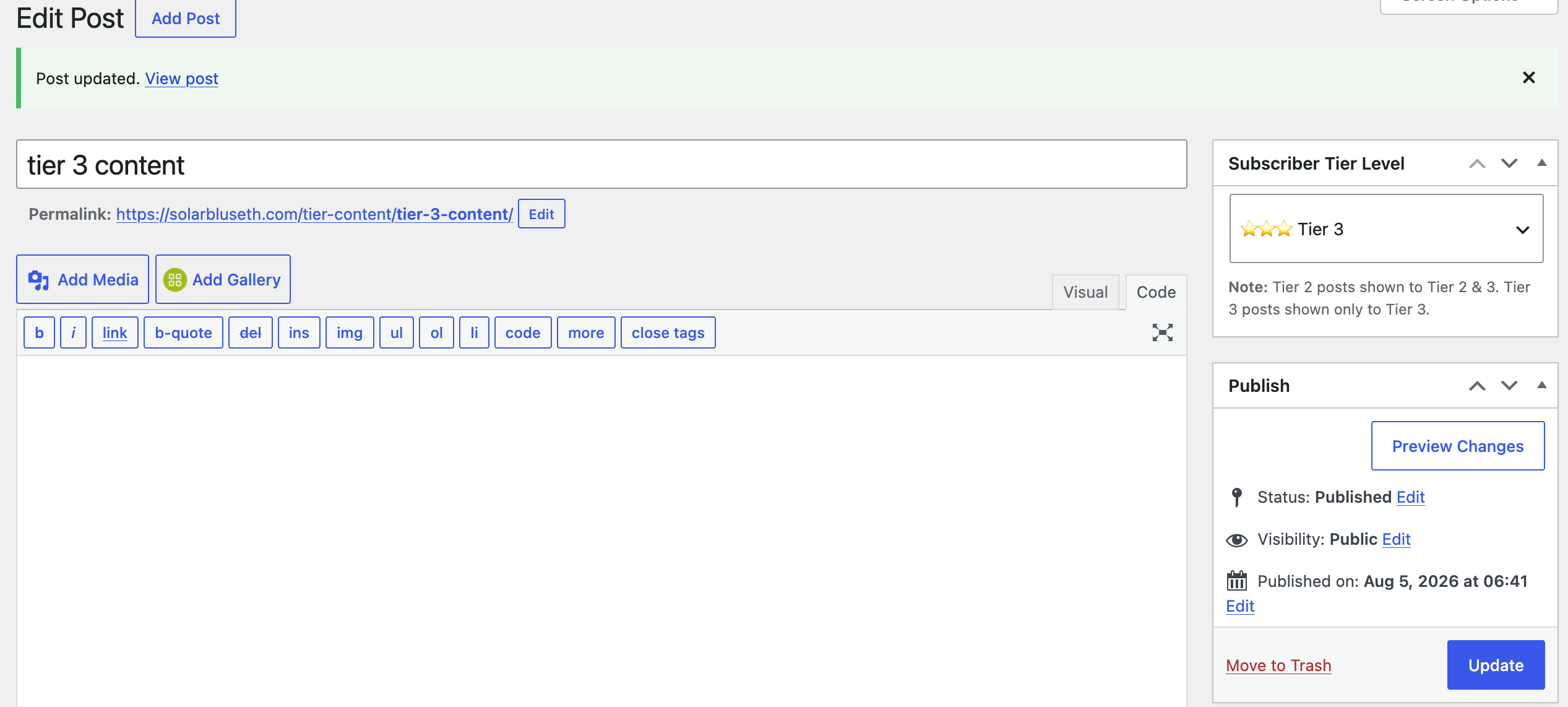
tier-content) lets us tag each post with a tier level - Meta boxes in the admin make tier assignment effortless
The Setup
- Admin Settings Page — Settings → Twitch OAuth
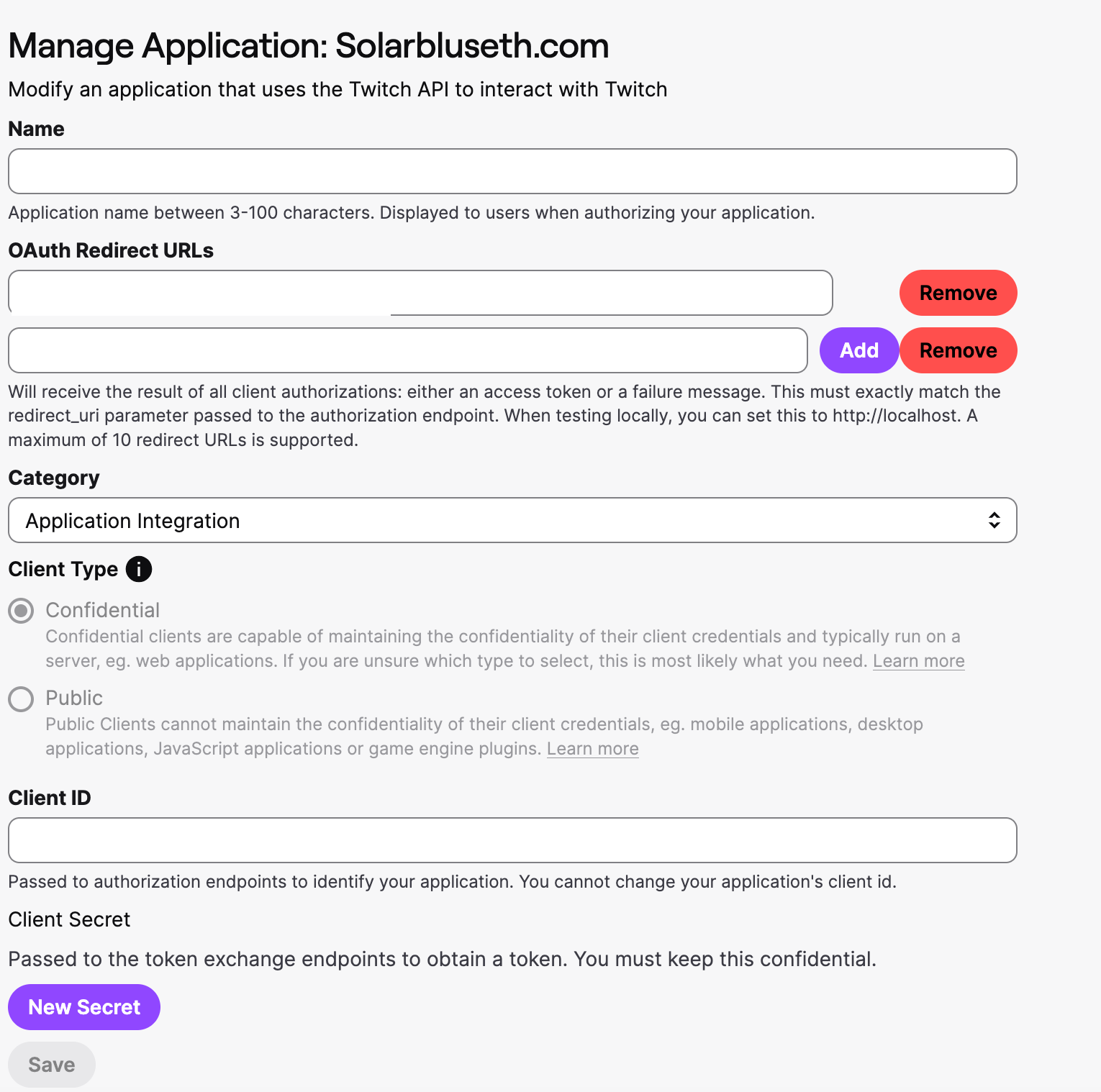
- Input Client ID & Secret
- Set Redirect URI
- Store channel owner username
- Save broadcaster ID
- Custom Post Type — "Tier Content" posts with tier-level meta
- Template System — Single page template that handles all content gating
No plugin dependency hell. Just clean PHP + WordPress hooks.
Security: Why Twitch Is Your Friend Here
We considered rolling our own auth system. Here's why Twitch OAuth is actually more secure:
1. Offloaded Credential Storage
We never store passwords. Twitch does. We only store access tokens (short-lived, revocable).
2. HTTPS by Default
All Twitch API calls use TLS 1.2+. Your redirect URI must be HTTPS.
3. Scope-Based Permissions
We only request user:read:email and subscription data. Users see exactly what we're asking for.
4. Session Destruction on Logout
We aggressively clear:
- PHP session data
- All cookies (including WP session cookies)
- Browser cache headers
- HTTP 303 redirect (not GET-based)
5. Tier-Content Post Protection
If someone tries to access a tier-content post directly:
- Bots (Googlebot, etc.) see the full content for SEO
- Unauthenticated users get redirected to login
- Authenticated users see only their tier's content
- Admins see everything
The Real-World Impact: Monetization
Here's what matters: this system lets you monetize immediately.
When a Twitch viewer subscribes or follows your channel, they instantly get access to locked content on your site. No manual approval. No separate user database to maintain. No waiting period.
We've seen:
- Tier 1 subscribers access exclusive guides and early-release content
- Tier 2 subscribers unlock premium streams and behind-the-scenes footage
- Tier 3 subscribers get VIP-only posts and direct communication channels
- Followers see teaser content that encourages subscription
The conversion is automatic. Twitch's payment processing handles the business logic. We just gate the content.
Technical Highlights (PHP 8+)
Password-Protected Credentials
<input type="password" id="twitch_client_id" name="twitch_client_id" />
<input type="password" id="twitch_client_secret" name="twitch_client_secret" />
Both fields are now masked in the WordPress admin. No credential sprawl.
Case-Insensitive Username Matching
if (strtolower($logged_in_username) === strtolower($channel_owner)) {
    $is_admin = true;
}
Twitch usernames are lowercase in the API, but admins might enter "SolarBluSeth". We handle it.
Helper Functions (DRY)
function get_twitch_credentials() {
    return [
        'CLIENT_ID' => get_option('twitch_client_id', ''),
        'CLIENT_SECRET' => get_option('twitch_client_secret', ''),
        'REDIRECT_URI' => get_option('twitch_redirect_uri', home_url('/twlogin/')),
    ];
}
No hardcoded values. No credentials.php file sprawl. Just WordPress options.
Aggressive Logout
if (isset($_POST['logout']) && $_POST['logout'] === '1') {
    $_SESSION = [];
    session_destroy();

    $cookies_to_clear = ['sbnet_userid', 'PHPSESSID', 'wordpress_logged_in_...'];
    foreach ($cookies_to_clear as $cookie) {
        setcookie($cookie, '', time() - 3600, '/');
    }

    header('Cache-Control: no-store, no-cache, must-revalidate, max-age=0');
    wp_redirect(home_url('/twlogin/'), 303);
    exit;
}
No lingering session data. No cached pages serving stale content.
What's Next
We're exploring:
- Conditional email sends — Notify tier1+ subscribers of new content
- Content analytics — Track which tiers engage with which posts
- Tier-exclusive comments — Locked discussion threads per tier
- API integration — Let developers build on top of this
For Streamers & Content Creators
If you stream on Twitch and want to monetize your site:
- Go to Twitch Developer Console
- Create an application
- Set your OAuth Redirect URI to
https://yoursite.com/twlogin/ - Copy your Client ID & Secret
- Go to WordPress Settings → Twitch OAuth
- Fill in your credentials and channel owner username
- Create posts, tag them with tier levels
- Done.
Your Twitch subscriptions now gate your website content. Automatically.
The Three-Year Lesson
We spent three years on this because we refused to compromise on:
- Security — No shortcuts with auth
- User experience — Login should take 10 seconds
- Maintainability — No spaghetti code
- Scalability — Should handle 10K concurrent users without breaking
PHP 7 → 8+ upgrade forced us to refactor for modern standards, and the result is cleaner, faster, more secure code.
If you're a creator sitting on Twitch subs and thinking "how do I monetize my website?"—this is the answer. Twitch is your security layer. WordPress is your CMS. Astra is your theme. Put them together, and you've got a system that took us three years to perfect.
Now you can build it in a day.
Questions? Hit us up. We've learned a lot, and we're happy to share.
Twitch by the Numbers: The Opportunity
If you're still wondering whether Twitch monetization matters, here's the reality check:
That's not just traffic—that's subscription revenue sitting on the table.
The Niches That Matter
Not all categories are created equal on Twitch. If you're streaming in specific niches, here's what the data shows:
Music Streamers
270 million hours watched in the music category alone (non-gaming). Music is now a major growth area on Twitch, with live DJs, production streams, and music production tutorials pulling in serious viewership. If you're building an audience in music, this system lets you monetize that audience on your website—your subscribers get exclusive behind-the-scenes production content, early access to new tracks, or exclusive mixes.
Sims 4 Community
Ranked #96 most-watched game on Twitch in 2025, with streamers like lilsimsie accumulating 35,000+ watch hours in just one week. The Sims 4 has a dedicated, wealthy subscriber base—people spending money on gameplay mods, custom content, and streaming support. This is a niche ripe for tier-based content monetization: exclusive builds, custom content packs, community challenges, and role-play series.
The takeaway: Whether you're streaming music production, gaming, or creative content, your Twitch audience represents real purchasing power. They're already paying Twitch for access to you. Now they can pay you directly—through your website—for exclusive content.

🚀 MAJOR TWITCH LOGIN PROGRAM UPDATE
We've completely upgraded the Twitch Login system with powerful new analytics, admin tools, and subscription-level customization. Here's what's new:
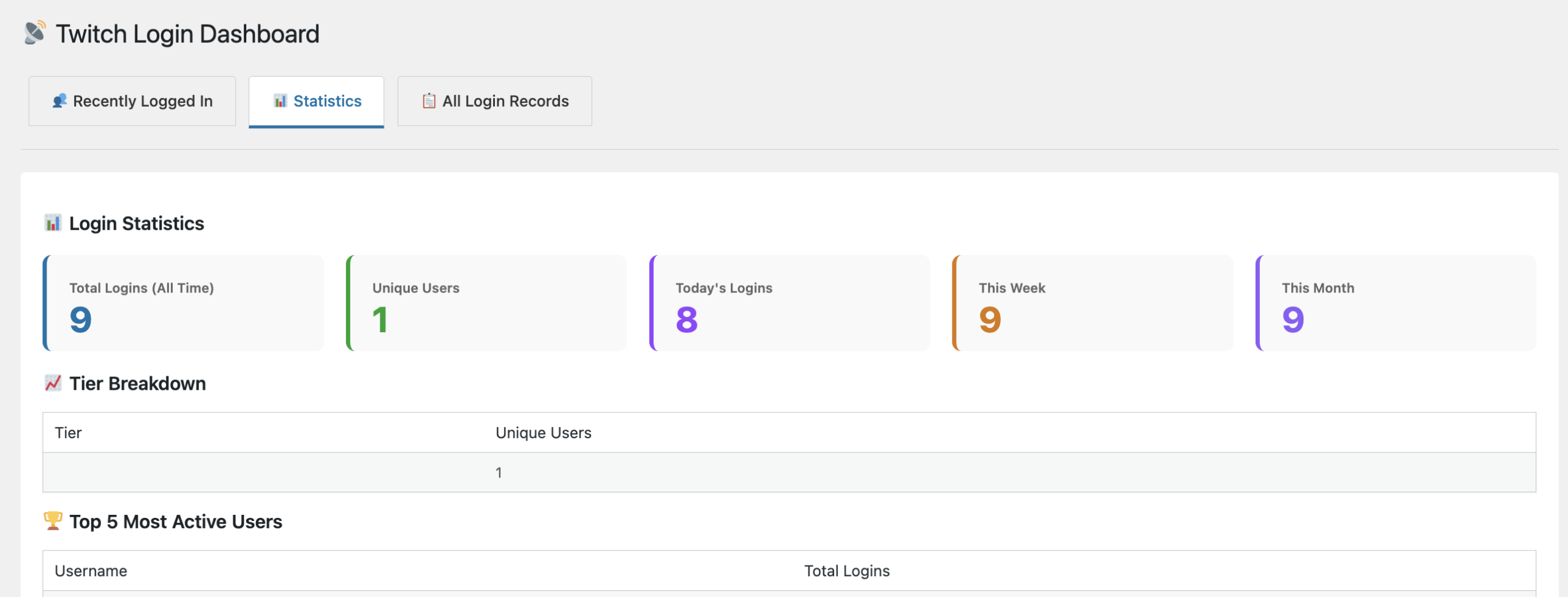
📊 Admin Dashboard - Twitch Login Analytics
Access detailed login analytics from your WordPress admin. A new "Twitch Login" menu shows:
- Recently Logged In Tab: See unique users sorted by most recent login
- Statistics Tab: Dashboard showing total logins, unique users, today's logins, weekly/monthly trends
- Tier Breakdown: Understand subscriber distribution across tiers
- Top Users: See your most active community members
- All Records Tab: Complete login history with full pagination
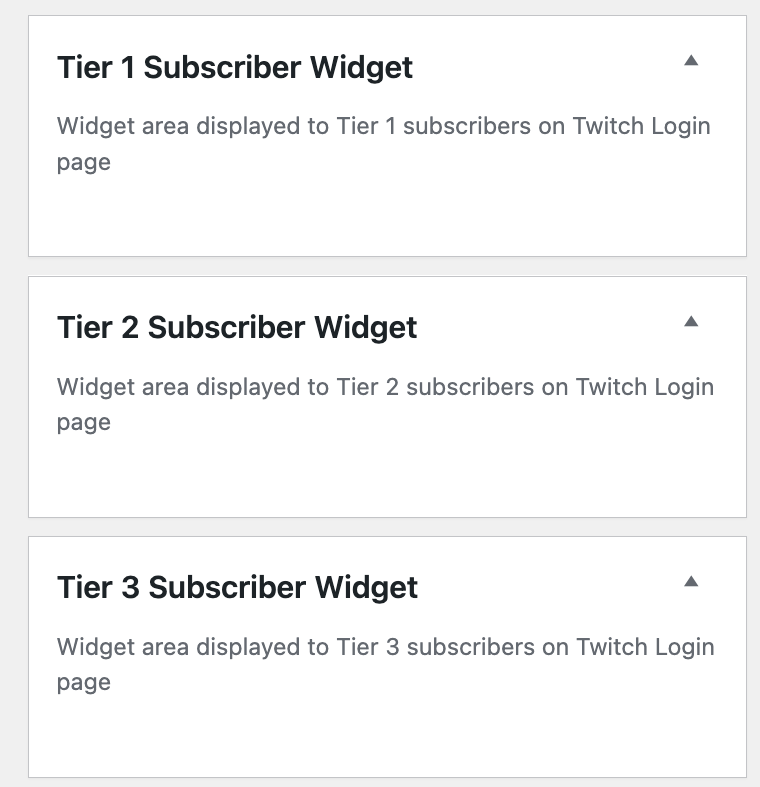
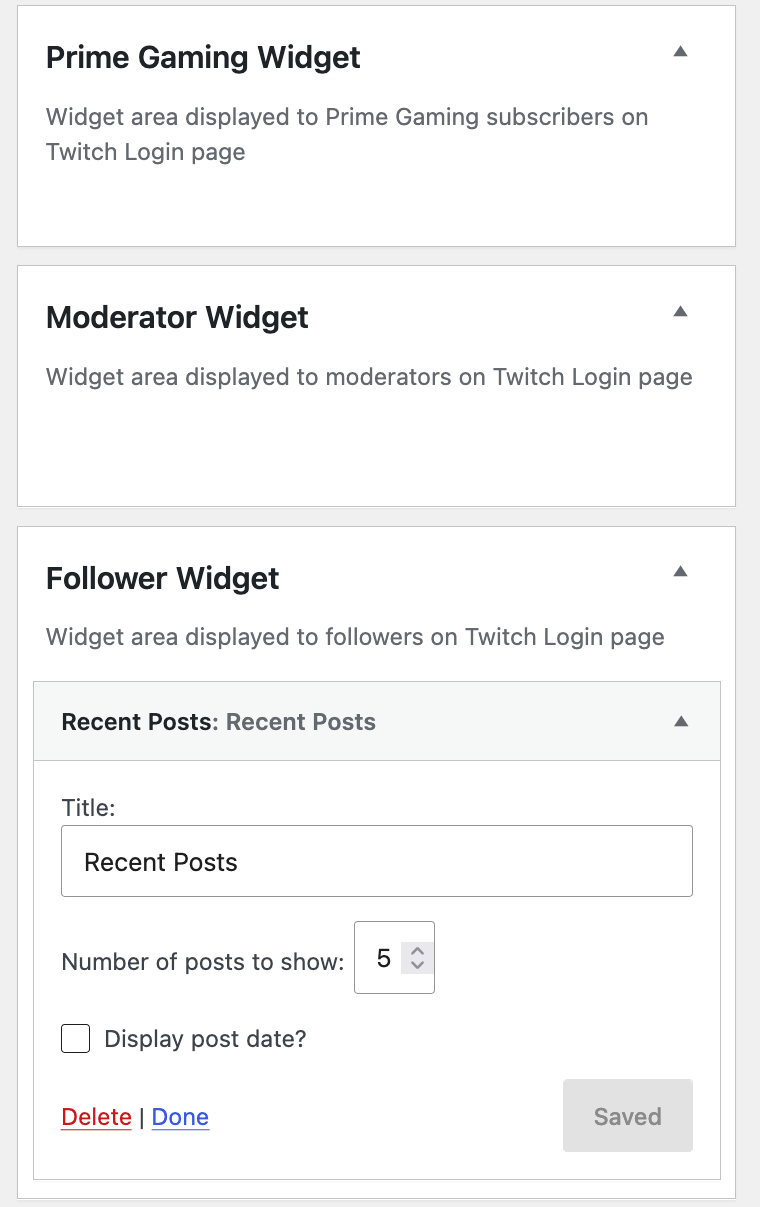
📌 Subscription Level Widgets
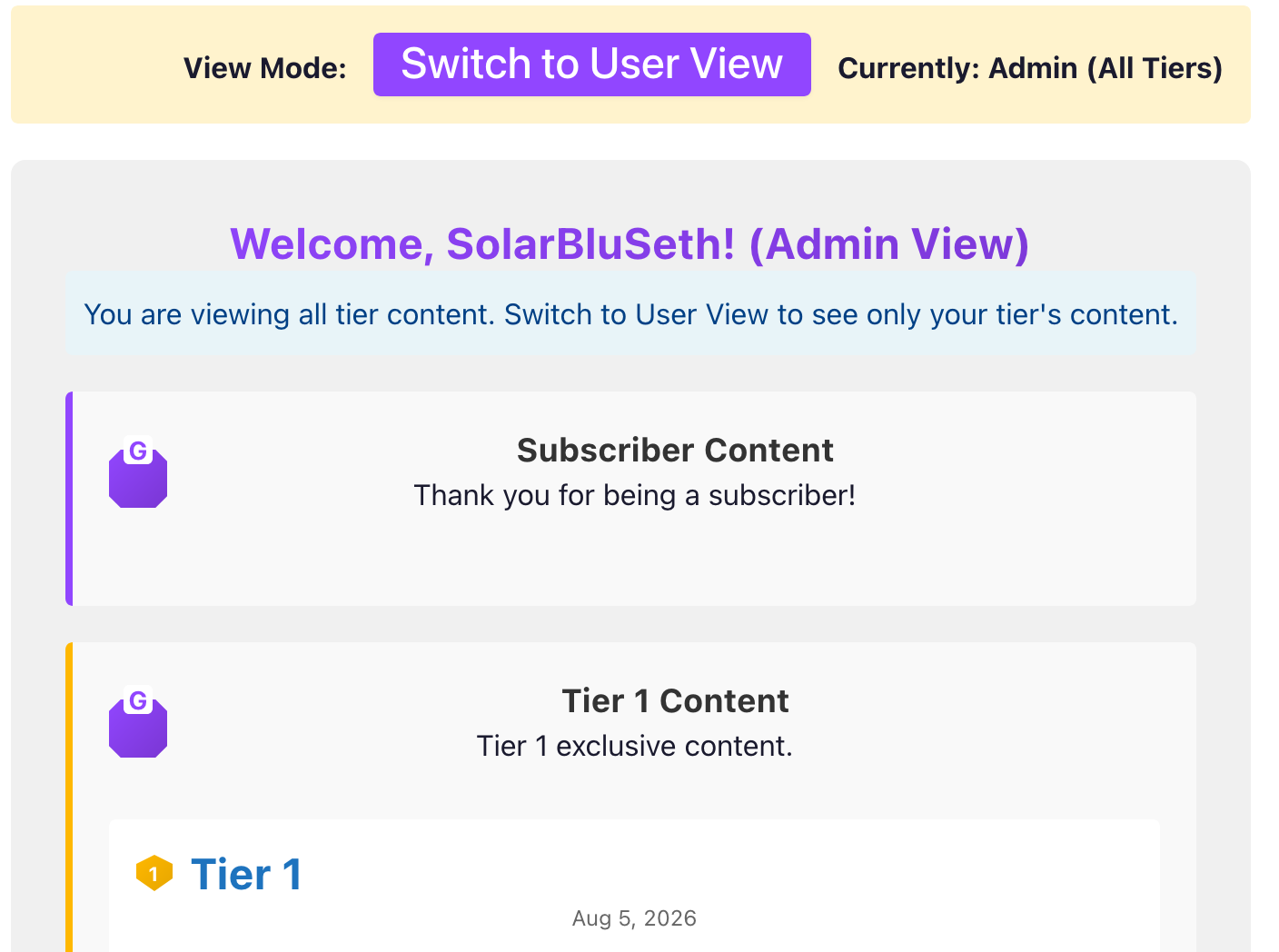
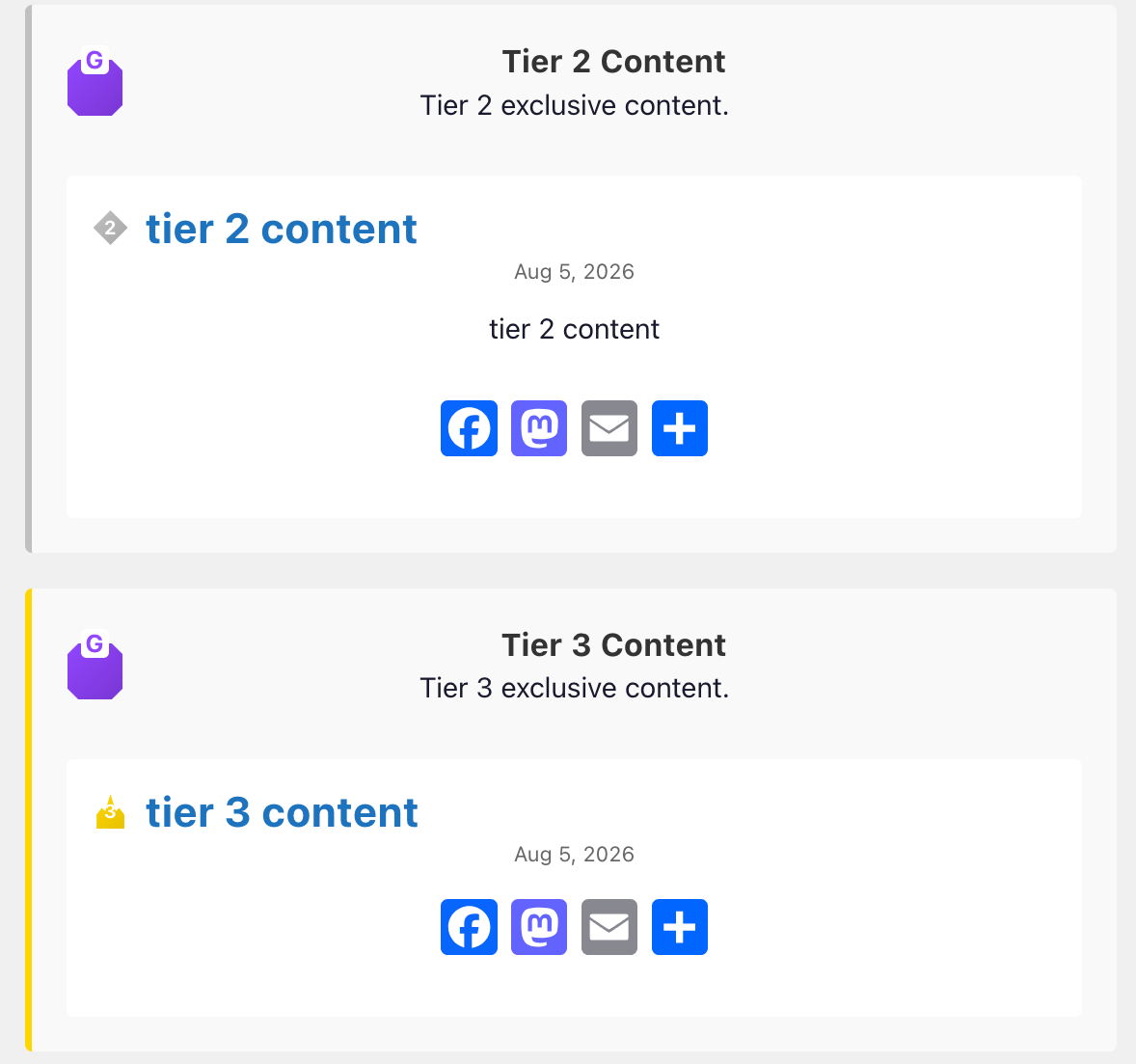
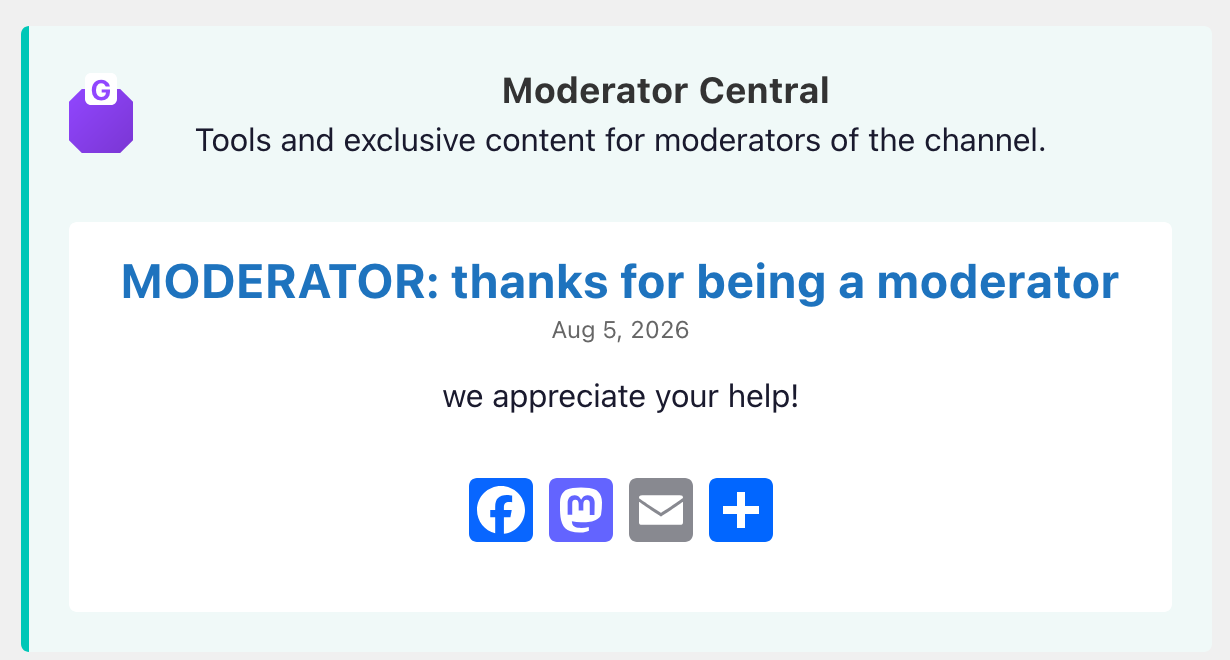
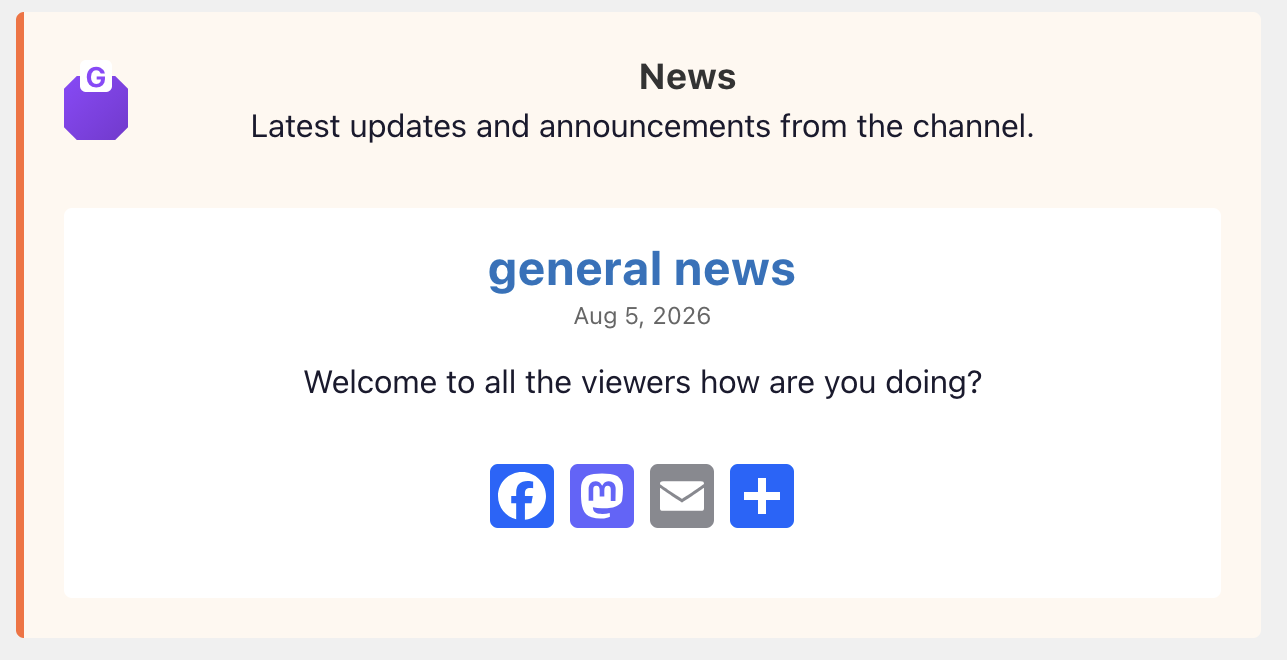
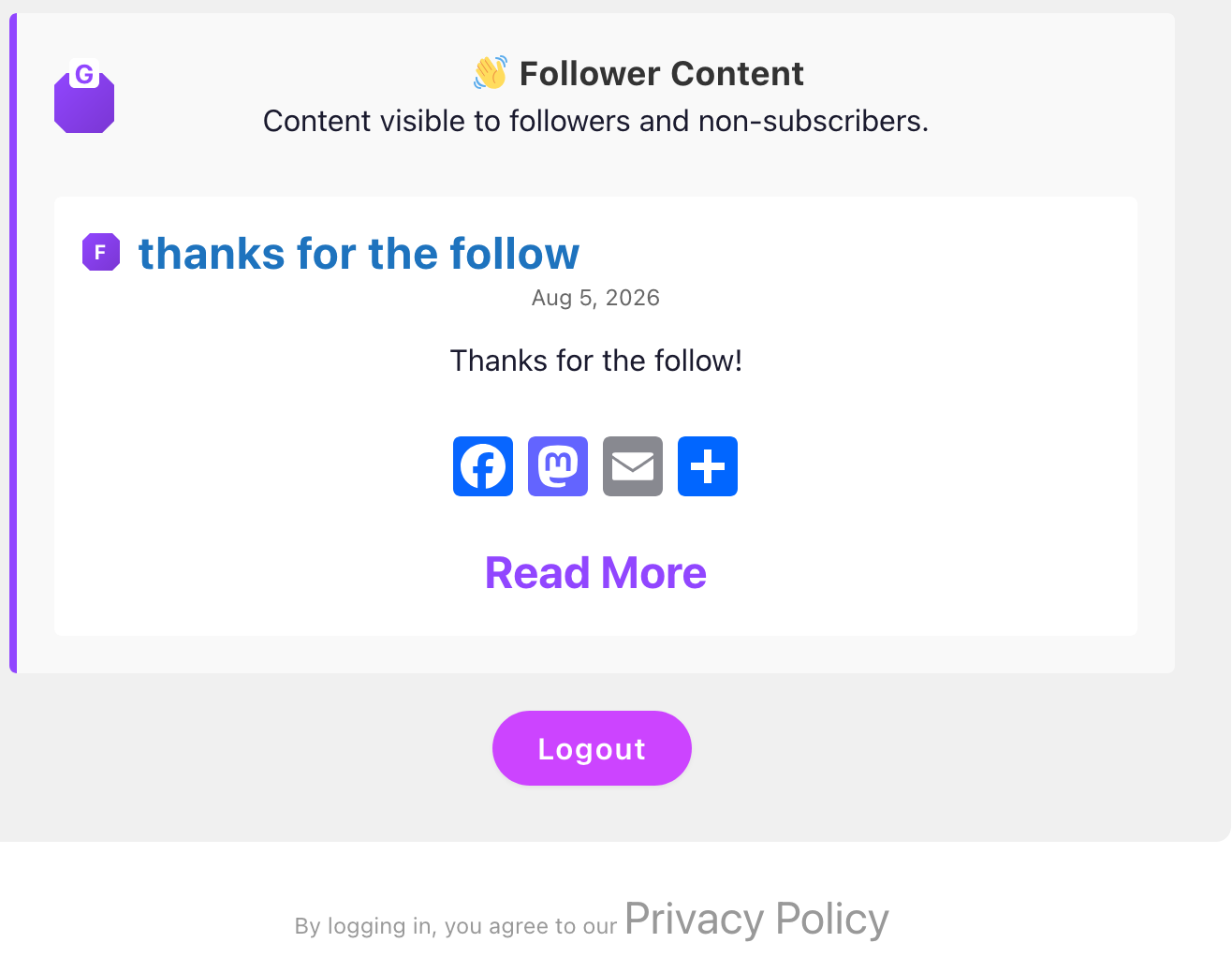
Add custom widgets to each subscription tier. Display tier-specific content directly on the Twitch Login page:
- Tier 1 Widget: Custom content for Tier 1 subscribers
- Tier 2 Widget: VIP messages for mid-tier members
- Tier 3 Widget: Premium content for top-tier supporters
- Moderator Widget: Special area for your mod team
- Follower Widget: Encourage followers to subscribe
Go to Appearance → Widgets to add text, images, buttons, forms, and more to each tier. Widgets display automatically based on user subscription level.
📱 Enhanced Login Page (v5)
The Twitch Login template has been upgraded with:
- Login History Tab: View unique users and their login patterns
- Cleaner Interface: Better organization and layout
- Mobile Responsive: Works perfectly on all devices
- Improved Performance: Faster loading and rendering
🎯 Key Benefits
- ✅ Deep Analytics: Understand your subscriber base with detailed login data
- ✅ Personalization: Create tier-specific experiences with custom widgets
- ✅ Community Insights: See who's most active and engaged
- ✅ Easy Management: All admin tools in one place
- ✅ No Configuration: Everything works out of the box
- ✅ Fully Customizable: Add your own widgets and styling
🔧 How to Access
Analytics Dashboard: WordPress Admin → Twitch Login → Choose Tab
Add Widgets: WordPress Admin → Appearance → Widgets → Select Tier Widget → Add Content
Login Page: Visit yoursite.com/twlogin/ and log in with your Twitch account
🎮 START USING THE NEW TWITCH LOGIN PROGRAM TODAY
Log in at /twlogin/ and explore your new admin dashboard!
Need Help? The new features are designed to be intuitive and easy to use. All functionality works automatically once installed. For advanced customization, check the documentation or contact support.
What's Next: The Roadmap
We're currently validating this system on solarbluseth.com and actively building out the next phase. Here's what's in flight:
Phase 1: Revenue Diversification (Now)
- CashApp Tipping Integration — Direct support channel for viewers who want to tip. Coming with time-gated exclusive downloads to drive conversions.
- Admin Dashboard Expansion — Login history, subscriber statistics, content performance by tier, and engagement tracking tabs.
- Time-Sensitive Downloads — Subscribers unlock exclusive content (tracks, files, guides) for limited windows, creating urgency and repeat visits.
Phase 2: The Product (6 Months Out)
We built this for ourselves. Now we're scaling it for creators who want the same setup:
- WordPress Multisite Architecture — One managed network, custom domains point to individual creator instances.
- Managed Updates & Infrastructure — We handle PHP upgrades, security patches, performance monitoring.
- Plug-and-Play Onboarding — Connect your Twitch channel, set tier levels, start gating content. No custom development required.
---
The Admin Experience: Seeing What's Working
The user-facing side is clean and simple. But on the backend, you get real visibility into what's happening:
Dashboard Tabs
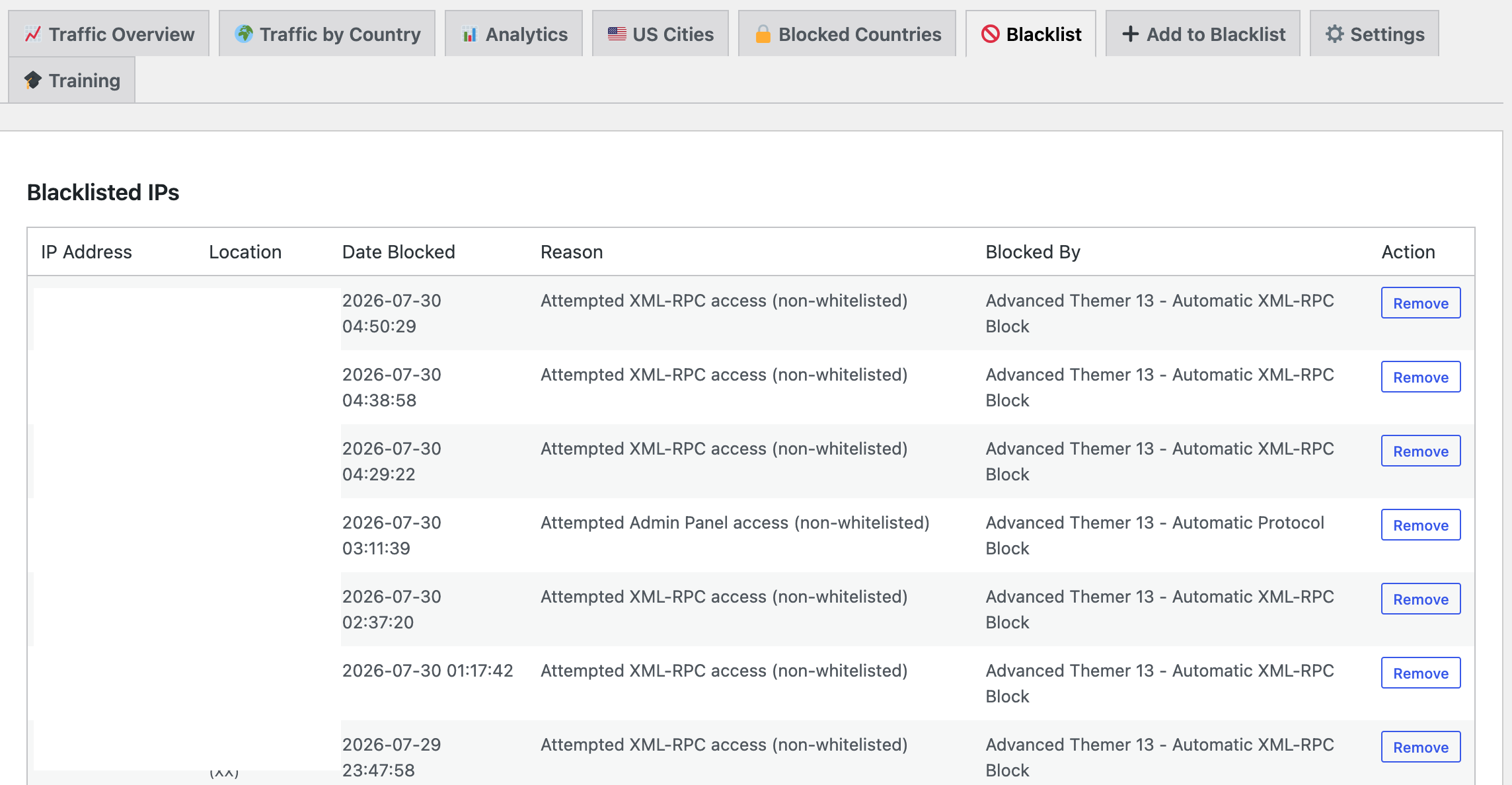
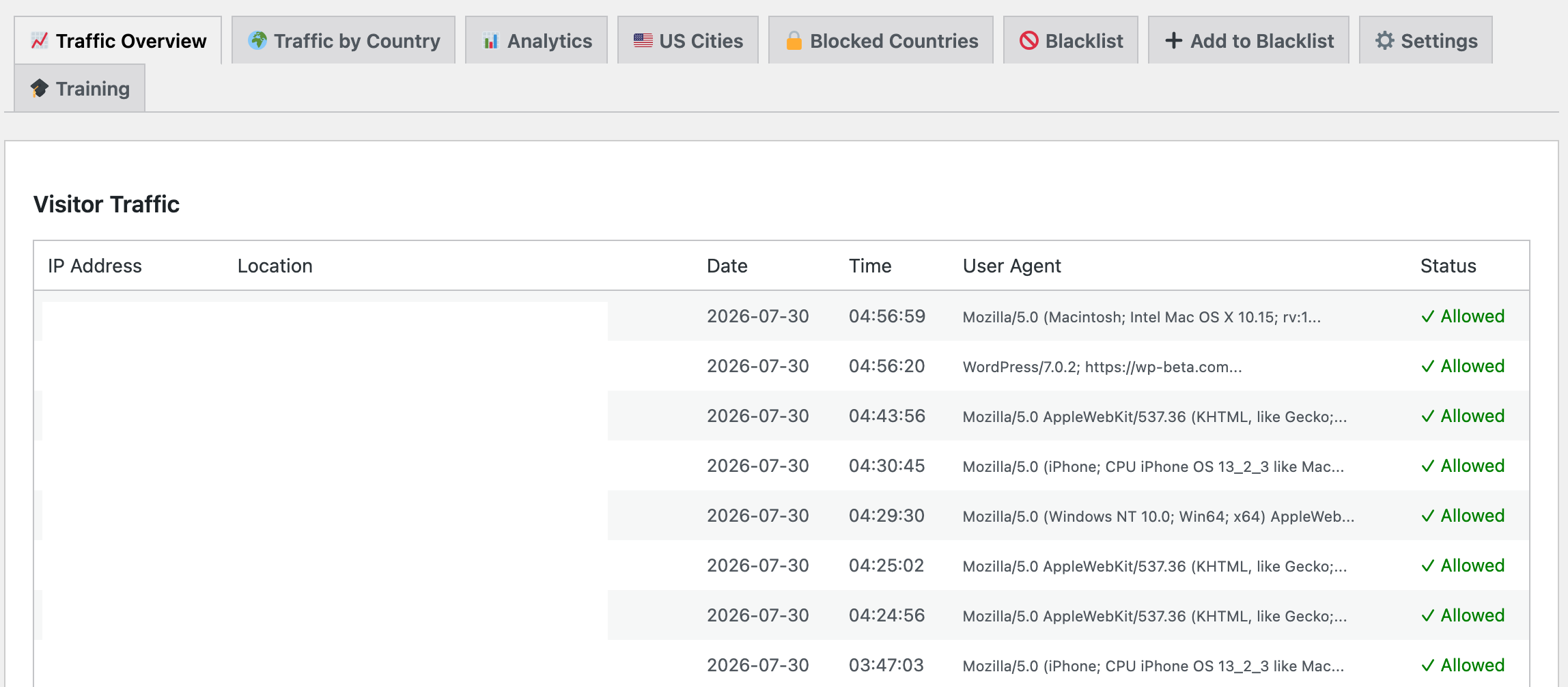
- Login History — Every successful OAuth login: username, tier, timestamp, IP, device
- Subscriber Statistics — Breakdown by tier level, active vs. inactive, engagement patterns
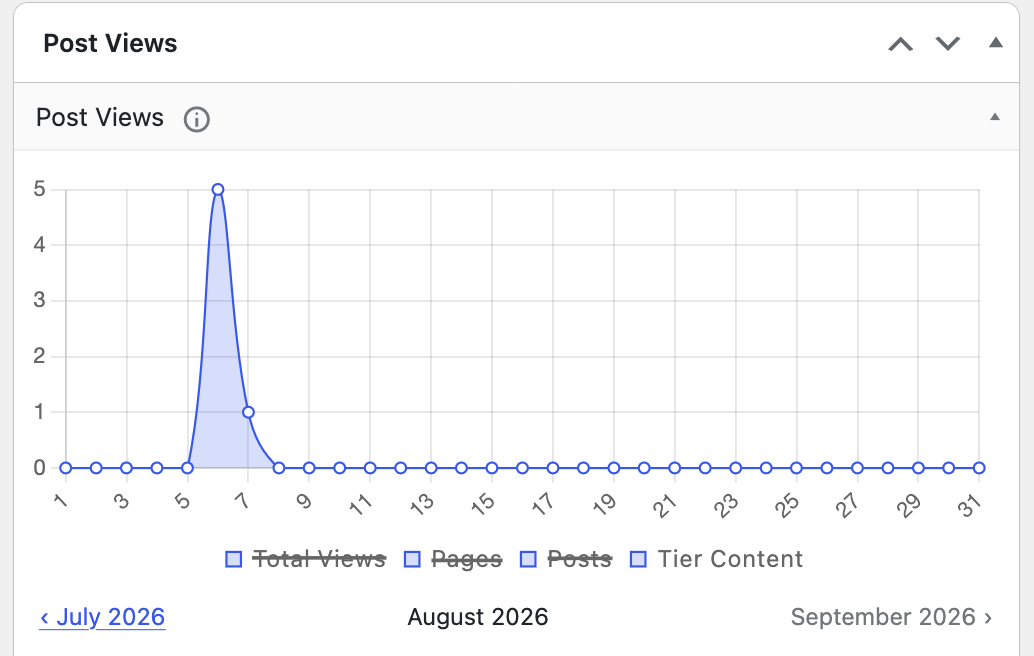
- Content Performance — Which posts get the most views from which tiers
- Conversion Tracking — How many free visitors convert to followers, followers to tier1 subs, etc.
This isn't just nice-to-have visibility—it's the data you need to understand what content resonates with each tier and optimize your monetization strategy.
---Three Revenue Streams (Not Just One)
The original post focused on Twitch subscriptions. But we're building a diversified revenue model:
1. Subscription Revenue (Recurring)
Tier 1, 2, 3 subs from Twitch. Payment processing handled by Twitch. Content access automatic. This is the foundation.
2. Tipping (Impulse Support)
CashApp integration lets supporters tip directly. Lower friction than subscribing. Great for one-time supporters or people who love a specific video.
3. Time-Gated Exclusive Content (Urgency-Driven)
Limited-window downloads (tracks, guides, behind-the-scenes) for tippers and tier subscribers. Creates repeat visits and reasons to come back. Example: "Tier 2+ gets the Spiral EP stems for 48 hours only."
Combined, this gives you multiple levers to pull. One audience. Three ways they can support you.
---Beyond Your Channel: The Product Roadmap
We spent three years perfecting this for solarbluseth.com. Now we're preparing to offer it to other creators.
Why This Matters
Every Twitch streamer with a website faces the same problem: "How do I monetize without building a custom auth system?" We solved it. Most don't have time to.
The Multisite Play
Instead of managing 100 separate WordPress installs, we run one Multisite network. Each creator points their domain at their instance. They control their content, subscribers see their branding, we handle infrastructure.
What Creators Get
- Twitch OAuth + tier-based gating (built, tested, battle-hardened)
- Admin dashboard with analytics (login stats, tier performance, content insights)
- CashApp tipping integration (set up and forget)
- Automated updates and security patches
- Their own domain, their own branding, their own community
We handle the infrastructure. They focus on content.
---
The Future of TwitchL
Building the next generation of creator-owned communities.
The internet has changed how creators connect with their audiences. Streaming created the first connection, but the next step is building deeper communities where fans have a reason to return, participate, and belong. TwitchL was created with one goal: give creators a place where their strongest supporters can access exclusive content, rewards, and experiences that cannot be found anywhere else.From Followers To Communities
A follower is only a number. A community is a relationship. TwitchL is designed to help creators transform their audience into an active community through private websites, exclusive videos, rewards, and membership experiences.The Creator Website
Every creator gets their own dedicated website powered by WordPress technology. Creators control their own content, organize their private libraries, and decide what their community receives.- Exclusive video libraries
- Private articles and tutorials
- Downloads and digital rewards
- Community announcements
- Subscriber-only content
More Than Membership: Loyalty
Traditional membership systems only ask one question:"Did this person pay?"
TwitchL looks deeper. Communities are built through participation, loyalty, and support. Future TwitchL features will allow creators to reward their biggest supporters through:- Subscriber milestones
- Gift subscription rewards
- Bits and supporter achievements
- Community streaks
- Limited-time reward drops
- Exclusive unlocks
Timed Drops And Special Events
The best communities create moments that fans do not want to miss. TwitchL will allow creators to release limited-time experiences, hidden content, and special rewards during important moments."Be there when it happens, because some rewards will only exist for a limited time."
The Power Of Creator-Owned Platforms
Social platforms are important, but creators do not control them. Algorithms change. Features disappear. Audiences move. TwitchL gives creators a dedicated home for their community where they control the experience.- Your website
- Your content
- Your members
- Your rewards
- Your community
The Road Ahead
The future of TwitchL is about connecting creators and fans in a deeper way. The platform will continue expanding tools that help creators build stronger communities through identity, content access, rewards, and engagement. The vision is simple:Give creators the tools to turn viewers into members, and members into communities.