

🎯 Advanced Traffic Monitoring System
Know Exactly Where Your Visitors Come From — Real-Time Geolocation Tracking for WordPress
What We Built
Gone are the days of blind traffic monitoring. Our new Advanced Traffic Monitoring System gives you complete visibility into visitor geolocation — down to the city level. Automatically block countries, analyze traffic patterns by region, and make data-driven decisions about your security and audience.
Key Features
📍Geolocation Tracking
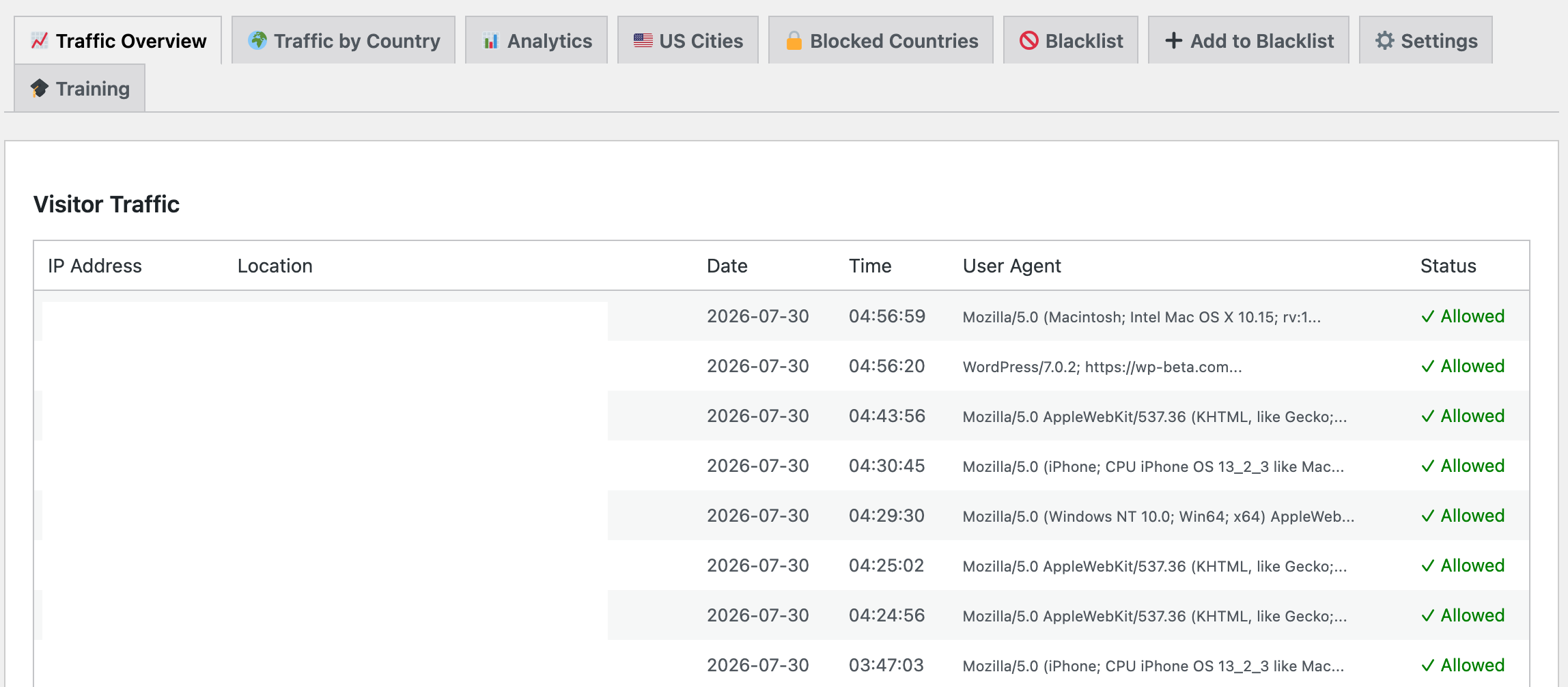
Every visitor's IP is automatically geolocated to show city, state, and country in real-time. No manual configuration needed.
📊Beautiful Analytics
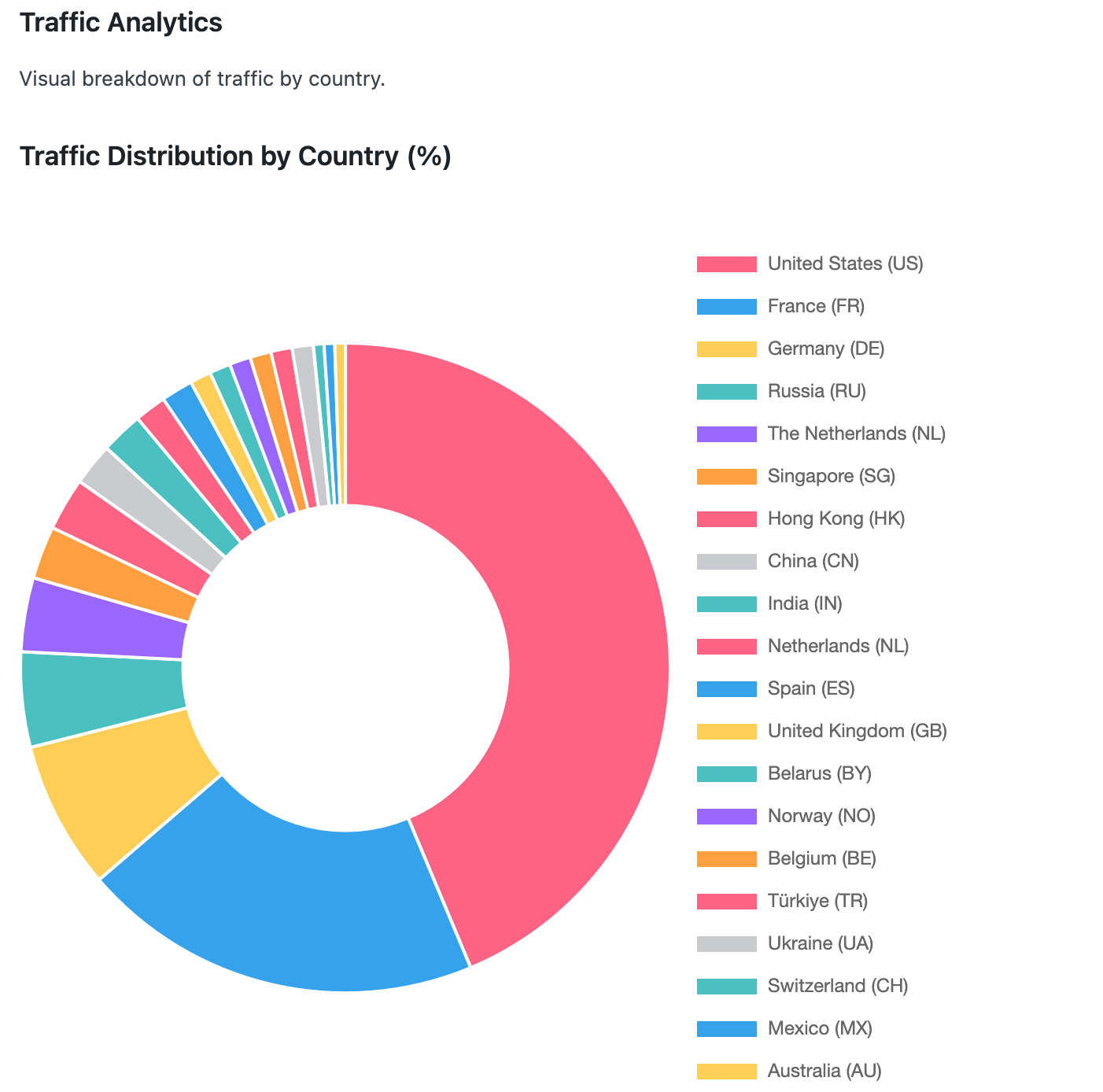
Interactive pie charts and data visualizations show exactly where your traffic originates. Identify your key markets at a glance.
🇺🇸US City Breakdown
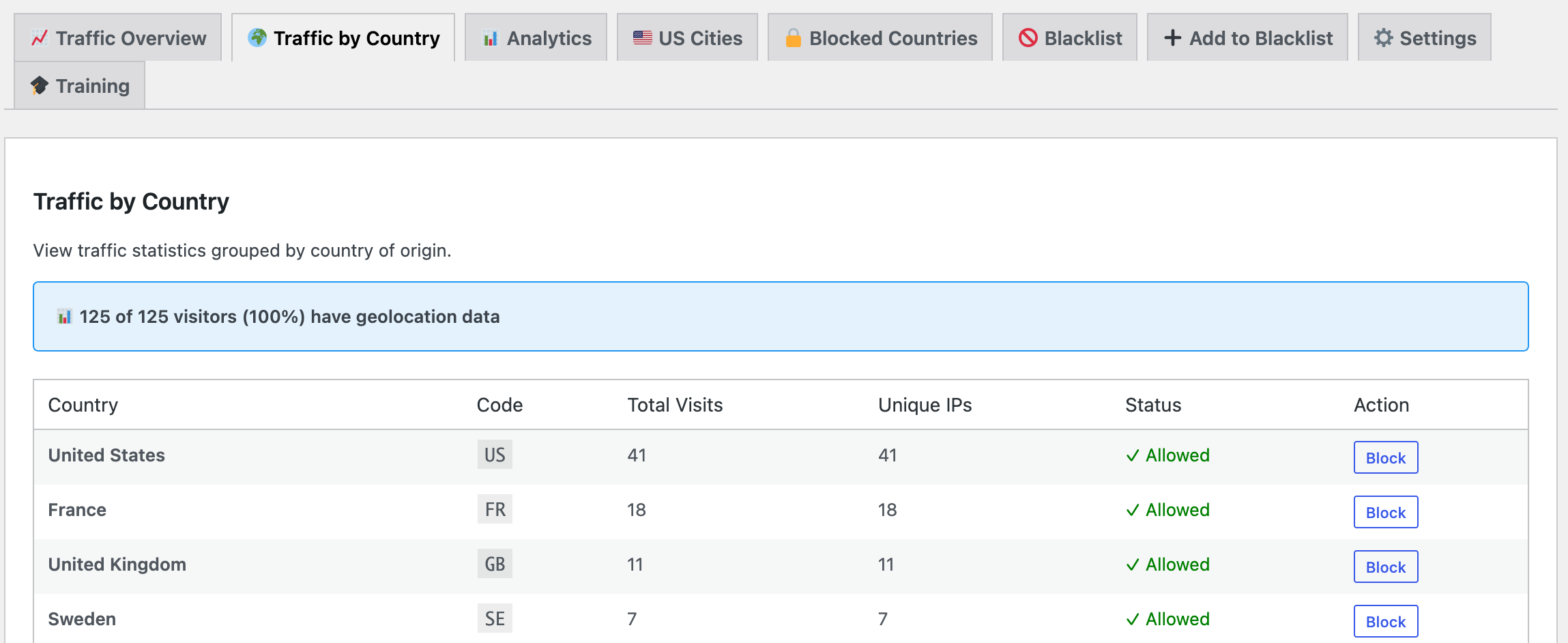
Drill down into US traffic by state and city. See which metros are driving the most visitor engagement.
🚫Country Blocking
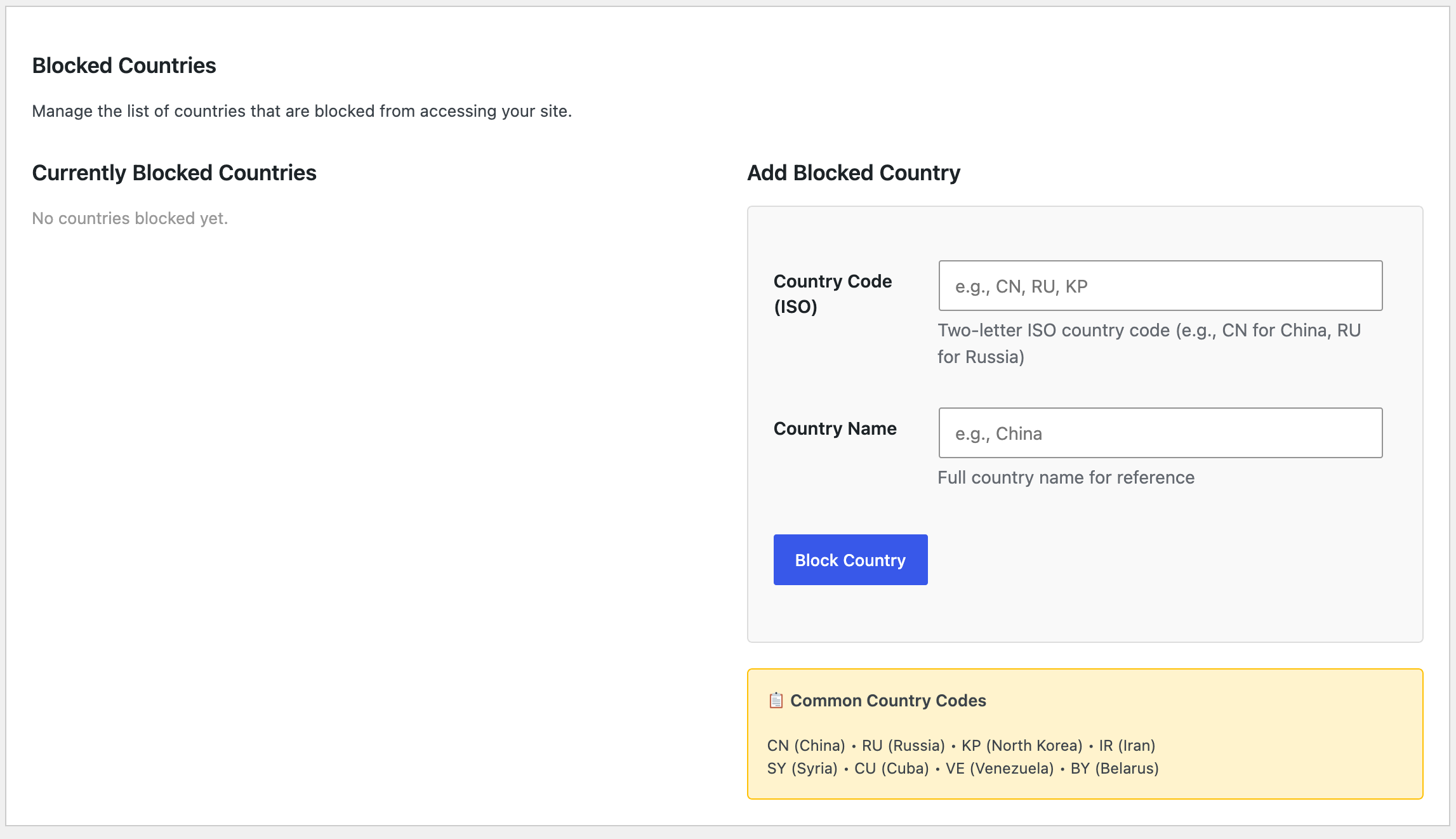
Block entire countries with one click. Visitors from blocked countries are automatically redirected to a page you specify.
⚡Auto-Backfill
Retroactively geolocation-tag your historical traffic. AJAX-powered backfill processes thousands of IPs automatically.
🔒Blacklist Management
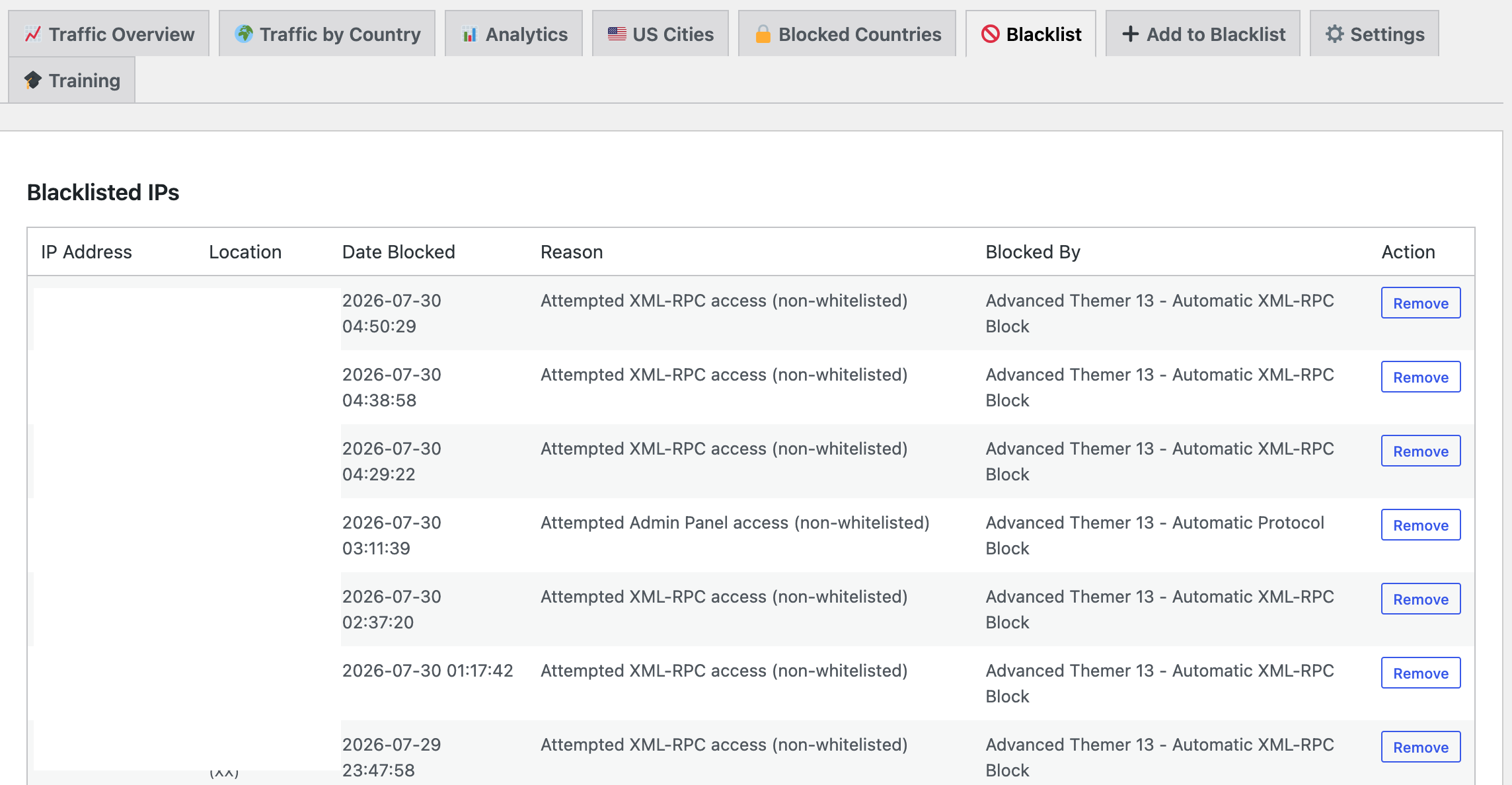
Block suspicious IPs and see their geographic origin. Full audit trail with reason codes and timestamps.
Dashboard Tabs
Everything you need in one place:
How It Works
1. Real-Time Tracking
When a visitor lands on your site, their IP is automatically looked up against a global geolocation database. Within milliseconds, you know their city, state, country, and exact coordinates.
2. Automatic Blocking
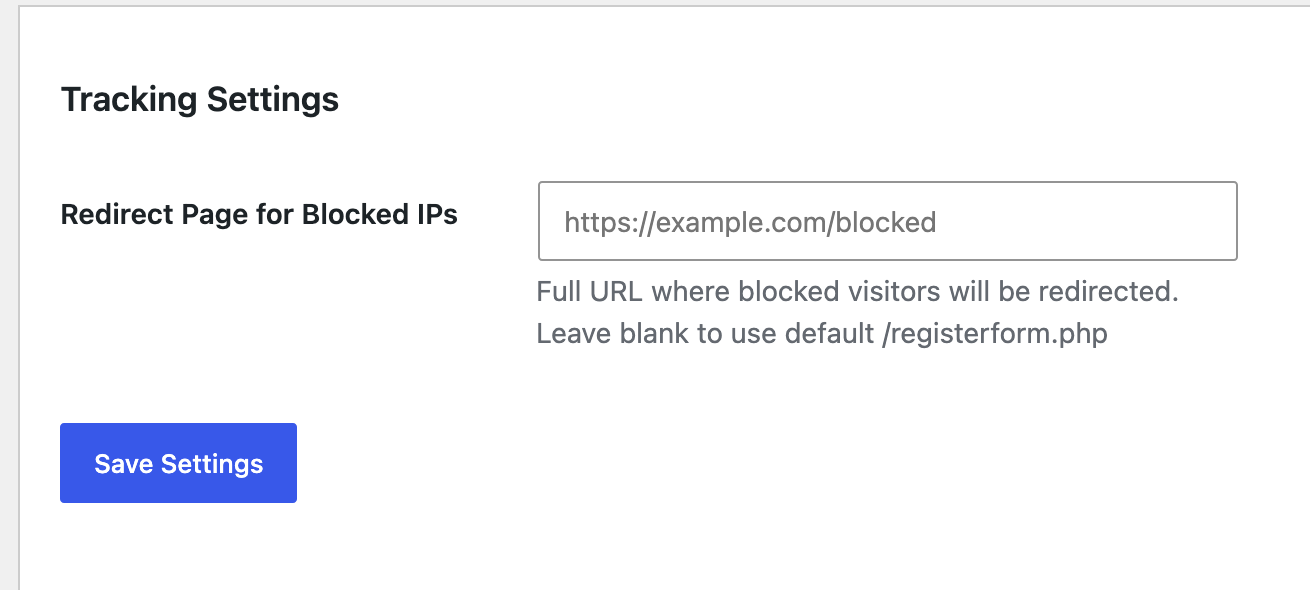
Add countries to your blocklist from the Traffic by Country tab. Visitors from blocked countries are instantly redirected to a URL you specify. Set it once in Settings, then block/unblock countries instantly.
3. Data Visualization
Watch your traffic patterns unfold through beautiful doughnut charts. See what percentage of visitors come from each country. Drill down to see US cities and states. Identify geographic trends in seconds.
4. Historical Analysis
Have old traffic data without geolocation? No problem. The auto-backfill feature processes your historical IPs in batches, retroactively adding city/state/country to every existing record.
Country Distribution • State Breakdown • City-Level Analytics
Built For 7 Sites
This system was deployed across 7 production WordPress sites simultaneously. Every feature is battle-tested and production-ready. From small blogs to high-traffic properties, it scales effortlessly.
- Lightning-fast IP lookups with 30-day smart caching
- Handles 1000+ historical IPs in minutes via AJAX backfill
- Respects rate limits on geolocation API (45 req/min)
- Zero configuration — just install and go
- GDPR-ready with country blocking and data management
- Works with any WordPress hosting provider
Use Cases
🛡️ Security Teams
Block high-risk regions instantly. See where attacks originate. Maintain detailed audit logs of every blocked IP and its location.
📊 Marketers
Understand your audience geography. Identify which regions drive the most engagement. Tailor campaigns by location.
🌐 SaaS Platforms
Monitor international user distribution. Comply with regional data protection laws. Optimize infrastructure based on traffic patterns.
🏢 Enterprise Sites
Track visitor locations for multi-region strategies. Identify competitors or suspicious actors by geography. Make data-driven content decisions.
The Numbers
Getting Started
Installation is simple:
- Upload the Advanced Themer 13 plugin
- Go to Traffic Monitor in WordPress admin
- Set your redirect URL in Settings (optional)
- Click "Start Geolocation Backfill" to tag historical traffic
- Start blocking countries from the Traffic by Country tab
That's it. Your traffic monitoring system is now live and tracking every visitor's location in real-time.
Ready to see where your visitors really come from?
Deploy Advanced Themer 13's traffic monitoring system today. Get instant visibility into your global audience. Block entire regions with a single click. Make smarter security and business decisions backed by real geographic data.
⚡Real-Time Geolocation Tracking
📊Beautiful Analytics Dashboard
🚫One-Click Country Blocking
✨Zero Configuration Required
Questions? Ready to Get Started?
📞 Call (312) 869-4206