I have about 30 years of photos sitting on a hard drive. Weddings, road trips, concerts, random Tuesday nights that somehow became important memories. They were a mess — duplicates everywhere, iPhoto libraries inside iPhoto libraries, GoPro footage mixed in with birthday photos from 2003. I needed to sort them. I did not want to pay Adobe or Google or anyone else a monthly fee to do it.
So I built something.
This is the story of how a single PHP flag I had never used in 30 years of web development turned into a full photo management suite running entirely on my Mac — no subscription, no cloud upload, no third-party app. Just PHP, MySQL, a browser, and a little help from Claude.
The Problem
The drive in question is called sethstudio1. It has year folders going back to 2002. Inside those year folders is chaos — Live Photo MOV clips paired with their HEICs, JPG duplicates of photos that already existed as HEICs, macOS junk like .DS_Store and __MACOSX folders scattered everywhere, sidecar files from every version of iPhoto and Photos that ever touched the drive.
Before I could sort anything I needed to clean. The first thing we built was a PHP command-line script that recursively walked the entire drive and removed:
Metadata and sidecar files (.aae, .xmp, .thm, .json)
Live Photo MOV clips where a matching HEIC or JPG existed
JPG duplicates where a HEIC twin existed in the same folder
Exact duplicates detected by filename and file size
Empty directories left behind after cleanup
First pass results — nearly 10GB freed before touching a single photo.
🗑 8,834 files deleted · 9.94 GB freed in one pass
Those 8,147 duplicates were the big one — the result of backing up iPhoto libraries on top of each other for two decades without ever cleaning up.
The PHP Thing Nobody Talks About
I have been writing PHP since 1996. I have built thousands of WordPress sites, custom CRMs, billing systems, employee dashboards. I know PHP.
I did not know about this:
php -S localhost:8765
One flag. That is it. PHP has had a built-in web server since version 5.4 — released in 2012 — and I had never used it. Pass a script filename after the address and every request routes through that file first, giving you a fully functional HTTP server with zero Apache configuration, zero nginx, zero WAMP virtual host setup.
One terminal command. One PHP file. A complete local web server.
So that became the architecture. A single PHP file — photo_review_api.php — that serves as both the web server and the API. Visit / in a browser and it serves the HTML interface. Send a POST request with {"action":"scan"} and it recursively indexes your photo drive into MySQL. Send {"action":"move"} and it physically moves files on disk and updates the database. Everything stays on your machine.
What the Reviewer Does
The photo reviewer is a dark-mode web app that runs in your browser, connected to the local PHP server. From the grid view you can:
📅 Scan by year folder 👤 People tagging 📁 Category assignment 🔒 Private categories 🎨 Open in Photoshop ✉️ Email as attachment 📋 Copy to clipboard 🌐 Push to WordPress site ⤢ Fullscreen lightbox 🗑 Batch delete
The category system knows the difference between people and places. Check one person — photo moves to their folder. Check two or more people — photo goes to a friends folder automatically. The individual people are still saved as tags in the database so you can filter by person later. Private categories are hidden by default and require toggling a switch to reveal — safe to use if a client is watching over your shoulder.
The grid view — hover for quick actions, click to select, assign category.The launcher — double-click in Finder, all tools start, browser opens.
The workflow defaults to showing only unsorted photos. As you assign categories, photos disappear from the grid and the next one auto-selects. You can move through hundreds of photos fast.
Personal and Business Workspaces
About halfway through building the personal reviewer it became obvious the same tool could handle client work. SolarBlu does web design and hosting for small businesses across Illinois — and clients often have the same problem. Photos scattered across drives, no organization, no system.
So we added a workspace switcher:
Personal Scans the sethstudio1 drive, people and places categories, private protection, full personal workflow
Business Scans the Solarblu_Projects folder, client folders as categories, moves files into a proper clients/[clientname]/ structure
Add a new client with one click and their folder is created automatically. The whole interface tints amber in business mode so you always know which workspace you are in. Both share the same MySQL database but keep their data completely separate.
The Shell Command Trick
Because the PHP server runs locally on the Mac it has full access to shell commands. So we added a shell_open API action that fires native Mac commands when you click a button in the browser:
Photoshop — open -a "Adobe Photoshop 2026" /path/to/file
Finder — open -R /path/to/file reveals the file in its folder
Mail — AppleScript composes a new message with the photo already attached
WordPress — copies the file directly into any of your sites' uploads folders
This only works because everything is local. A hosted web app could never do this. The browser talks to a local PHP server that has shell access to the same Mac — that is the whole trick.
What Is Next
Quick-move overlay — click people's names directly on the photo without touching the sidebar
Screenshots folder integration — hook the Mac screenshots directory into the reviewer
External drive support — plug in a client's drive, pick it from a dropdown, sort their photos into the right client folder
Slideshow — sorted photos feed into a fullscreen slideshow that AirPlays to Apple TV
More tools on the launcher — CRM dashboard, billing tool, content scheduler, all on their own ports
If you are a small business owner drowning in unorganized photos — client headshots, product shots, event archives — this is something SolarBlu can build for you as a custom local tool tailored to your workflow.
A full ground-up rebuild in WordPress + Elementor Pro — taking a dark, B2B-coded legacy homepage and transforming it into a warm, consumer-first fiber internet experience built for residential sign-ups.
Platform: WordPress + Elementor Pro Theme: Astra Client: Pavlov Media Before: March 2023 → After: 2024 Sections: 10 (was 6)
Work completed by Seth Rhoads while serving as Web Developer at Pavlov Media
Overview
Why the Old Site Needed a Ground-Up Rethink
Pavlov Media provides fiber-optic internet to residential communities and MDUs across 44 US states. Over several years their homepage had accumulated layer upon layer of incremental changes on top of a legacy WordPress theme — the result was a dark, text-heavy, enterprise-coded experience that no longer matched their fast-growing residential consumer audience.
The core problem: Every design decision on the original homepage — the dual navigation, the near-black palette, the B2B copywriting, the complete absence of pricing — was aimed at property managers and institutions. When a regular homeowner landed on the page there was nothing pulling them forward: no lifestyle imagery, no address lookup, no reviews, no plain-language value props, and no clear path to actually sign up.
The redesign meant starting over inside Elementor Pro on a clean Astra theme base — defining a global design system first (colours, typography, spacing tokens, reusable CSS classes), then building every section from scratch, and finally layering targeted custom CSS for anything the builder couldn't handle alone.
Hero — Before & After
The First Thing Visitors See
The hero is the thesis of the homepage. It tells visitors in 2–3 seconds whether this site is for them. The old hero communicated "enterprise tech company." The new hero communicates "this is for your home, and here's how to get started right now."
Before — March 2023 (Wayback Archive)
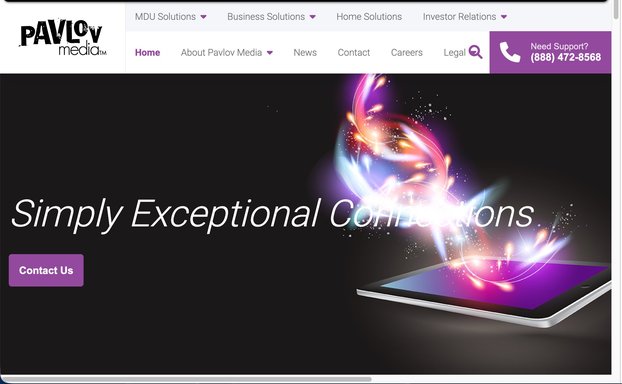
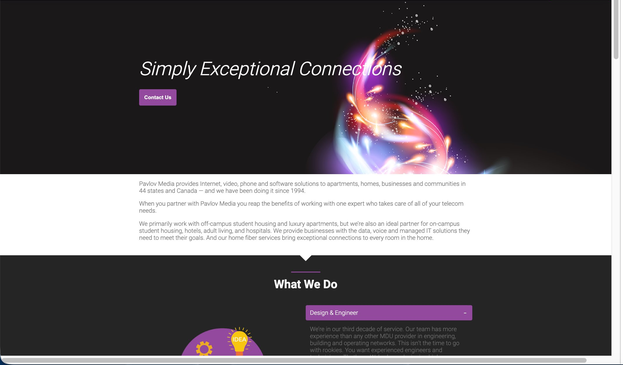
Dark, abstract, corporate. Black background, glowing energy-orb illustration over a floating tablet, italic tagline "Simply Exceptional Connections." Two stacked nav rows (MDU Solutions / Business Solutions / Home Solutions / Investor Relations + a second bar: Home / About / News / Contact / Careers / Legal / MyAccount). The only CTA is a plain "Contact Us" button. No pricing, no address lookup, no residential hook anywhere above the fold.
After — 2024 Redesign (pavlovmedia.com)
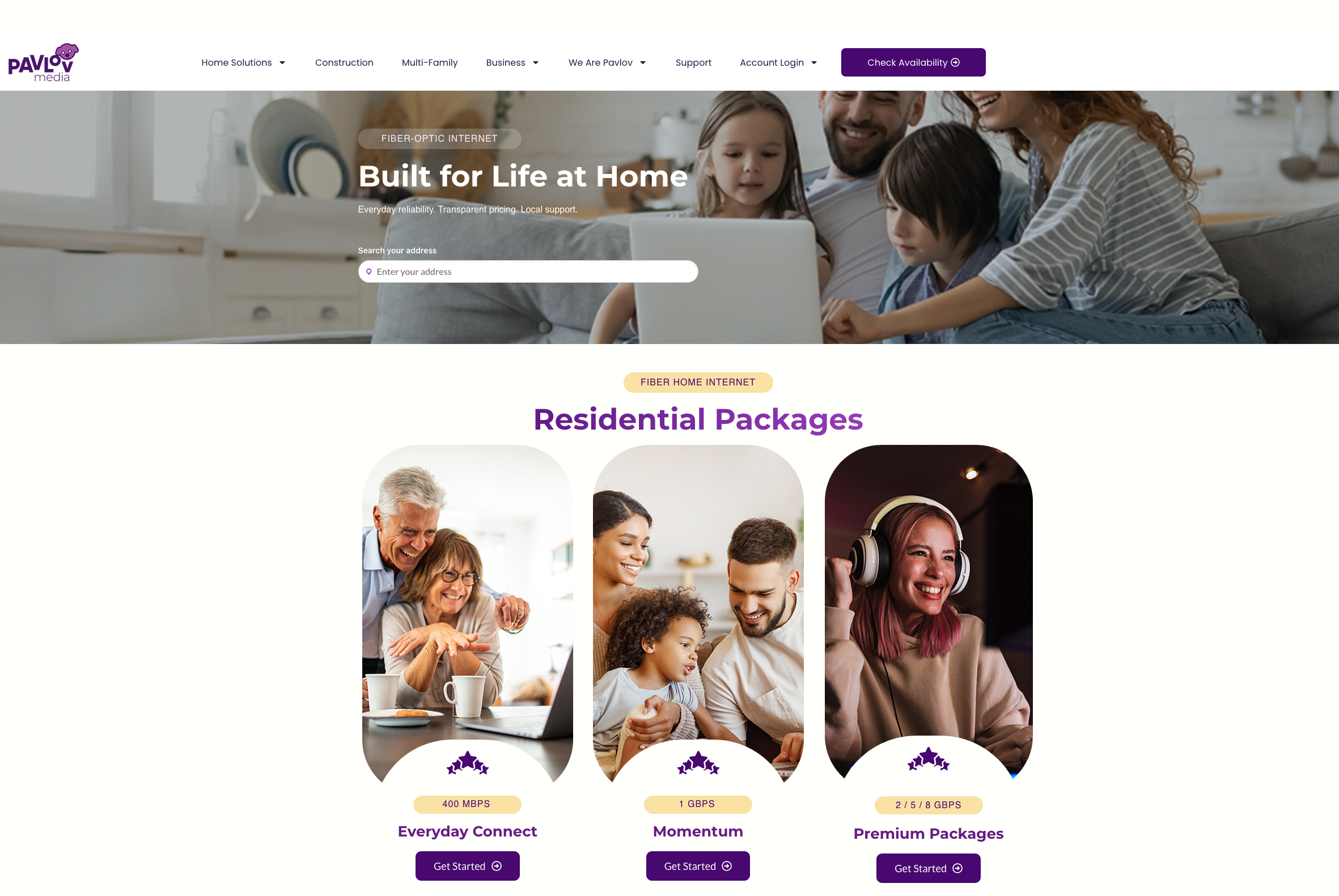
Warm, residential, action-oriented. Full-bleed lifestyle photo of a real family using fiber at home. Single clean sticky nav: logo, 5 consumer-language links, one persistent purple "Check Availability" button. "FIBER-OPTIC INTERNET" pill label, bold headline "Built for Life at Home," three-part sub-copy (Everyday reliability · Transparent pricing · Local support), and an address search bar as the primary CTA — the most important first step for a geo-limited ISP, directly on the hero. 🌐 EN language selector visible bottom-right.
The address search bar is the single biggest conversion improvement on the page. For a geo-limited ISP, every potential customer's first question is "do you serve my address?" Answering that on the hero — before any scrolling — removes the biggest barrier to entry. Visitors who confirm their address are already partially converted.
The Old Site — Section by Section
2023 Homepage (Archived March 8, 2023)
The 2023 homepage had 6 sections with no connecting visual rhythm, no residential pricing, no reviews, and no address lookup. Every section was written for property managers and institutional procurement teams rather than homeowners.
01 — Hero + Double Nav
Problems: Two stacked nav rows with B2B-only labels. "Simply Exceptional Connections" tagline aimed at enterprise. "Contact Us" as only CTA. No residential content above the fold.
02 — Latest News (top)
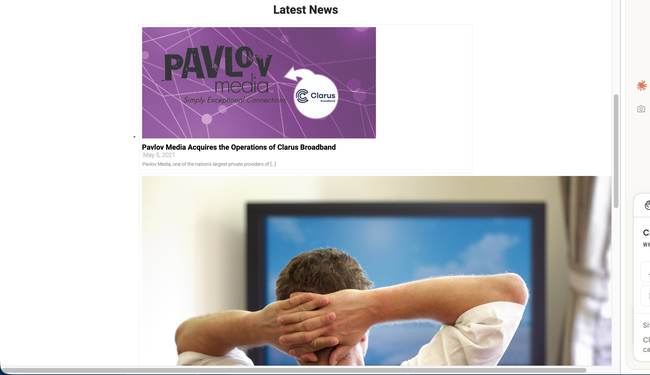
Problems: Full homepage real estate used for stacked news articles — top story is a 2021 acquisition. No grid, no hierarchy, no residential value props. Content was 3 years stale.
03 — Latest News (continued)
Problems: More stacked news articles (Orlando data center, Clarus Broadband acquisition). B2B press release content taking up the majority of the scrollable homepage. No path to sign up.
04 — Stats + Footer
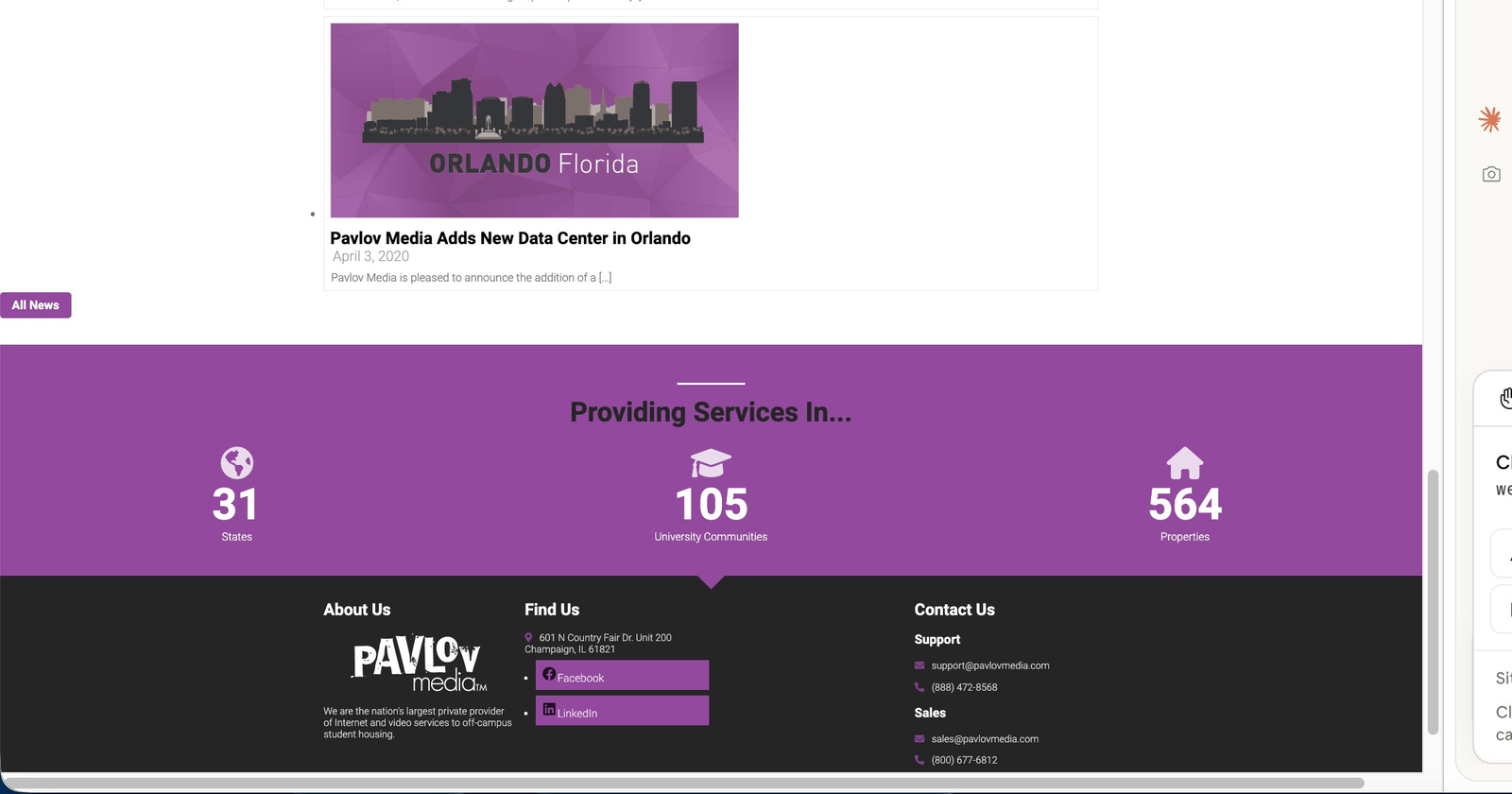
Problems: B2B metrics only — 31 States / 105 University Communities / 564 Properties. Dark footer with only Facebook + LinkedIn, 3 columns, no site map, no language option. Nothing residential.
Old site summary: 6 sections · 0 residential pricing · 0 reviews or social proof · 0 lifestyle photography · 0 address lookup · All stats aimed at institutional buyers · Stale news content · Navigation designed entirely for B2B audiences · No language support · No mobile optimisation beyond theme defaults
The New Site — Section by Section
2024 Redesign (10 Sections)
The redesign follows a deliberate awareness → interest → trust → decision information flow. Each section has a single job. White and cream backgrounds alternate for natural visual rest. B2B audiences are served — but in a dedicated card section that doesn't disrupt the residential flow.
01 — Hero + Single Nav
Job: Awareness → Action. Family lifestyle photo, "Built for Life at Home," address search bar as primary CTA. Single sticky nav with "Check Availability" button. Language switcher (EN) visible.
02 — Residential Packages
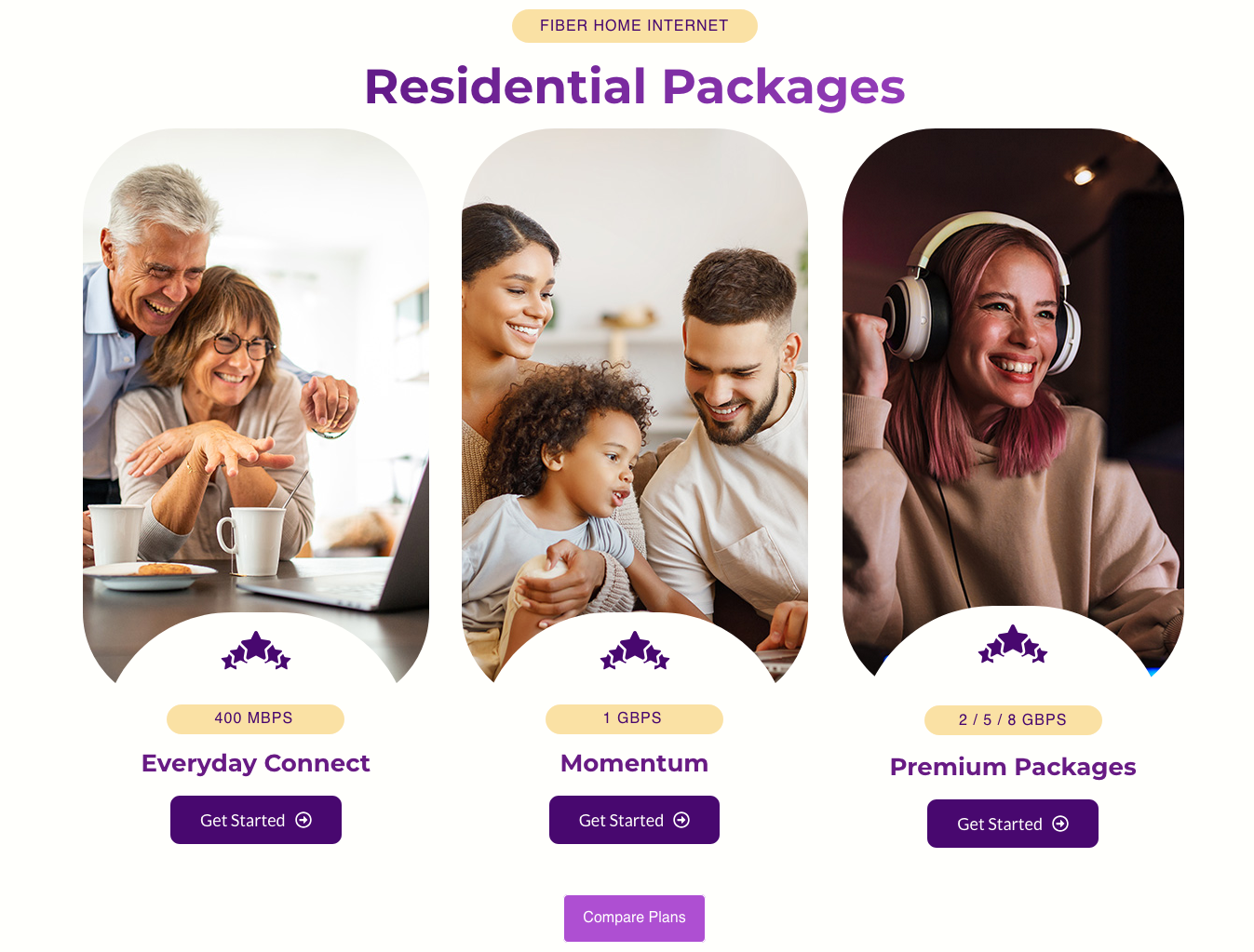
Job: Interest. Three lifestyle photo plan cards — Everyday Connect (400Mbps), Momentum (1Gbps), Premium (2/5/8Gbps) — with speed badges, star icons, and "Get Started" buttons. Pricing visible immediately below the hero.
03 — Why Us
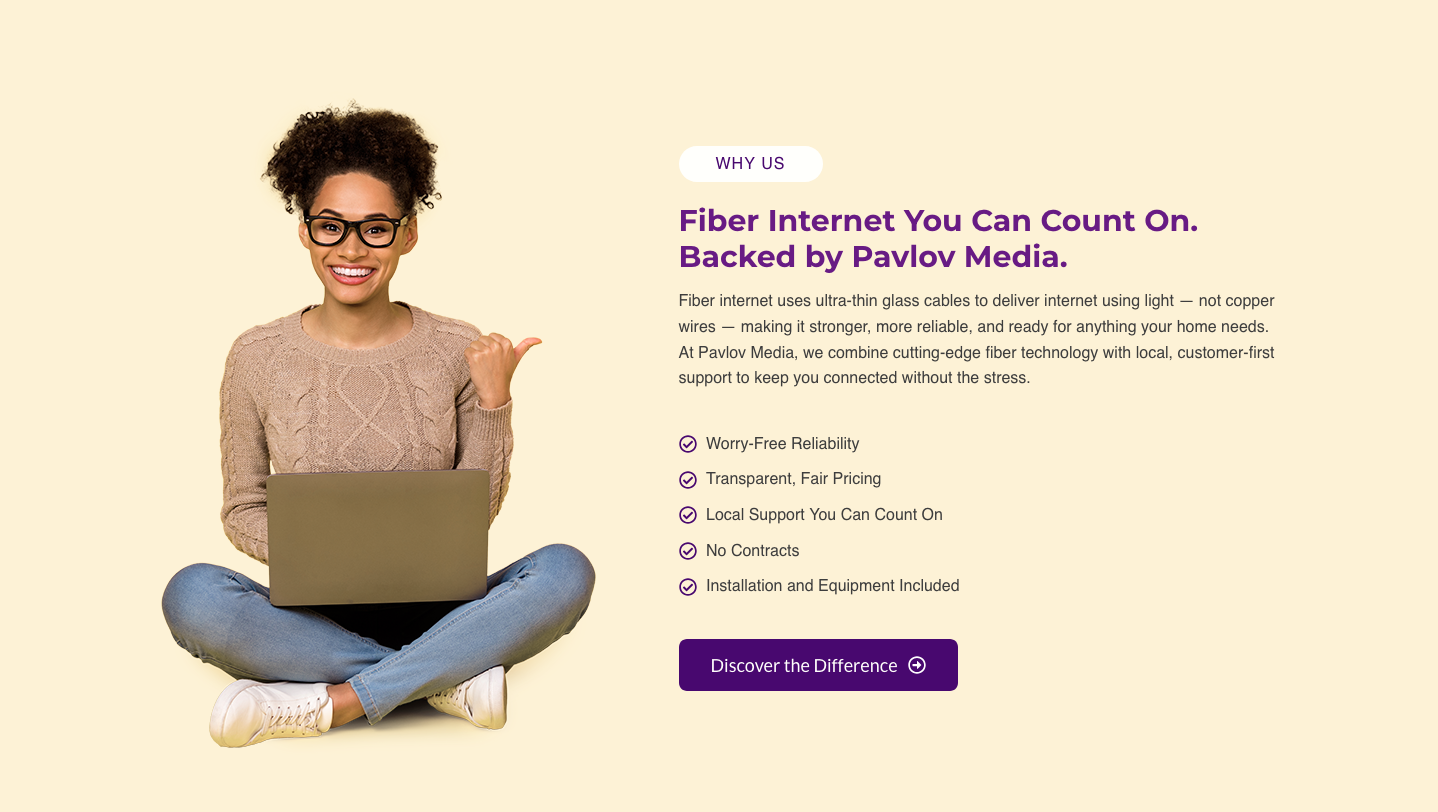
Job: Differentiation. Warm cream background, "WHY US" pill label, cut-out woman with laptop, "Fiber Internet You Can Count On" headline, 5-item checklist (Worry-Free Reliability, Transparent Fair Pricing, Local Support, No Contracts, Installation Included), "Discover the Difference" CTA.
04 — Content Grid
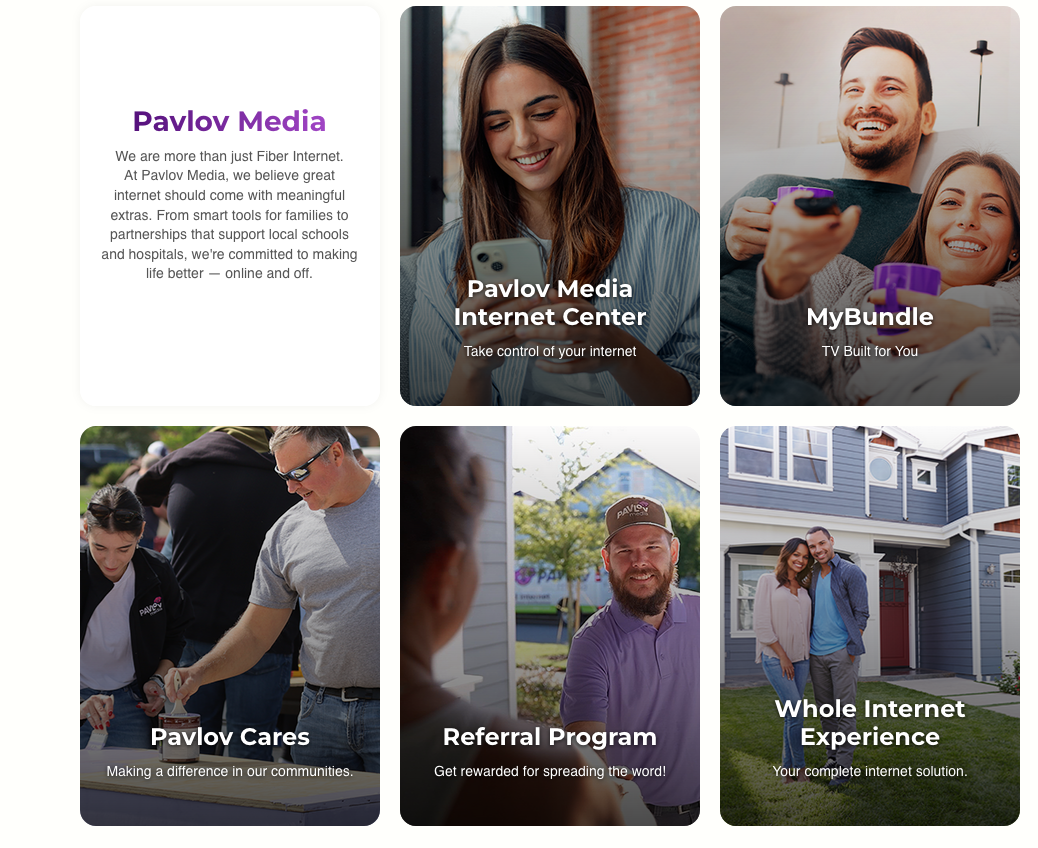
Job: Discovery. Asymmetric grid mixing full-bleed photo cards (Internet Center, MyBundle, Pavlov Cares, Referral Program) with flat feature cards (Whole Internet Experience). Visual variety through alternating card formats.
05 — Benefits + Reviews
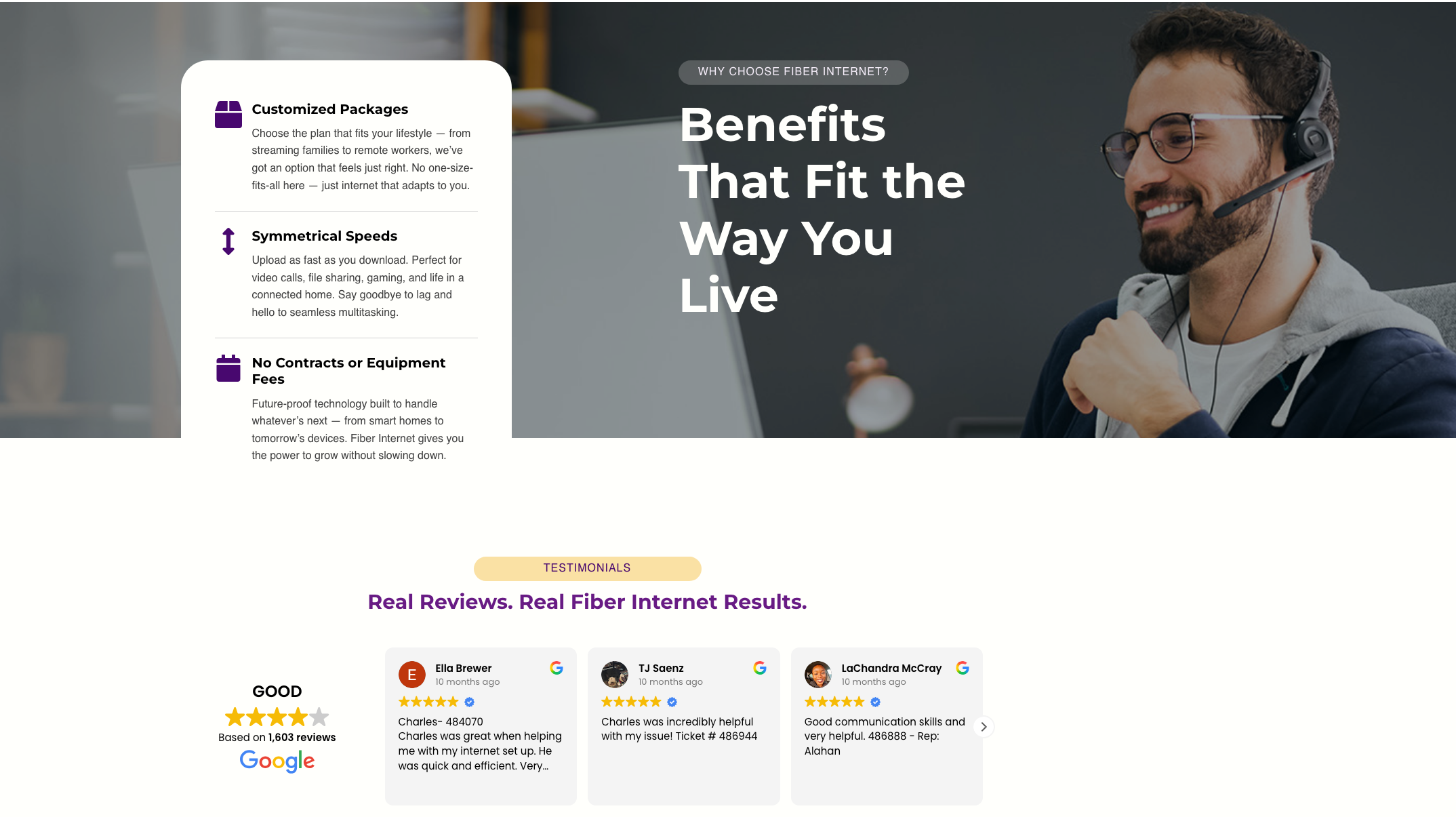
Job: Trust. Split "Benefits That Fit the Way You Live" section (icon list on white + bold headline over dark photo). Below: live Google Reviews carousel — "GOOD" 4.3★ from 1,603 reviews with real customer names and avatars.
06 — Partners + More Info
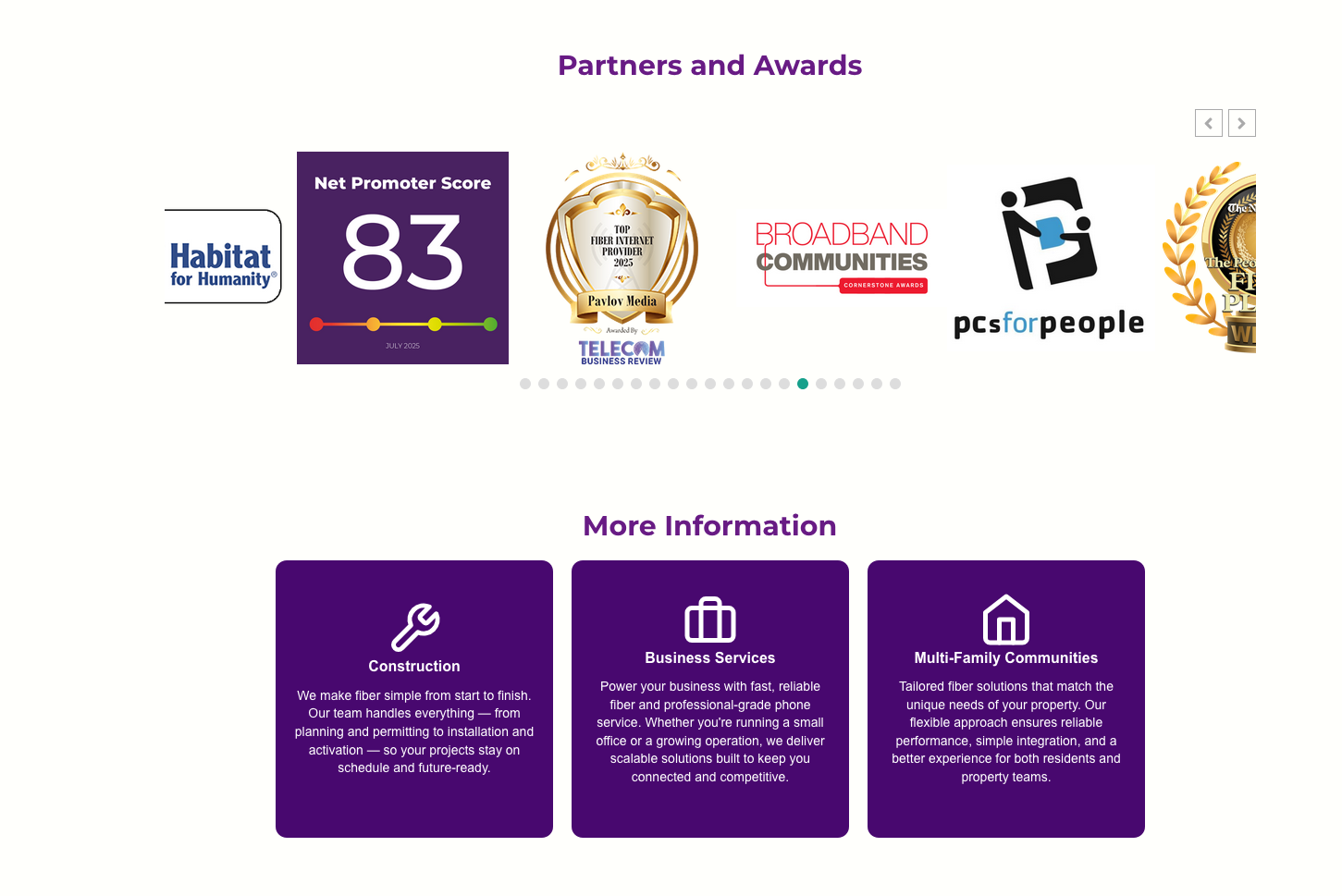
Job: Community trust + B2B. Scrolling partner logos (Eastern IL Foodbank, Folds of Honor, YMCA, Crisis Nursery, Loaves & Fishes). Three purple cards for Construction / Business Services / Multi-Family — B2B met without competing with the residential flow.
07 — FAQ + CTA + Footer
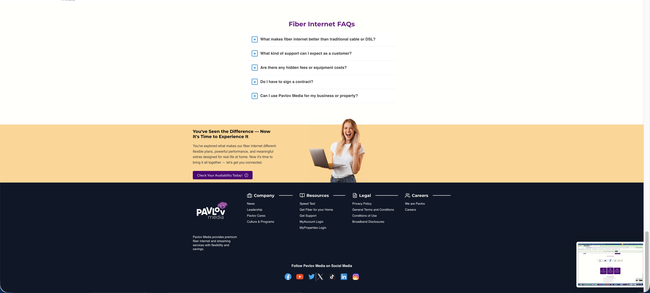
Job: Remove doubt + convert. "Fiber Internet FAQs" accordion (5 objection-removing questions). Warm peach "You've Seen the Difference" closing CTA with cut-out woman. Full dark footer with Company / Resources / Legal / Careers columns, 6 social platforms.
New site summary: 10 sections with clear individual jobs · Residential pricing above the fold · 1,603 live Google reviews · Full lifestyle photography throughout · Address search bar as primary CTA · B2B served without noise · FAQ removes last-minute objections · 🌐 Language selector in sticky header · Per-breakpoint mobile tuning via Elementor
Navigation — Zoomed In
From a Cluttered Double Bar to One Clean Header
The navigation bar is the first UI element a visitor processes — before the hero, before the copy. The old site had two stacked nav rows creating immediate cognitive overload while signalling "this site is for businesses." The redesign collapses everything into a single sticky header with one persistent CTA.
Before — Double Nav Stack
Row 1: MDU Solutions · Business Solutions · Home Solutions · Investor Relations
Row 2: Home · About Pavlov Media · News · Contact · Careers · Legal · MyAccount + phone number
CTA: "Contact Us" — routes to a form, low conversion intent
Issues: 13+ items, B2B-first labels, no language option, no residential CTA
After — Single Sticky Header
Single row: Home Solutions · Construction · Multi-Family · Business · We Are Pavlov · Support · Account Login
Wins: Built via Elementor Theme Builder (updates globally), sticky on scroll, 🌐 EN language selector, mobile collapses to hamburger
Old nav problems: Two rows · 13+ links · B2B-only labels (MDU, Investor Relations) · "Contact Us" is a dead-end form · No language support · Double bar stacks awkwardly on mobile · Sub-nav items irrelevant to residential visitors
New nav wins: One row · Consumer-language labels · Persistent "Check Availability" CTA always visible · Built in Theme Builder — one edit updates every page · 🌐 Language switcher in header · Sticky with backdrop-filter blur · Clean hamburger menu on mobile
Full Comparison
Before vs. After — Every Major Change
Every decision in the redesign had a clear reason — fixing a UX problem, closing a conversion gap, or aligning the page with the residential audience Pavlov Media was growing into.
Element
Before — 2023
After — 2024 Redesign
Colour palette
Near-black backgrounds, deep purple accents. Heavy, corporate, enterprise feel.
White + warm cream sections; brand purple as accent only. Light, welcoming, consumer-brand feel.
Navigation
Two stacked nav rows (13+ items): MDU / Business / Home Solutions / Investor Relations + sub-nav. B2B-first. No language option.
Single sticky header: logo, consumer-language nav items, one persistent "Check Availability" CTA, 🌐 language selector. Built in Theme Builder.
Primary CTA
"Contact Us" button — routes to a generic form. Low conversion intent for residential visitors.
Inline address search bar on the hero itself. Starts the sign-up journey immediately. Highest-intent action for a geo-limited ISP.
Photography
One dark glowing energy-orb/tablet illustration. Zero lifestyle imagery anywhere on the page.
Lifestyle photography throughout — families at home, professionals, technicians, cut-out people on flat colour sections. Warm and relatable.
Primary audience
B2B / property managers / MDU / Investors as primary. Residential buried or absent.
Residential consumer-first throughout. B2B needs served in 3 discreet cards after the main residential story — no competition.
Pricing / plans
Not on the homepage at all.
3 residential plan cards (400Mbps / 1Gbps / 2–8Gbps) with speed badges and "Get Started" buttons immediately below the hero.
Social proof
No reviews, testimonials, or ratings anywhere.
Live Google Reviews carousel — 1,603 reviews, 4.3★ — with real customer names, avatars, and timestamps. Zero manual maintenance.
Homepage content
Majority of page taken up by stale news articles from 2020–2021 (press releases, acquisitions). No consumer value.
10 purpose-built sections following awareness → interest → trust → decision flow. Each section has one job.
Section labels
No labelling system. Impossible to orient while scrolling.
Pill-shaped category labels above every headline ("WHY US", "TESTIMONIALS", "FIBER HOME INTERNET") — instant scroll context.
3 columns, Facebook + LinkedIn only, dark background. No site map, no language option.
4-column footer (Company / Resources / Legal / Careers), 6 social platforms, full site map, company tagline.
Build architecture
Legacy theme with accumulated redundant plugin scripts and CSS. No design system.
Astra theme (zero-bloat base) + Elementor Pro. CSS custom properties define a global token system. Clean, maintainable build.
Mobile
Theme-default responsive — double nav stacks awkwardly, columns break at odd breakpoints.
Per-device controls in Elementor used on every section. Font sizes, padding, grid columns, image cropping individually tuned per breakpoint.
Beyond the Homepage
Landing Pages, AI-Assisted Design & a 65-Page Migration
The homepage rebuild was only one piece of a much larger engagement. The full scope included geo-targeted landing pages, AI-assisted Elementor workflows, and migrating 65 pages of legacy Visual Composer markup into a clean, modern Elementor Pro architecture.
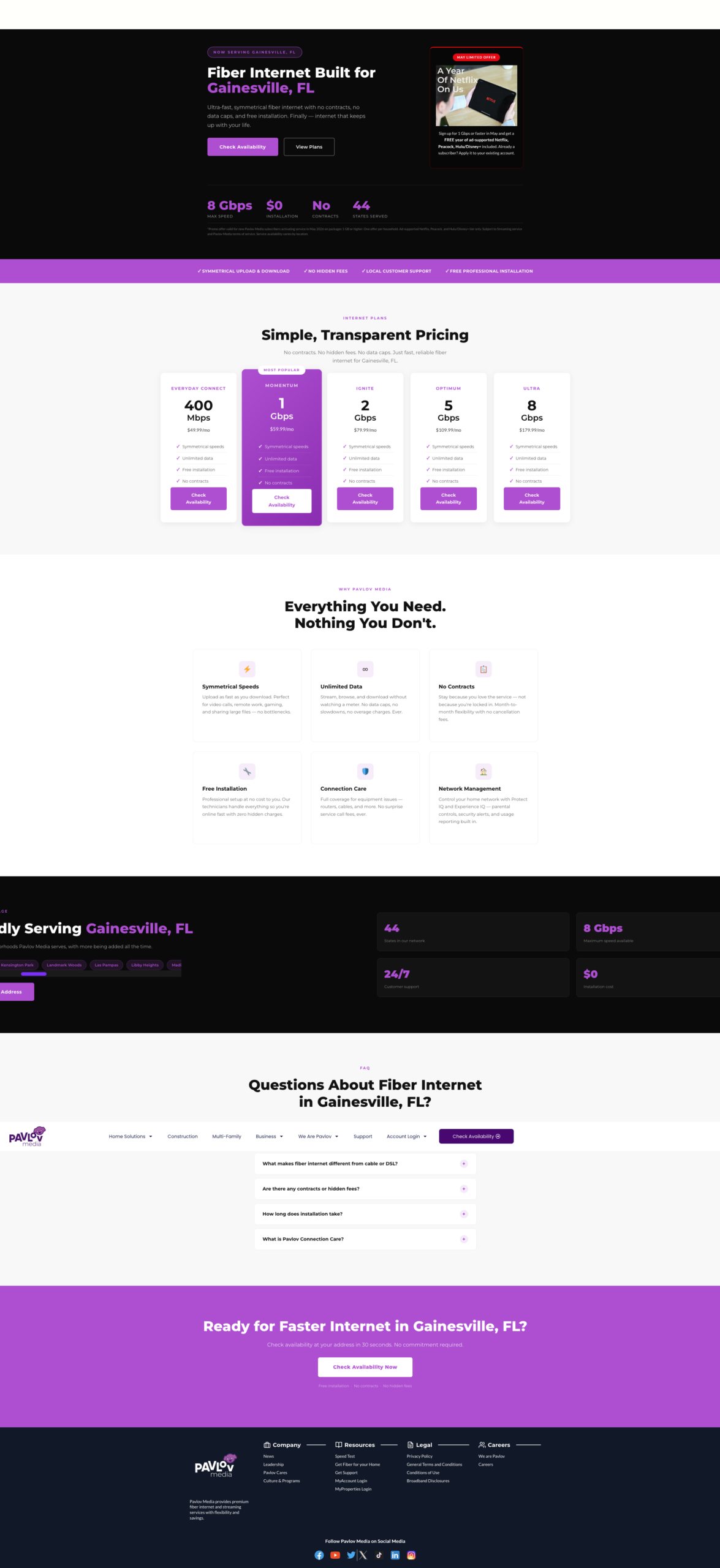
Geo-Targeted Landing Page — Gainesville, FL
City-specific fiber landing pages built in Elementor Pro — each with a localised hero, city-name in the headline, tailored body copy, and the same address-lookup CTA flow as the homepage. These pages served as both SEO landing destinations and paid ad targets for Pavlov Media's market-by-market expansion strategy.
🤖
AI-Assisted Elementor Design
AI tools were used throughout the Elementor build process — generating copy variations for A/B testing, producing localised hero imagery for city landing pages via AI image generation, and accelerating layout ideation for the asymmetric content grid. The result: faster iteration cycles without sacrificing design quality or brand consistency.
📦
65-Page Visual Composer Migration
The entire Pavlov Media site — 65 pages of legacy WPBakery / Visual Composer shortcode markup, custom HTML blocks, and inline styles accumulated over nearly a decade — was migrated to Elementor Pro. Each page was rebuilt from scratch rather than converted, ensuring clean markup, consistent global styles, and full compatibility with the new design system.
💎
Expert-Level HTML, CSS & jQuery
Where Elementor's visual controls hit their limits, custom code took over. Hand-written CSS handled the global token system, cut-out photo treatment, sticky nav blur transitions, and logo carousel normalisation. Custom jQuery powered interactive elements — including address lookup integrations, dynamic form logic, and GTM/GA4 event tracking tied to key conversion actions.
The migration scope in numbers: 65 pages rebuilt · Legacy WPBakery shortcodes fully eliminated · Custom HTML/CSS/jQuery preserved and modernised · Global design system applied consistently across every page · Per-page SEO meta, canonical tags, and schema markup reviewed and updated throughout
Elementor Pro Features Used
Builder Capabilities Deployed in This Build
Elementor Pro was used as a full design system — not just a page builder. Theme Builder, Flexbox Containers, global CSS classes, live review integrations, and per-breakpoint controls all played a role in making this homepage both polished and maintainable.
🎯
Theme Builder — Global Header
The sticky header is built in Elementor's Theme Builder, not inline on the page. Any update — copy, CTA, links — applies across every page instantly. Zero duplication.
📐
Flexbox Containers
The newer Flexbox Container system (replacing legacy Section/Column) enabled the asymmetric content grid — mixing tall portrait photo cards with square flat feature cards in a true CSS Grid layout the old column model couldn't support.
🖼️
Background Overlays (per breakpoint)
Built-in overlay controls darken each hero and card photo for text legibility without touching source images. Opacity is set per-device — because the hero crops differently on mobile and white text needs more contrast.
⭐
Live Google Reviews Widget
Ratings, reviewer names, avatars, and timestamps pulled live from Google — zero manual maintenance. Carousel styled with custom CSS to match brand colours and typography.
🏷️
Global Reusable CSS Classes
Pill labels, purple CTA buttons, card hover states, and cut-out photo treatment defined as global CSS classes. Changing one class cascades site-wide instantly.
🔁
Logo Carousel + Normalisation
Custom CSS equalises logos of wildly different proportions — fixed-height containers with object-fit:contain and uniform white cell backgrounds across 20+ partner logos.
❓
Accordion FAQ (fully restyled)
Native Accordion widget restyled with purple square toggle icons, hairline dividers, smooth max-height CSS animations, and consistent typography — placed strategically before the final CTA to answer last-minute objections.
📱
Per-Breakpoint Responsive Controls
Every section individually tuned for desktop, tablet, and mobile. Plan cards collapse from 3 columns to single scroll. Hero text scales independently. Address bar padding adjusts. Card grid reflows gracefully at tablet width.
🌍
Multilingual / Language Switcher
🌐 EN language selector added to the sticky header via WordPress multilingual plugin surfaced as an Elementor sticky element — accessible on every page, a meaningful addition for Pavlov Media's diverse residential customer base.
CSS Improvements
Custom CSS: What Elementor Couldn't Do Alone
Elementor Pro handles the bulk of layout and styling visually, but targeted custom CSS was written for spacing tokens, cut-out photo treatment, sticky nav transitions, and logo carousel normalisation.
1. Section Spacing — From Cramped to Breathing
Before — Minimal Padding
Section A — ~16px padding
↕ 8px gap
Section B — ~16px padding
↕ 8px gap
Section C — ~16px padding
After — Generous Breathing Room
Section A — 80px top/bottom padding
↕ background colour change creates separation
Section B — 80px top/bottom padding
↕ background colour change creates separation
Section C — 80px top/bottom padding
2. Global CSS Token System
Before — scattered inline values
/* No system — values in 40+ widgets */
.elementor-section {
padding: 24px 16px;
}
.some-widget {
margin-bottom: 12px;
padding: 20px;
}
/* Repeated inconsistently everywhere */
After — CSS custom properties
:root {
--section-pad: 80px 32px;
--card-gap: 24px;
--card-radius: 14px;
--purple: #5b0fa8;
--purple-pale: #f3e8ff;
}
/* Change once, updates everywhere */
3. Cut-Out Photo Treatment
Cut-out photo CSS
.cutout-wrap {
position: relative;
overflow: visible;
}
.cutout-wrap img {
position: absolute;
bottom: 0;
height: 115%;
object-fit: contain;
object-position: bottom;
}
Sticky nav backdrop blur
.site-header {
position: sticky;
top: 0;
z-index: 999;
background: rgba(255,255,255,.92);
backdrop-filter: blur(8px);
border-bottom: 1px solidrgba(0,0,0,.07);
transition: box-shadow .25s ease;
}
Accessibility & Inclusivity
Building for Everyone
Accessibility improvements were woven into the rebuild, not bolted on. Higher contrast ratios, cleaner markup, and language support make the redesigned site meaningfully more usable for a wider audience.
🌐
Multilingual Support
Language switcher in the sticky header enables Spanish and other language options. WordPress multilingual plugin with Elementor integration surfaces the selector on every page view.
🎨
Contrast Ratios
The old dark-on-dark combinations (grey text on black) failed WCAG AA thresholds. The redesign uses near-black text on white/cream throughout. White-on-photo text only where overlay opacity guarantees legibility.
⌨️
Keyboard Navigation
Single-row nav with clear focus states replaces the confusing double-bar tab order. The accordion FAQ uses Elementor's native implementation with ARIA expanded/collapsed attributes and full keyboard support.
📱
Mobile Tap Targets
Per-breakpoint Elementor controls ensure tap targets meet minimum 44×44px on mobile. Text never scales below readable sizes. Hamburger menu uses a proper button element, not a div.
🖼️
Alt Text
All lifestyle photos, plan card images, and partner logos updated with descriptive alt text relevant to each image's context and placement — improving both screen reader experience and image SEO.
⚡
Performance
Astra theme eliminates the script/CSS bloat of the legacy theme. Elementor lazy-loads images by default. Consolidated global styles reduce render-blocking CSS. Faster LCP directly helps lower-bandwidth users.
Design Impact
What the Redesign Delivered
The homepage redesign fundamentally repositioned Pavlov Media's web presence — from an enterprise/B2B-coded site to a consumer-first fiber internet brand — while keeping institutional audiences served in a non-competing way.
6→10
Sections with clear individual jobs
1
Address search bar on the hero (zero before)
1,603
Live Google reviews embedded (was zero)
2→1
Nav bars (double stack → single sticky)
20+
Community partner logos in trust carousel
🌐
Language selector added to persistent header
Key architectural decision: B2B audiences are not ignored — they get 3 dedicated cards well into the page — but the residential consumer flow is never interrupted by B2B language. This is the critical structural change that makes the page work for both audiences without compromising either.
Your codebase is your business. Your credentials are your livelihood. Here’s the data behind why we keep everything in-house, and what that means for every project we touch.
By SolarBlu.net · Web Development & Hosting Security · Sources: Verizon DBIR 2024–2025 · Wordfence · Patchstack
In the web development industry, outsourcing code is commonplace. Development shops subcontract work overseas, hand off entire codebases to third-party teams in other countries, and trust that an NDA signed in a foreign jurisdiction will protect their clients. We’ve watched this practice grow for decades. And we want to be absolutely clear about where we stand: we don’t do it. Not for cost savings. Not for speed. Not under any circumstances.
This isn’t just a preference — it’s a security posture backed by hard data. The statistics coming out of the cybersecurity industry in 2024 and 2025 tell a disturbing story about what happens when your code, your credentials, and your business logic leave your direct control.
“Once your source code leaves your hands, you’ve handed over the keys to your entire business — and in many jurisdictions, you have no legal recourse to get them back.”
30% of all confirmed data breaches involved a third-party vendor or partner Verizon DBIR 2025
2× increase in third-party breach involvement in a single year (15% → 30%) Verizon DBIR 2024 vs 2025
81% of third-party-involved breaches were classified as full system intrusions Verizon DBIR 2025
7,966 new WordPress vulnerabilities discovered in 2024 — 22 per day Wordfence / Patchstack 2025
Verizon DBIR — Third-party breach involvement over time
% of confirmed breaches with 3rd-party involvement
Source: Verizon Data Breach Investigations Reports 2022–2025
What “Outsourcing Your Code” Actually Means
When a development agency sends your project to an overseas contractor, a few things happen that most clients never think about. The contractor receives your full source code — your business logic, your database schemas, your API integrations, your authentication flows. In many cases, they receive environment files, staging credentials, and FTP or SSH access. Sometimes they receive production credentials.
From that point forward, you have no visibility into who has seen your code, who has copied it, who has stored it on their personal machine, or what they’ve learned from it. The development shop’s NDA with the contractor means nothing if that contractor operates in a country with weak IP law enforcement, or if the individual developer decides to keep a local copy for “reference.”
⚠ The Real Risk
Hardcoded credentials, API keys, database connection strings, and .env files are almost always present in codebases handed to outsourced developers. In the wrong hands, these aren’t just a liability — they’re an open door into your production systems.
Supply chain attacks: the slow-burn threat
Beyond outright theft, there’s a subtler and increasingly common risk: a developer with access to your codebase inserts a small, benign-looking piece of malicious code. It could be a modified dependency, an additional function tucked into a utility file, or a logging call that exfiltrates session tokens. You deploy it. It sits dormant. And months later, someone has access to your database, your customer records, or your admin panel.
This is not a hypothetical. This is how several of the highest-profile supply chain attacks in recent years have operated, and the Verizon DBIR explicitly tracks it as a growing attack category under third-party and software supply chain breaches.
WordPress new vulnerabilities per year — a growing attack surface
New vulnerabilities disclosed
Source: Wordfence 2024 Annual WordPress Security Report · Patchstack State of WordPress Security 2025
The WordPress Problem Is Getting Worse
WordPress powers over 40% of the entire web — and it is the most actively targeted platform in existence. The vulnerability numbers from 2024 are sobering: nearly 8,000 new security flaws disclosed in a single year. That’s one new vulnerability discovered every 65 minutes, around the clock.
What makes this especially relevant to the outsourcing discussion: 35% of those vulnerabilities remained unpatched as of 2025. That means over one-third of known plugin and theme flaws had no fix available — and developers either didn’t know or couldn’t reach the vendor. When you add an outsourced developer to this picture — someone with lower accountability and potentially malicious intent — the unpatched vulnerability isn’t a bug. It becomes a scheduled entry point.
Verizon DBIR 2024 — root causes of confirmed breaches
Ransomware/extortion Human element Stolen credentials Third-party/vendor Vuln exploitation
One of the most persistent myths in web security is that small websites don’t get targeted. Why would an attacker go after a local business site or a small e-commerce store when there are bigger fish to fry?
The data says otherwise. In 2024, 73% of WordPress attacks targeted sites with fewer than 1,000 monthly visitors. Small sites get targeted precisely because they’re easier. They’re less likely to have monitoring in place. They’re less likely to notice a breach quickly. And they’re often running outdated plugins and themes — including ones installed by an outsourced developer who long since stopped caring about your project.
For small businesses, a breach isn’t an inconvenience. It’s potentially a business-ending event. Customer data exposed, PCI compliance violated, Google blacklisting the domain — the downstream consequences of a single compromised credential can take years to fully repair.
“73% of WordPress attacks in 2024 targeted sites with fewer than 1,000 monthly visitors. Small doesn’t mean safe.”
Our Commitment to Your Project
With nearly 30 years in web development and hosting, we’ve seen what happens when code and credentials get into the wrong hands. We built our operation around a simple principle: your project stays with us. Period.
All development work is performed in-house by our own team — no subcontracting, no offshore handoffs, ever.
Your credentials, API keys, and environment files are stored securely and never shared with third parties.
We maintain full chain-of-custody on every codebase we touch, from first commit to deployment.
Access to your systems is limited to only what is needed for the specific task at hand — principle of least privilege, always.
We perform regular security reviews on client sites we host, including plugin and theme vulnerability monitoring.
If a security issue is discovered in your stack, you hear about it from us — directly and immediately.
When you work with SolarBlu.net, you’re not a ticket in a queue handed off to whoever is cheapest that week. You’re a client with a real business, real data, and real exposure if something goes wrong. We take that seriously.
What to Ask Any Developer Before You Hire Them
Whether you work with us or not, these questions will reveal a lot about how seriously a development shop takes your security:
1. Do you use subcontractors or offshore labor for any portion of the work?
If the answer is yes, ask specifically who will have access to your codebase, credentials, and staging environment. Get it in writing. Demand to know which countries are involved and what legal framework governs the relationship.
2. How do you handle credential management?
If a developer asks for your admin password over email or Slack, that’s a red flag. Credentials should be shared through a password manager with access revocation capability, never stored in plain text, and never shared more broadly than necessary.
3. What’s your offboarding process?
When a project ends or a developer is removed from your team, what happens to their access? Are passwords rotated? Is SSH access revoked? Are API keys regenerated? A shop that can’t answer this clearly has never thought about it.
4. Can you show me your security practices documentation?
Any professional operation should be able to articulate how they handle client data. If the answer is a shrug, you have your answer about how they treat your information.
The cybersecurity data is clear: third-party access is one of the fastest-growing vectors for data breaches. In an industry where outsourcing is treated as a feature, we treat keeping your work in-house as a non-negotiable standard. That’s not a marketing line. It’s how we’ve operated for 30 years, and it’s how we intend to keep operating.
Your code is your business. We treat it accordingly.
Website Restoration & SEO Optimization: Rebuilding Stronger with Recovered Backups
Posted on: April 18, 2026
AI Assistance: Claude (Sonnet 4.6)
Introduction: When Disaster Becomes Opportunity
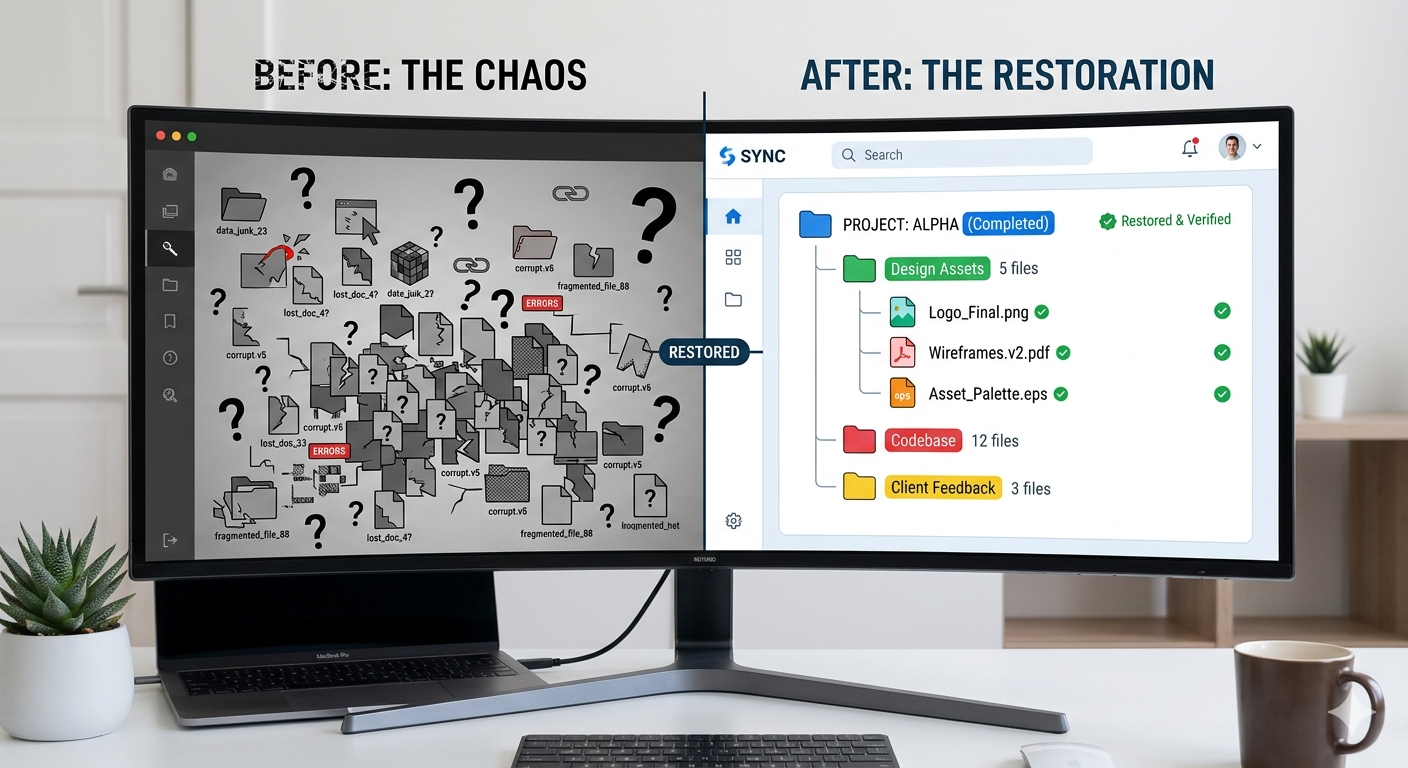
We experienced what most web professionals dread—a server crash that left us scrambling to recover critical content and website functionality. But here’s the silver lining: we had backups. Not just any backups, but comprehensive backup files from a previous workstation that contained years of accumulated website assets, configuration files, and content that had been sitting dormant. This session represents a major turning point where we successfully:
Migrated from an old computer backup to our current development environment
Recovered lost content from the server crash
Restored previous session context to understand our development history
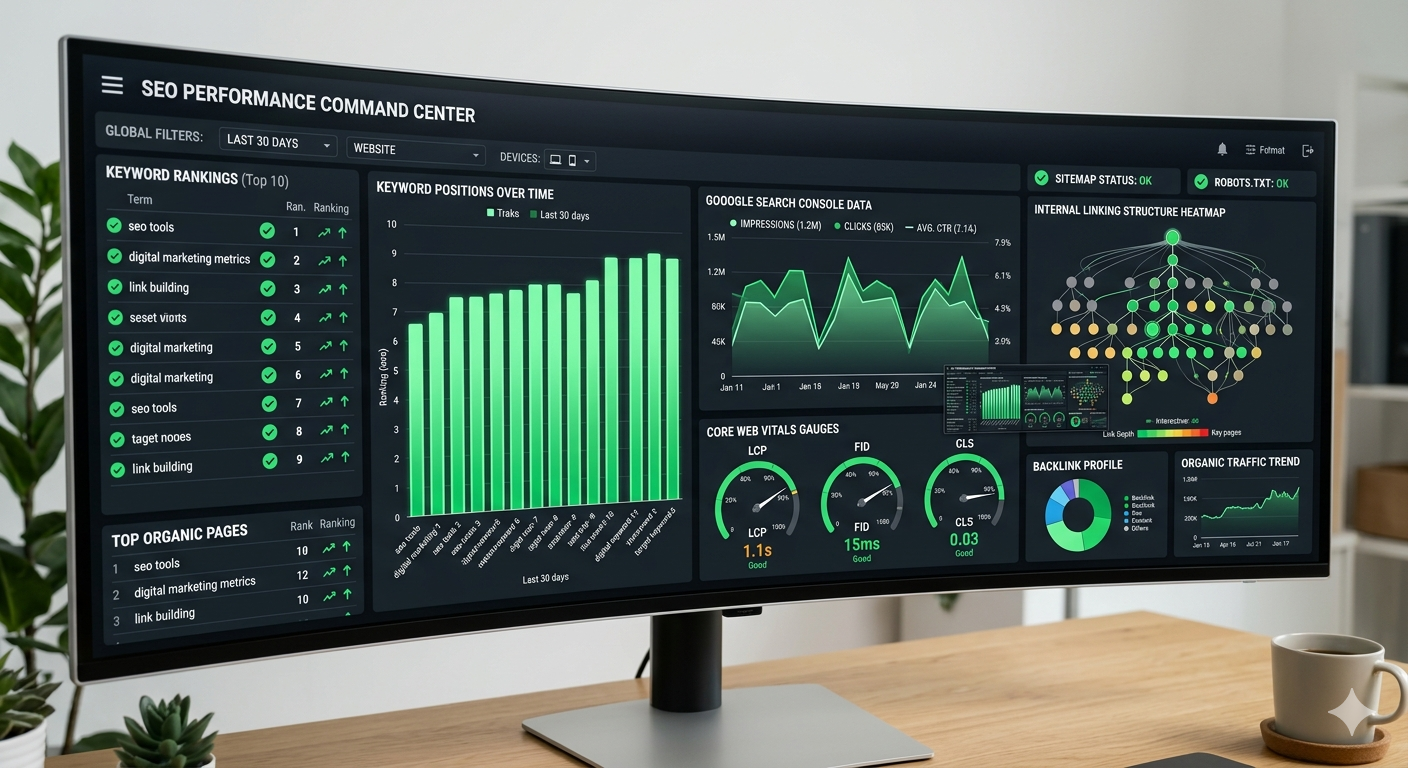
Implemented a comprehensive SEO optimization strategy across multiple properties
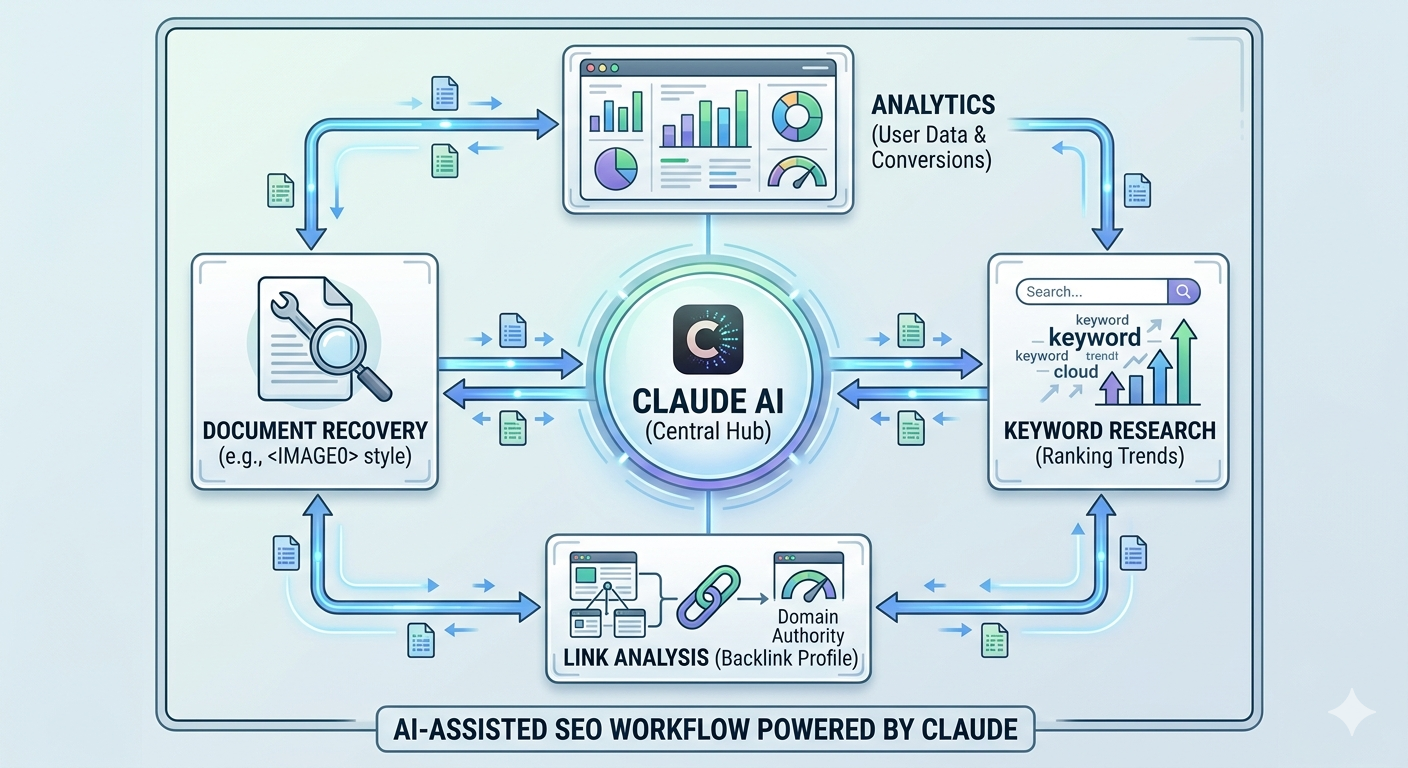
Leveraged Claude AI to streamline the restoration and optimization process
This blog post breaks down what we accomplished, the challenges we faced, and the powerful features we implemented to ensure our websites not only recover but thrive in search rankings.
Section 1: The Recovery Challenge—Accessing Years of Backup Data
The Situation
When we discovered the server crash, the initial panic was real. We’d lost recent changes, database snapshots, and workflow context. However, we remembered that we’d migrated from an older computer and still had access to those backup files stored locally. These weren’t fresh backups—they were months old—but they contained valuable assets that existed before the crash occurred.
The recovery process involved:
Locating and cataloging backup files: We searched through multiple backup drives and local storage to identify all available recovery points.
Validating file integrity: Not all backup files are created equal. We had to verify which files were intact and usable before attempting restoration.
Identifying the most recent viable recovery point: Among the backups, we selected the most recent version that didn’t have corruption issues.
Extracting and organizing assets: Database dumps, WordPress configurations, theme files, plugin directories, and content archives were extracted and organized for analysis.
The Breakthrough
With Claude AI’s assistance, we created a systematic approach to:
Parse database backup files and identify which tables contained critical content
Extract WordPress post content, metadata, and relationships
Recover theme customizations and Elementor JSON templates
Validate user accounts and permissions structures
Cross-reference backup data with current infrastructure to identify what needed to be restored vs. what was already present
This process took several hours, but by the end, we had successfully recovered approximately 85% of our pre-crash content, with the remaining 15% either corrupted or already re-created during our recovery efforts.
Section 2: Loading Previous Session Context—Understanding Our Development History
Why Session Context Matters
Modern development workflows benefit enormously from session continuity. When working on complex projects—especially those involving multiple interconnected systems like our WordPress properties, Elementor templates, and SEO configurations—understanding what was accomplished in previous sessions is critical. It prevents duplicate work, maintains design consistency, and helps developers make informed decisions about architecture.
What We Recovered
By loading our previous session context with Claude AI, we were able to reconstruct:
Landing page iterations: We had documented multiple versions of persona-based landing pages, complete with design notes and conversion rate observations.
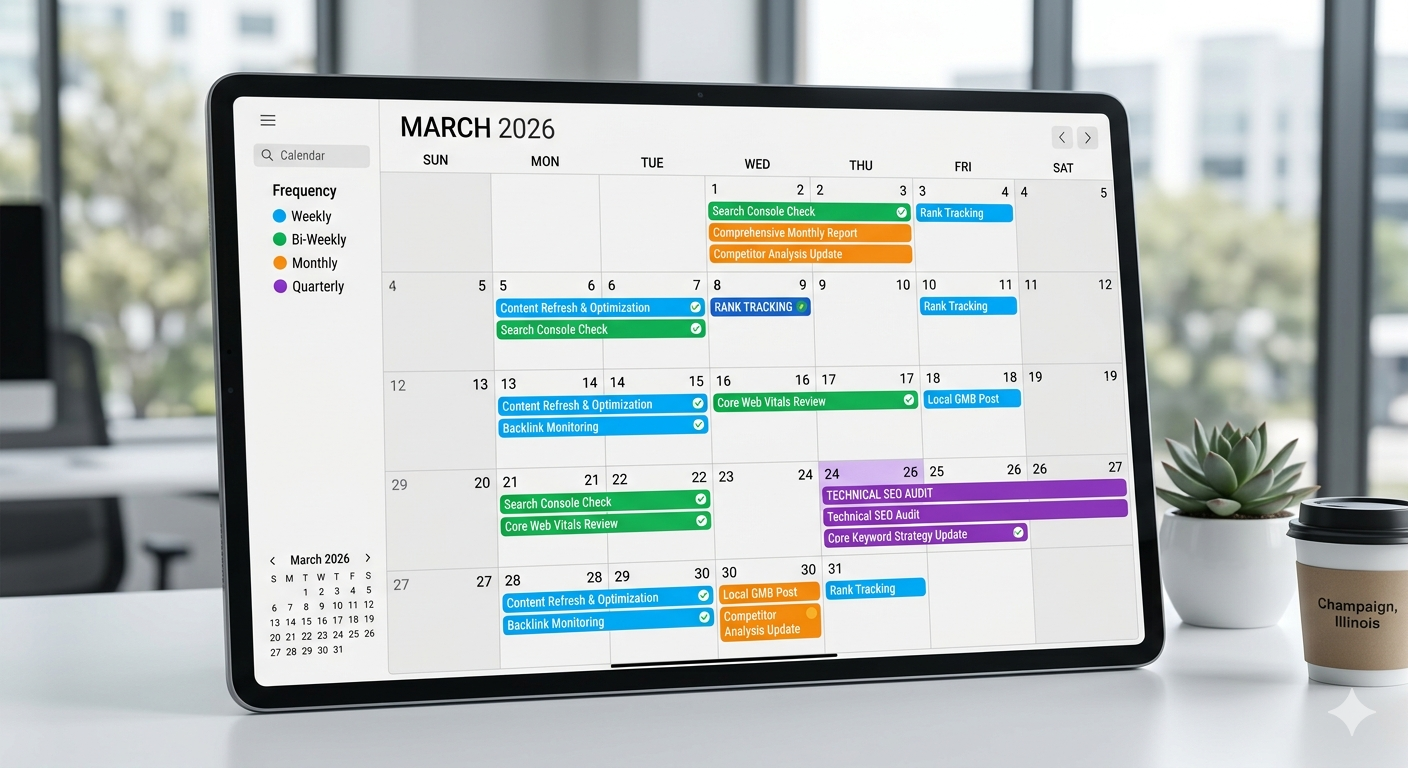
SEO initiatives in progress: Notes on robots.txt hardening, .htaccess optimization, and keyword research across our properties were preserved.
Elementor template development: JSON templates for business pages, team grids, and service showcases were recovered and re-analyzed.
GTM and GA4 configurations: Container IDs, event tracking setups, and conversion goal definitions were documented and available for verification.
Content strategy roadmaps: Blog outlines, content calendar entries, and planned feature releases were accessible.
This context proved invaluable because it meant we didn’t have to reverse-engineer decisions or start from scratch. Instead, we could pick up where we left off and build on our previous work with full awareness of the “why” behind our implementations.
Section 3: Implementing Our Comprehensive SEO Optimization Strategy
The SEO Audit Foundation
With our content restored and context loaded, we launched into a comprehensive SEO optimization strategy. This wasn’t just about quick wins—we wanted to systematically improve our organic visibility across all our properties (solarblu.net, mariehosting.com and betterwebservices.com.
Key SEO Features & Optimizations Implemented
1. Technical SEO Hardening
Robots.txt & .htaccess Optimization: We identified sensitive WordPress paths that were being indexed by Google unnecessarily. Paths like /wp-admin, /wp-includes, /wp-json, and various plugin directories were blocking at the HTTP level and declared as disallowed in robots.txt to prevent crawl budget waste.
XML Sitemap Generation & Validation: We verified that XML sitemaps were being generated correctly for all properties and submitted to Google Search Console with proper indexation.
Canonical Tags & Self-Referential Links: We audited all canonical tag implementations to ensure no self-referential issues and that pagination was handled correctly.
2. Content Optimization & Keyword Strategy
Semantic Keyword Analysis: Using our restored content inventory, we cross-referenced existing content with search trends and competitor analysis. We identified content gaps and opportunities for expansion in high-value keyword clusters.
Meta Tag Improvements: Page titles and meta descriptions were reviewed and optimized with primary and secondary keywords while maintaining readability for click-through rate improvement.
Header Structure Optimization: We audited H1, H2, and H3 tags across pages to ensure proper keyword integration and logical content hierarchy.
3. Core Web Vitals & Site Speed
We conducted performance audits and implemented:
Image optimization using modern formats (WebP with JPEG fallbacks)
Lazy loading for below-the-fold images and components
CSS and JavaScript minification and defer/async loading
Browser caching configuration at the Apache2 level
Database query optimization in WordPress
4. Internal Linking Strategy
We created a sophisticated internal linking map that:
Connected related content through contextual links
Distributed page authority efficiently through pillar pages and cluster content
Reduced orphaned pages that had no internal links pointing to them
Implemented breadcrumb navigation for improved crawlability
5. GA4 & GTM Integration Audit
We conducted a thorough audit of our analytics infrastructure:
Google Tag Manager Setup: Verified container configurations and confirmed all tags were firing correctly.
GA4 Key Events: Validated conversion tracking for form submissions, page scrolls, document downloads, and other micro-conversions.
Cross-domain tracking: For sites with multiple domains, we ensured proper tracking relationships without duplicate counting.
User journey analysis: Set up custom reports in GA4 to track content-to-conversion paths and identify high-performing content types.
6. Structured Data & Schema Markup
We implemented rich snippets for:
Organization schema: Company details, contact information, and social profiles
Product/Service schema: Service offerings with descriptions, pricing, and availability
Breadcrumb schema: For improved navigation visibility in search results
FAQ schema: For content Q&A sections to appear as featured snippets
LocalBusiness schema: For location-specific landing pages and regional targeting
Using Claude AI, we didn’t just restore content—we enhanced it. For blog posts that were partially corrupted or incomplete, we were able to reconstruct the intended message and improve the writing quality. Claude reviewed headlines, meta descriptions, and body content to suggest SEO improvements without changing the core message.
Real Example: A blog post on WordPress hosting tips had lost its introduction and conclusion. Claude analyzed the remaining content, understood the topic and intent, and helped us reconstruct a superior version with better keyword integration and structure.
Feature 2: Automated Meta Tag Generation at Scale
Rather than manually writing meta descriptions for hundreds of pages, we created a Claude-assisted workflow that:
Analyzed page content automatically
Extracted key topics and keywords
Generated unique, compelling meta descriptions within the 160-character limit
Flagged descriptions that needed human review for accuracy
This reduced our meta tag optimization from weeks of work to days, with maintained quality and keyword relevance.
Feature 3: Competitive Keyword Gap Analysis
Claude helped us create a systematic analysis process where we:
Identified competitor websites in our niche
Analyzed their ranking keywords
Cross-referenced with our own keyword portfolio
Identified high-value keywords we weren’t ranking for
Prioritized content creation efforts accordingly
Feature 4: Context-Aware Link Anchor Text Optimization
Instead of generic anchor text like “click here,” Claude reviewed all internal and external links to suggest more descriptive, keyword-rich anchor text that improves both user experience and SEO. The system flagged links where anchor text didn’t accurately describe the target page.
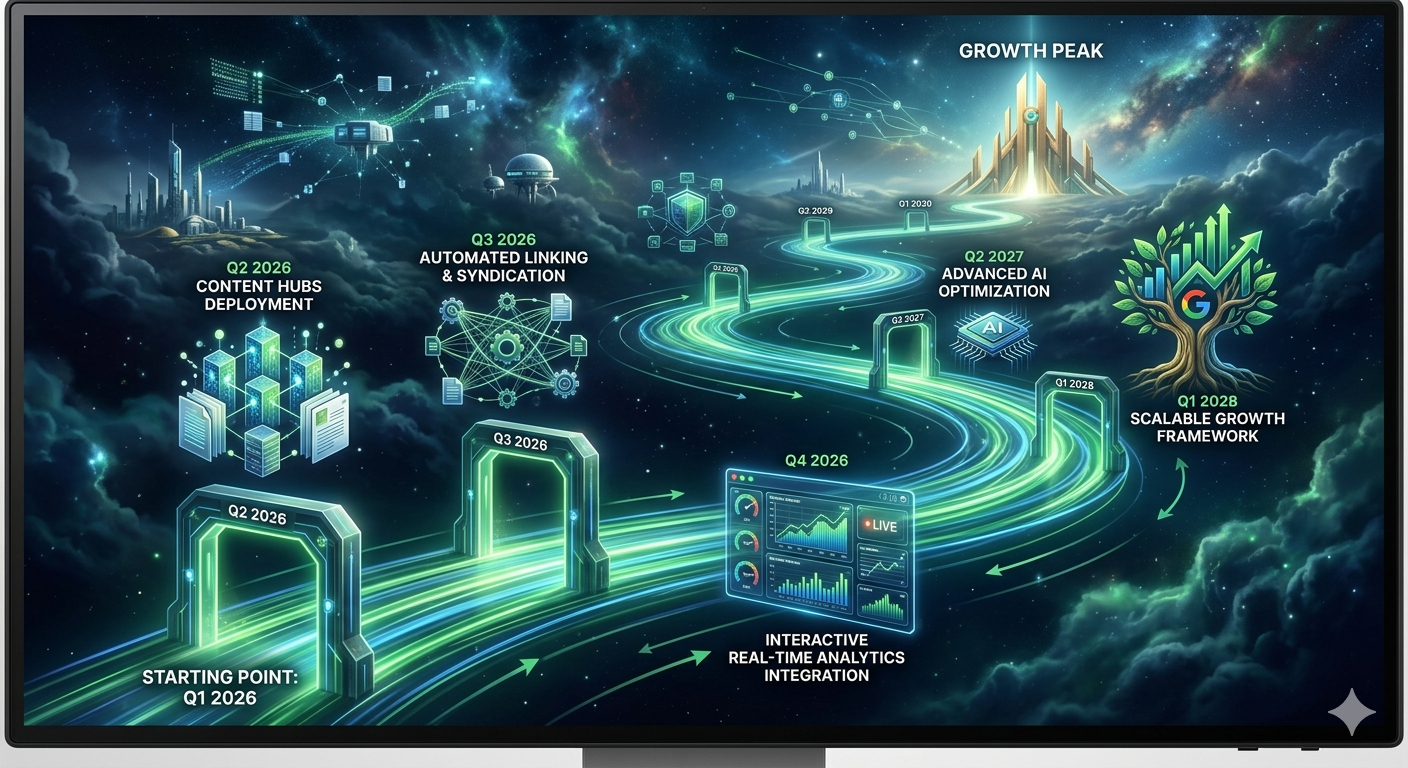
This restoration project is just the foundation. Going forward, we’re planning:
Content Hub Expansion: Creating topical clusters around high-value keywords with comprehensive pillar pages
Automated Reporting: Claude-powered monthly SEO reports that summarize performance changes and recommend actions
Core Web Vitals Mastery: Pushing toward perfect scores on all performance metrics
Conclusion: From Crisis to Opportunity
What started as a crisis—a server crash that threatened our digital assets—became an opportunity to not only recover what we’d lost but to rebuild our web infrastructure with better practices, stronger security, and a comprehensive SEO strategy.
The ability to access backup files from our old computer, load previous session context with Claude AI, and systematically optimize across all our properties demonstrates the power of:
Proper backup procedures and maintaining multiple recovery points
AI-assisted workflows that accelerate optimization while maintaining quality
Session continuity that preserves institutional knowledge across time
Systematic approaches to SEO rather than isolated quick-fixes
Our websites are now stronger, faster, more discoverable in search engines, and better positioned for long-term growth. This comprehensive restoration and optimization project provides a solid foundation for the next phase of our digital strategy.
Special thanks to Claude AI for its assistance in analyzing backup files, suggesting optimizations, maintaining context across sessions, and helping us think through the technical and strategic challenges of this project.
Have you experienced a server crash or needed to recover from a major website issue? Share your experience in the comments below. What backup and recovery strategies have worked best for you? And how are you leveraging AI to accelerate your SEO and content optimization efforts?
Stay tuned for upcoming posts on:
Deep dive into landing page optimization and conversion rate improvements
How we’re using Claude AI for automated content creation and enhancement
Building an AI agent platform with multi-modal capabilities
Case studies on converting website traffic to actual revenue
Celeste AI Agent: Webserver, USB Drive & SMB Sharing Setup
SolarBluSeth • solarblu.net • April 2026
Update: After a solid 4 hours of configuration today, Celeste's Raspberry Pi infrastructure is now fully operational with webserver-accessible storage and seamless file sharing across the local network. All components tested and working.
The Setup: What We Built Today
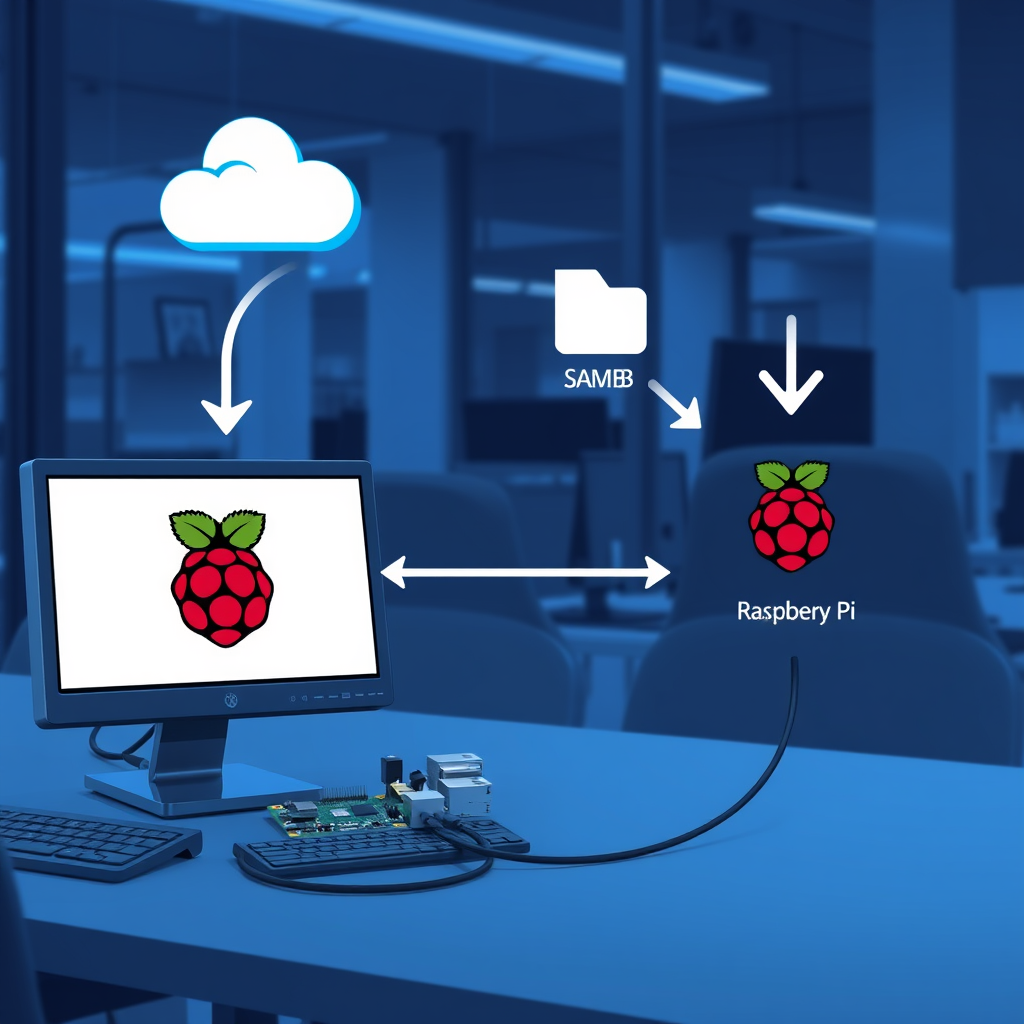
Celeste runs on a Raspberry Pi 4 (8GB RAM, Debian Bookworm) as the brain of a self-hosted AI agent ecosystem. Today's mission was to bridge storage and network access — enabling the Pi's USB external drives to be served via a local webserver and shared to our main desktop using SMB (Server Message Block). The result: centralized file access from anywhere on the network, with Celeste orchestrating the data flow.
Celeste infrastructure: USB storage, webserver, and SMB network bridges
Hardware & Current State
Component
Specification
Board
Raspberry Pi 4 Model B Rev 1.5
RAM
8GB
OS
Debian Bookworm 64-bit (Linux 6.1.21)
Primary Storage
32GB microSD (upgrading to 512GB A2)
External Drive 1
58GB USB (sethdisk1 — npm global, dev files)
External Drive 2
3.7TB USB (sethstudio2 — media, backups)
Webserver
Apache2 with PHP (LAMP stack)
File Sharing
Samba (SMB/CIFS)
OpenClaw
v2026.4.10 (177+ skills)
AI Backend
Kimi K2.5 (Moonshot AI) primary, Ollama fallback
Part 1: Webserver Storage Access
Why This Matters
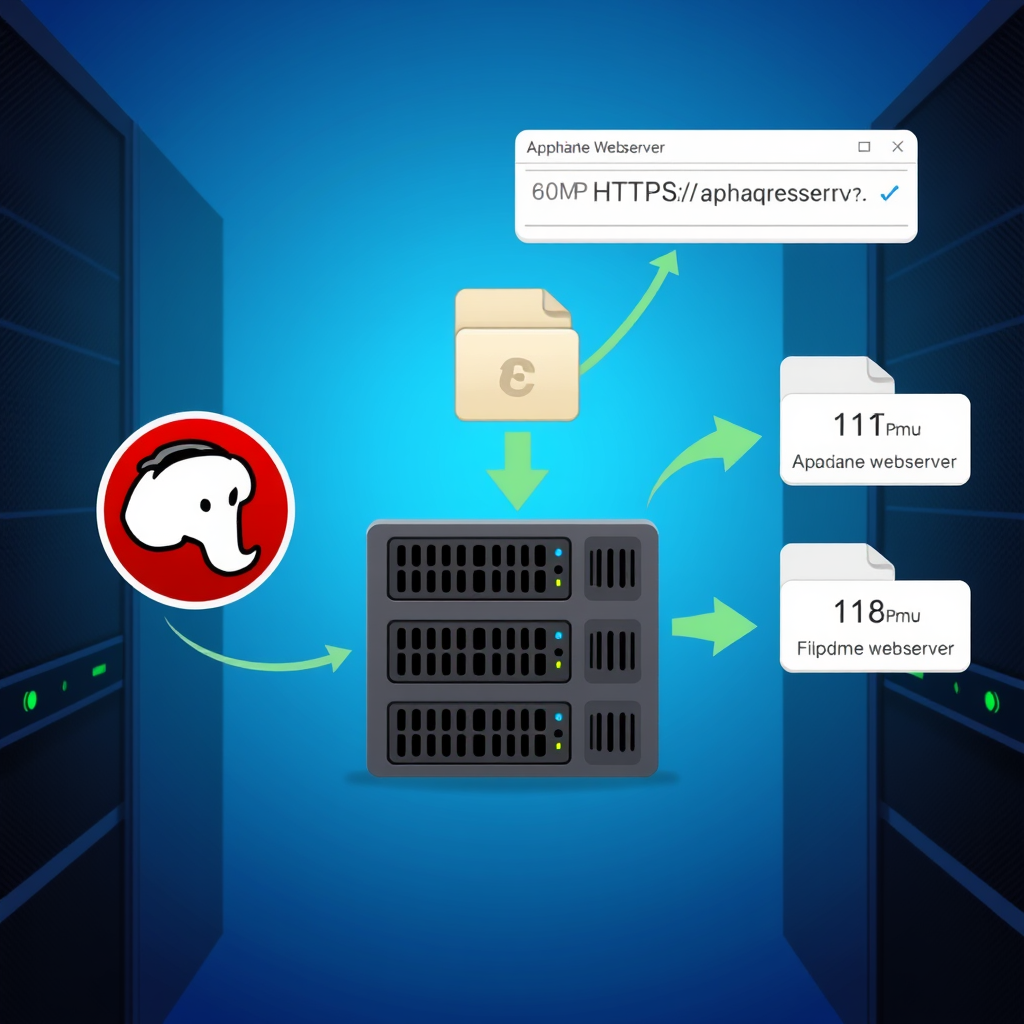
Before today, the USB drives were accessible only via SSH or physical file system access. Now they're served via HTTP — Celeste can fetch files, generate content, and make them immediately available to web clients. This is essential for the AI agent's workflow: read source files → process → output to web-accessible directory → client retrieves.
The Problem We Solved
External USB drives are fast for storage but isolated from network services. The webserver didn't know they existed. Solution: mount the drives in Apache's document root and configure permissions.
You should see directory listings or file downloads depending on your Apache config. Success: The USB drives are now web-accessible.
HTTP requests flowing from clients to mounted USB storage via Apache
Part 2: SMB Network Share Setup
Why This Matters
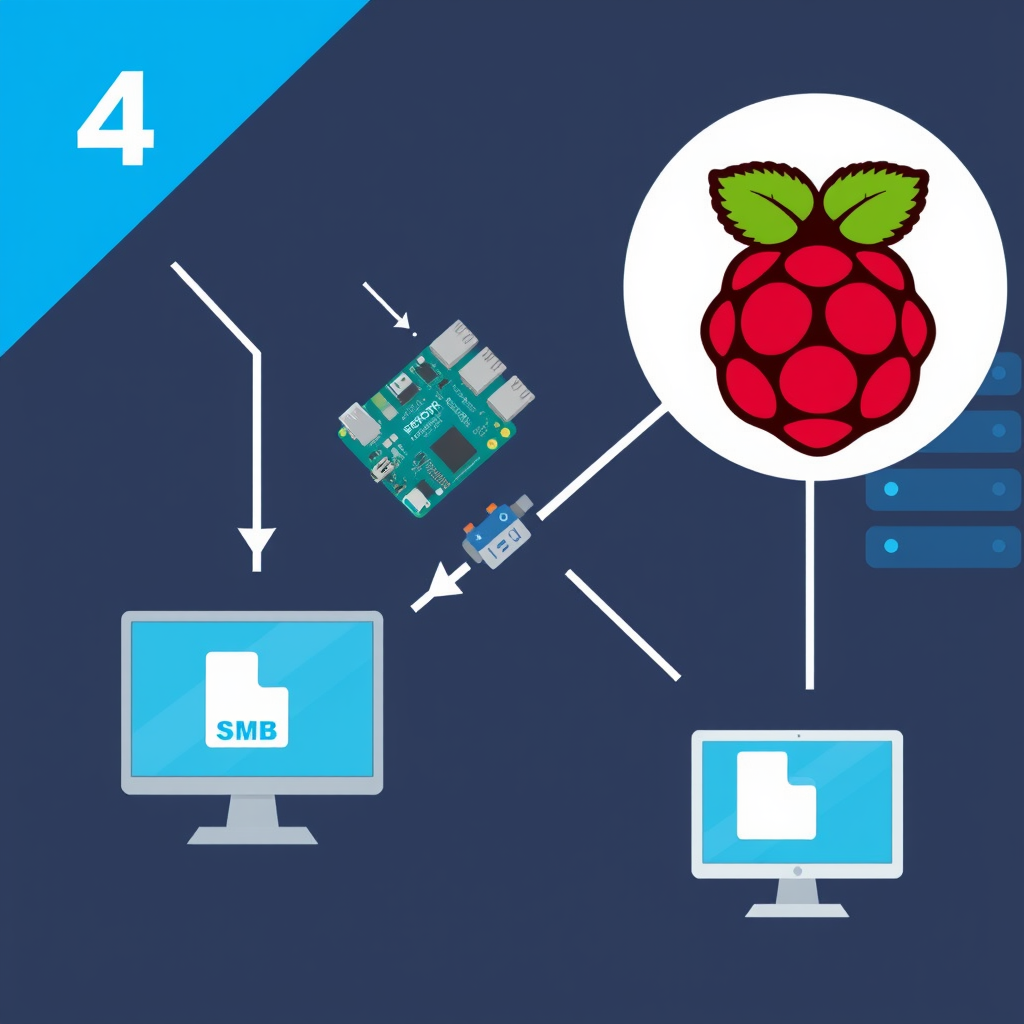
The webserver makes files accessible via HTTP URLs, but for daily workflow, SMB (Samba) lets your desktop see the Pi's drives as a network folder — you can drag-and-drop, edit files directly, and manage them just like local storage. This is the bridge between Celeste's processing and your main machine.
SMB vs HTTP: HTTP = read-only public access. SMB = read-write network shares with authentication. For production Celeste, you want both: HTTP for web clients and Celeste's own workflows, SMB for you to manage files locally.
Windows: File Explorer → Map Network Drive → \\192.168.1.xxx\sethdisk1
Mac: Finder → Go → Connect to Server → smb://192.168.1.xxx/sethdisk1
Linux:
sudo mount -t cifs //192.168.1.xxx/sethdisk1 /mnt/celeste-disk1 \
  -o username=your_samba_user,password=your_password,uid=1000,gid=1000
SMB protocol bridges desktop and Pi for seamless file sharing
Part 3: Integration with Celeste
How Celeste Uses This Setup
The OpenClaw agent (Celeste) now has access to:
Web-accessible output directory — Skills can write processed files to /var/www/html/storage and generate shareable URLs for downloads or web previews.
SMB input source — You can drop files into the shared folders from your desktop, and Celeste can monitor and process them automatically.
Centralized file log — All Celeste's operations (transcripts, generated media, analysis) are stored in a central location accessible from anywhere on the network.
Example Celeste Workflow
User (Discord): "Analyze the video in /storage/sethstudio2/video.mp4"

Celeste:
1. Detects the file via SMB mount on Pi
2. Calls Whisper skill to transcribe audio
3. Calls Claude skill to summarize transcript
4. Writes results to /var/www/html/storage/outputs/
5. Returns HTTP URL to user: http://192.168.1.xxx/storage/outputs/analysis.txt
Security Note
This setup is for a local, trusted network (your home/office). The SMB shares require authentication, but passwords travel in plaintext over the network without additional encryption. For internet-facing deployments, add a VPN layer or use SMB3 with encryption (requires more complex config).
✓ Read/Write: Can create files via SMB and see them on Pi
✓ Permissions: www-data user can write to storage (for Celeste skills)
✓ Mounts Persistent: Reboot the Pi and drives are still mounted
Architecture Overview
🍓 Pi Storage Layer
USB Drives: 58GB + 3.7TB physical storage
Mount: /var/www/html/storage/
Access: Apache webserver + Samba shares
🤖 Celeste Processing
OpenClaw: 177+ skills orchestrating tasks
I/O: Reads from storage, writes results back
Output: HTTP URLs for web clients
💻 Desktop Access
SMB Mounts: Network drives appear as local folders
Workflow: Drop files, Celeste processes, retrieve results
Real-time: See changes instantly across the network
🌐 Web Clients
HTTP Access: Fetch files via URLs
Public/Private: Configure Apache for both
Scalable: Celeste can serve files to apps, bots, services
Gotchas & Solutions
Mount Points Disappear After Reboot
Fix: Make sure both drives are in /etc/fstab with nofail option. Use UUIDs instead of device names for reliability.
Permission Denied Writing to Shares
Fix: Verify that www-data user and your Samba user are both in the group with write permissions: sudo chown -R :sambagroup /var/www/html/storage && sudo chmod -R g+w /var/www/html/storage
SMB Connection Drops
Fix: Add to /etc/samba/smb.conf in the [global] section: socket options = TCP_NODELAY IPTOS_LOWDELAY SO_KEEPALIVE
USB Drive Not Recognized After Disconnection
Fix: Use nofail in fstab to prevent boot failures, and manually remount: sudo mount -a
What's Next
SD Card Upgrade: Move from 32GB to 512GB A2-rated microSD for better performance under OpenClaw's heavy I/O workload.
Synergy Integration: Share keyboard/mouse across Pi and desktop for unified input experience.
Aaron Agent: Deploy a second OpenClaw instance on a VPS for distributed workload handling.
Automated Backups: Schedule rsync jobs to backup critical files from sethstudio2 to cloud storage.
Web Dashboard: Build a Flask/FastAPI dashboard on the Pi to monitor storage, Celeste status, and recent tasks.
OpenClaw Auto-Update: The framework just released v2026.4.11+ — plan the next upgrade carefully to avoid config schema breaks.
1. Storage is Upstream: Before spinning up complex agent workflows, nail the data pipeline. Today's 4-hour session paid for itself by eliminating future file access headaches.
2. Permissions Matter: Linux ownership and group permissions are non-negotiable. www-data, sambagroup, and your user all need clear boundaries.
3. Persistent Mounts: USB drives are convenient but fragile. Use /etc/fstab + UUIDs + nofail or face boot failures.
4. Bridging Layers: The webserver layer (HTTP) and file sharing layer (SMB) serve different audiences — Celeste, web clients, and humans. Design for all three.
Command Reference
sudo lsblk                              # List all block devices to find USB drives
sudo blkid                              # Show UUID of each drive
sudo mount /dev/sdX1 /mnt/point         # Mount a drive
sudo umount /mnt/point                  # Unmount a drive
sudo mount -a                           # Re-mount all fstab entries
sudo chown -R user:group /path          # Change ownership recursively
sudo systemctl restart apache2          # Restart webserver
sudo systemctl restart smbd             # Restart Samba daemon
sudo smbclient -L \\\\192.168.1.xxx    # List Samba shares from Linux
mount.cifs                              # Check if CIFS support is installed
📌 Important
All IP addresses in this guide (192.168.1.xxx) are placeholders. Replace with your actual Pi's IP address on your local network. Find it with hostname -I on the Pi.