

We Built New Security Features. Here's Why They Matter.
Your website runs on a foundation you probably don't think about: your domain registration, hosting account, SSL certificate, and the credentials to access them. Most site owners don't pay attention until one of them expires.
Then the panic starts.
The Real Problem: Websites Die Quietly
We've watched it happen. A client loses access to their registrar account. Domain expires. They can't renew it. Site goes dark. Email stops working. Within hours, business operations are disrupted.
It happens more often than you'd think. Not because people are careless—because it's easy to lose track of 5+ different renewal dates scattered across different services.
A restaurant's site went down during their busiest season. An e-commerce business missed a critical renewal email and lost their domain for 72 hours while trying to get it back. A freelancer's portfolio disappeared and clients couldn't reach them.
These weren't security breaches. They were logistics failures.
What We Built
We created a Renewals Tracker because we got tired of watching this happen.
1. Centralized Renewal Management
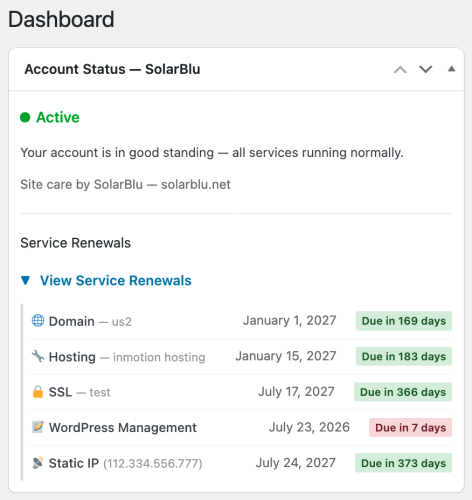
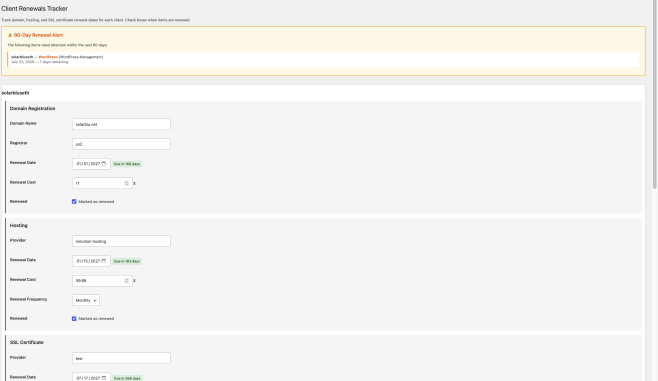
Instead of checking your email, your registrar, your hosting control panel, and three other places, everything lives in one place:
- Domain Registration — registrar, renewal date, cost
- Hosting — provider, renewal date, cost, frequency
- SSL Certificate — provider, renewal date, cost
- WordPress Management — renewal date and cost
- Static IP — provider, IP address, renewal date, cost
One dashboard. All your critical dates in one place.
2. 90-Day Warning System
We show you what's due in the next 90 days. Not 14 days—90. Because:
- Some registrars take weeks to process renewals
- Payment issues happen
- You want time to evaluate new providers
- Panic-decision-making at midnight is how expensive mistakes happen
The warning is front-and-center on your dashboard. Not buried in an email. Not in a separate admin page you forgot exists.
3. The Phone Number Problem (And How We Help)
Here's the conversation we have with clients constantly:
"I can't renew my domain."
"Why not?"
"The email went to an old address I don't have access to."
"Call the registrar."
"I can't. They only have an old phone number on file."
Update your phone number with your registrar. Do this right now. Seriously.
If your domain is locked (which it should be), you often can't renew it through the website—you have to call. If they can't reach you, you're locked out.
Our Renewals Tracker makes this easier by keeping renewal dates visible. Set a calendar reminder to verify your contact info every 6 months. Check that phone number. Check that email.
4. Security-First Whitelisting
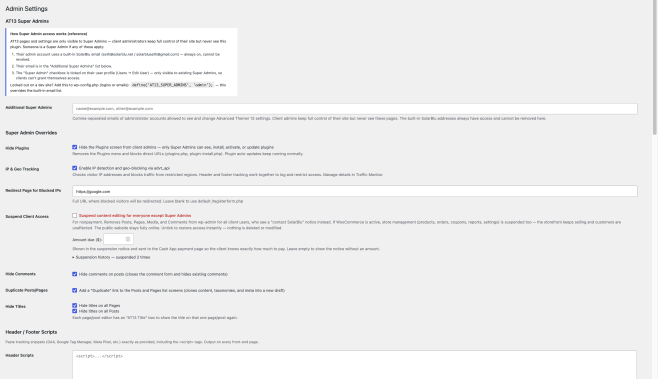
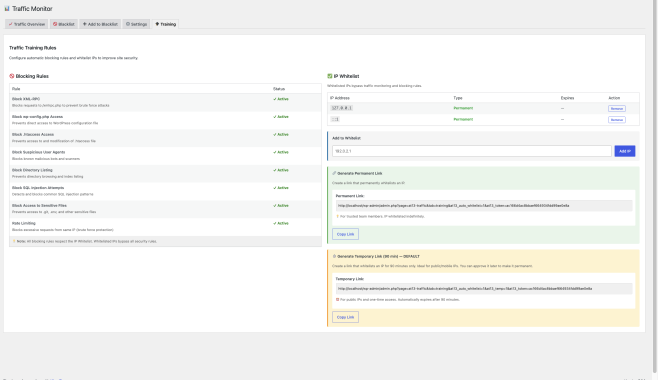
We also built a Traffic Training system with granular security rules:
- Block XML-RPC (stops brute force attacks on old APIs)
- Block direct access to wp-config.php and .htaccess
- Block suspicious user agents and SQL injection attempts
- Block directory listing
- Rate limiting for brute force protection
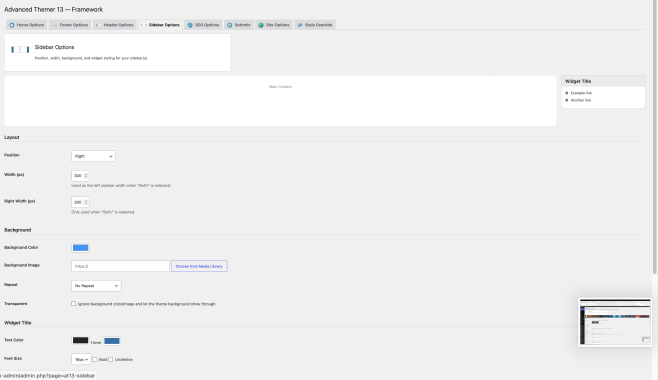
But here's the thing: your team needs access. So we built IP whitelisting with temporary links.
- Generate a 90-minute temporary link for team members on mobile networks
- They click it, their IP is whitelisted automatically
- After 90 minutes, it expires
- Or you can approve it to permanent if they're trusted
No more "let me send you access credentials." Just a link. And it's temporary by default—better security posture.
Why We're Being Blunt About This
We could sugar-coat this. "Proactive renewal management ensures continuity." Boring.
The truth: You're one email filter mistake away from your site disappearing.
Not from hackers. Not from security breaches. From a renewal date you didn't see because it ended up in spam.
We've seen:
- Domains that recovered only after 72+ hours of downtime
- Clients who lost their domain to competitors during the grace period
- Sites that were de-indexed by Google because they were down for a week
- Email service disruptions because the domain renewal lapsed
It's avoidable. It just requires systems and attention.
The Technical Side (Yes, We'll Tell You Everything)
Our whitelist feature uses a simple token system. When someone clicks an auto-add link, we:
- Detect their visitor IP
- Verify the token matches our hash
- Add it to either temporary (90 min) or permanent storage
- Show you what's whitelisted with expiry times
Temporary IPs are stored separately and cleaned up every time the admin page loads. If you want to know exactly how it works, it's not hidden. This isn't security through obscurity—it's security through:
- Small, auditable code
- Temporary credentials by default
- Your visibility into what's whitelisted
- Ability to revoke instantly
Backwards engineering it won't help you. The security is in the process, not the encryption.
What You Should Do
- Set up the Renewals Tracker. Add all your critical dates. All of them.
- Enable the 90-day warnings. Pay attention when they show up.
- Update your registrar contact info right now. Phone number. Email. Make sure it's current.
- Use temporary links for team access. Not permanent credentials.
- Enable the blocking rules. They're on by default, but whitelist your trusted IPs.
The Bottom Line
Your website is more fragile than you think—but not because of hackers. Because of forgotten dates and locked-out accounts.
We built these features because we kept having to help clients rebuild after preventable failures. You're using site management tools. You should be using renewal management tools too.
Don't be the site that went down because of a registrar email that hit spam.