

Advanced Themer 13: The Big Login, Access & Billing Update
It started with a simple request — "can we change the login background color?" — and turned into the biggest Advanced Themer 13 release yet. A fully branded login screen, real agency-grade access control, and a complete client billing loop powered by Cash App. Here is everything that shipped.
A Login Screen That Wears Your Brand
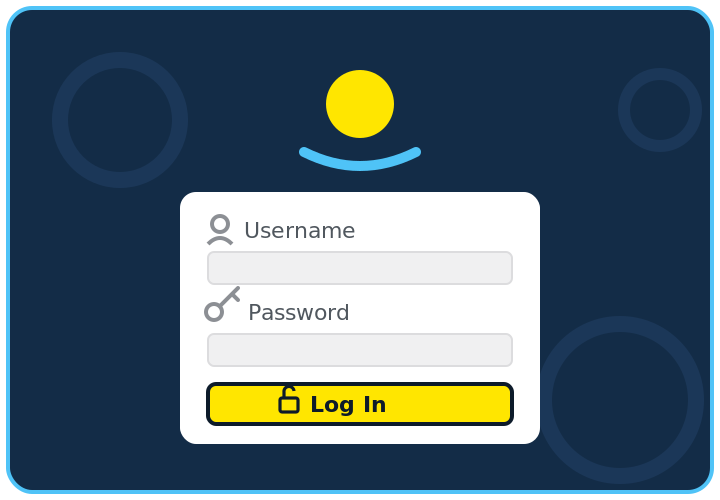
The login page is the first thing every client sees, and now every piece of it is yours. The new Login Page section under AT13’s Admin settings gives you a background color picker, a background image with tile, single, or stretch-to-fill display modes (a seamless dark-blue ripple tile ships with the plugin), and your own logo above the form — pulled from the Media Library and linked to your home page instead of wordpress.org.
Text gets the same treatment: a color for the links outside the form box, a button color with an automatically derived hover state and outline, and a separate button text color. Then the fun part — a little unlock icon on the Log In button, a person icon beside the Username label, and a key beside Password. A login-only Custom CSS box covers anything the options don’t.
Super Admin: Your Plugin, Not Theirs
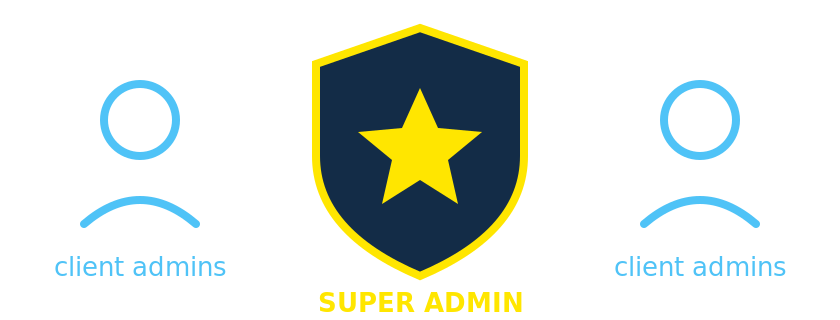
Clients need real administrator accounts to run their sites — but agency tooling should stay with the agency. AT13 now has a Super Admin layer: the plugin’s pages and settings are visible only to designated Super Admins, while client admins keep full control of their content, users, and everything else. They simply never see AT13 at all, and even hand-crafted settings requests are rejected server-side.
Making someone a Super Admin is one checkbox on their user profile — a checkbox only existing Super Admins can see, so nobody can promote themselves. A built-in email whitelist and a wp-config override round out the safety net so you can never be locked out of your own plugin.
Super Admin Overrides
Two site-wide switches live in the new Overrides section. Hide Plugins removes the Plugins screen for everyone but Super Admins — menu gone, direct URLs blocked, install and deactivate disabled — while plugin auto-updates keep running untouched. Suspend Client Access is the big one, and it deserves its own section.
Suspension & Self-Service Unlock: The Billing Loop
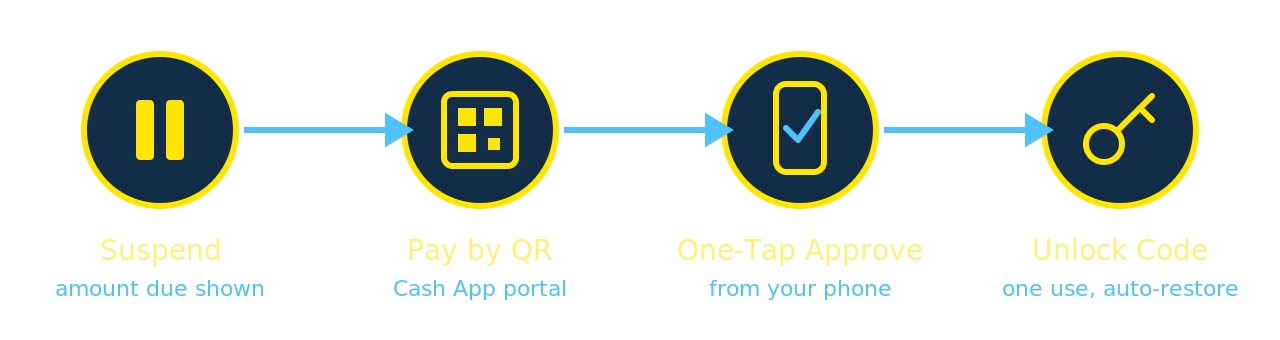
Nonpayment is awkward. This makes it automatic and fair. Flip one switch and content editing is suspended: Posts, Pages, Media, and Comments step aside for every user except Super Admins. The public website stays fully online the whole time — nothing is deleted, nothing is modified, and unticking the switch restores everything instantly.
Suspended clients are never left guessing. Their dashboard opens with an Account Status box — green and reassuring when all is well, and during suspension it shows exactly what is owed with a Make a Payment button. That button carries the site’s domain and balance straight to the SolarBlu payment portal, where a scannable Cash App QR code and a prefilled form make paying take about a minute.
Then the loop closes itself. The moment a payment is submitted, an email goes out with the details and a one-tap approve link — secure, signed, and phone-friendly, so payments can be approved from anywhere in seconds. Approval mints a single-use unlock code tied to that client’s domain. The client grabs it from their status page, types it into the Account Status box, and the site verifies it and unlocks itself on the spot. The code burns after one use. No back-and-forth, no waiting.
Built-In Invoicing
You do not even have to wait for a client to notice. The Admin screen now has an Invoice section: the payment link for the current site is displayed ready to test or copy, and a Send Invoice form emails the amount due and payment link to whoever needs to pay it — email address saved for next time, subject line prefilled.
The Payment Portal Itself
The Cash App portal got its own upgrade to match: the SolarBlu logo up top, the QR code front and center, a required "website this payment is for" field that tracks every payment to its site, a live status checker, and the unlock code page. On the admin side there is a Site column for matching payments at a glance, plus a tucked-away user management panel — super admins can add or remove portal users, everyone can change their own password, and regular users see none of it.
Little Things That Add Up
Also in this release: the Duplicate Posts/Pages tool is now a proper toggle, the plugin’s main page shows a live feature list with account status at the top, missing tracking scripts show an orange "Not Enabled" nudge instead of quietly saying disabled, and the QR Tracker got its own icon in the admin menu.
Everything here lives in the plugin, so it travels. Activate Advanced Themer 13 on a new site and the branded login, the access control, and the entire billing loop come along for the ride. Build it once, run it everywhere.
Advanced Themer 13 is built and maintained by SolarBlu. Questions or ideas for the next release? Reach out at seth@solarblu.net.