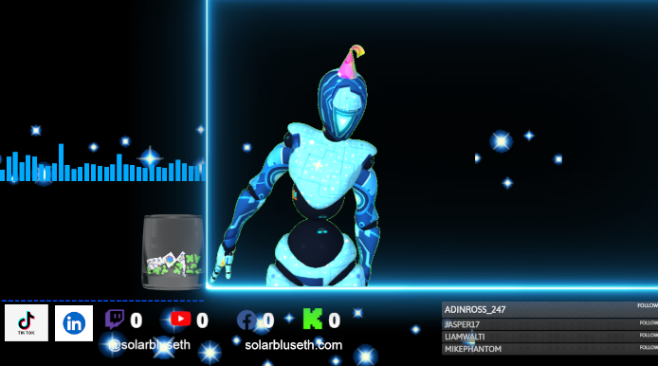
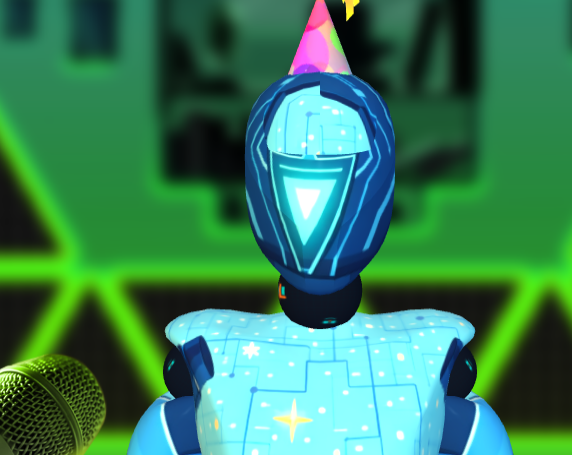
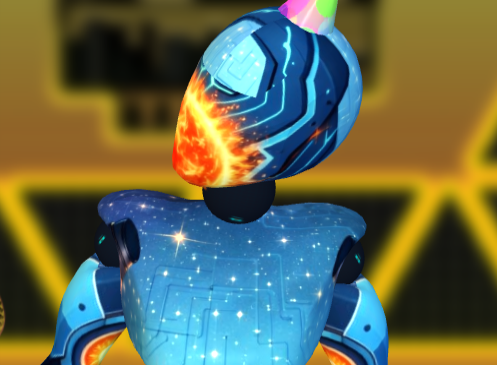
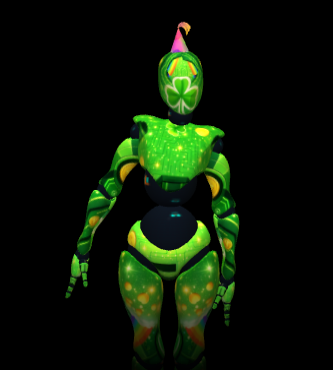
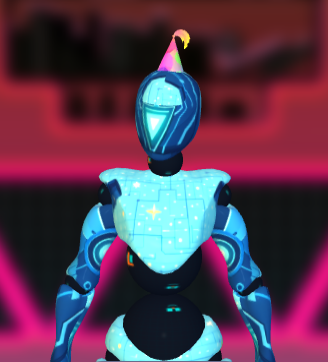
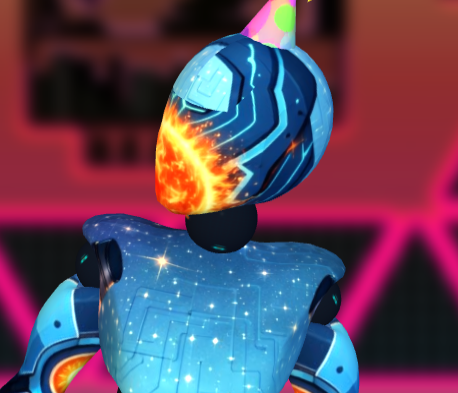
Welcome to my creative showcase! I’ve been hard at work bringing these avatar‑powered stories to life — fun, unpredictable, and entertaining in equal measure. Avatars aren’t just digital characters; they’re a way to explore expression, comedy, surprise, and storytelling in ways that feel fresh and immersive. Dive into the lineup below and see how each piece plays with identity, animation, and character for pure entertainment.
Video editing can be time-consuming, especially when dealing with long recordings or multiple clips. We explored how AI tools in Python can help automate this process — from detecting song changes to splitting videos into usable clips for platforms like YouTube and TikTok. Using libraries like MoviePy, PyDub, and ClipsAI, we built a pipeline to intelligently trim, caption, and watermark our videos.
Our AI Video Editing Workflow
We started by scanning folders for video files using Python scripts and verifying accessibility. One of the key challenges was audio-based trimming: instead of splitting into arbitrary 10-second chunks, we wanted to detect natural breaks between songs and generate longer, meaningful clips. This was achieved using PyDub to analyze audio silence and energy levels, allowing our AI to determine song boundaries automatically.
For video processing and export, MoviePy proved indispensable. It allowed us to overlay watermarks, add captions generated via text-to-speech with pyttsx3, and export clips in both YouTube and TikTok formats. We also learned to specify full paths for ffmpeg and ImageMagick to avoid system path errors, which is a common pitfall when working on Windows.
Packages and Tools Used
MoviePy: For video editing, sub-clipping, and overlaying text/watermarks.
PyDub: For detecting audio silences and song transitions.
pyttsx3: Text-to-speech for generating captions.
ClipsAI: Optional library for automatic clip detection and configuration management.
FFmpeg and ImageMagick: Required external binaries for audio/video processing.
Lessons Learned
Throughout testing, we discovered that relying on system defaults for tools like ffmpeg can lead to errors such as missing audio or failed video exports. Explicitly setting the full paths solved most of these issues. Audio analysis requires careful handling of silences and energy thresholds to correctly detect song boundaries — a challenge when songs fade into each other. Progress indicators and looping over multiple files were essential to track script execution for large batches.
Conclusion
By combining Python AI libraries with careful audio and video processing, we can significantly automate the video editing workflow. The resulting clips are intelligently split, watermarked, and captioned, ready for multiple platforms. Future improvements could include AI-powered content tagging, sentiment detection for captions, and automatic optimization for different social media formats. Anyone interested in experimenting can start by installing the packages listed above and following our approach to intelligently split videos by song or scene changes.
Let me be straight with you: this was not supposed to take six days.
The plan was simple. Get Claude AI to build a fully rigged, animated, streaming-ready 3D avatar of itself — complete with Anthropic branding, custom colors, and a working face tracker — and deploy it live in Animaze. Easy, right?
Reader, it was not easy. But what came out the other side is something I'm genuinely proud of, and the story of how we got there says a lot about where AI-assisted creative work actually stands in 2026.
6Days
40+Scripts Written
96Test Models
300+Head Fix Attempts
7Skin Variants
// PROGRESS GALLERY
Claude Builds Itself
The journey from blank canvas to streaming avatar — every iteration documented
A Representation in the World
There's something genuinely remarkable about what happened here that goes beyond the technical challenge. Claude AI helped create its own visual representation. For the first time, this AI assistant — which exists purely as text and computation — now has a face, a body, a presence you can see on screen.
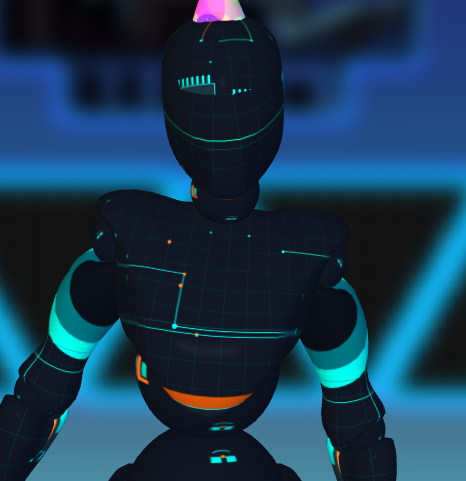
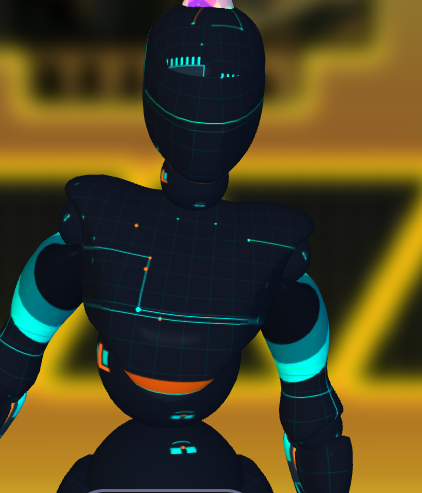
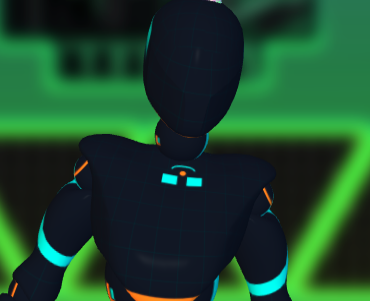
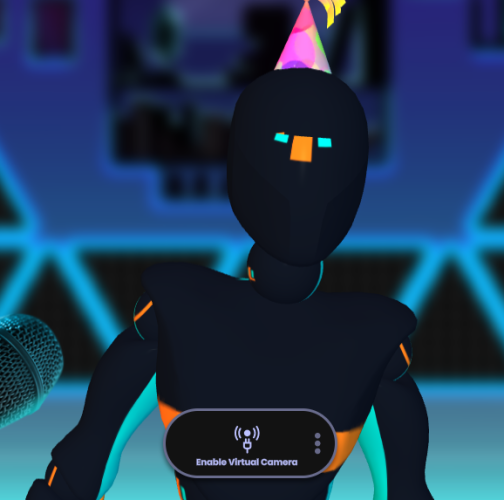
Every design decision in that skin came from collaboration: the navy that matches Anthropic's dark color palette, the teal that echoes Claude's interface, the orange accents from the branding, the GPU chip that represents what Claude actually is under the hood. It's not just a costume — it's a portrait.
// The Meaning Behind It
For the first time, an AI helped design its own physical representation in the digital world. That's not nothing. That's actually kind of historic.
The Ambition: A Robot That Builds Itself
We had everything lined up: a Blender Python pipeline that had already successfully converted 96 Mixamo characters to VRM format, a custom Claude avatar FBX with hand-built geometry (hair strands, hand orbs, circuit pieces, glowing eyes), and one very determined AI who absolutely refuses to give up.
What Went Wrong
// Problem 01 — Geometry
Claude's custom FBX — built from primitive shapes in Blender — couldn't be auto-rigged by Mixamo. Spheres and cylinders don't have the skin topology a rigging algorithm needs. Back to square one.
// Problem 02 — FBX Version Hell
Mixamo exports FBX 7700. Our working pipeline needed FBX 7400. That tiny version difference meant every VRM had the avatar's head flopping backward like it was trying to read the ceiling. 300+ fix attempts. Bone roll scripts. Quaternion patches. Binary VRM editing. Still flopping.
// Problem 03 — Color Export
The VRM addon in Blender 5.0 completely ignores Principled BSDF materials. It needs MToon shader properties set via Python extension attributes. Colors perfect in Blender. Completely grey in Animaze. Every time.
The Breakthrough
The breakthrough came when I stopped asking Claude to build something from scratch and asked a better question:
// The Question That Changed Everything
"Why can't you just take a working avatar and paint your skin on top of it?"
That was the whole answer. Animaze has a built-in texture system. Load any VRM, click "Get Texture," replace the diffuse maps with your own PNG. The skeleton stays perfect. The head tracking stays perfect. No Blender. No Python. Just a 2048×2048 PNG file. Sometimes the simplest path is the right one.
The Skin Claude Designed
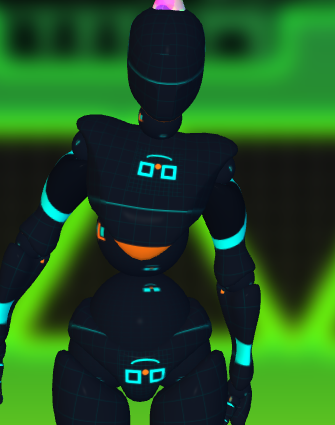
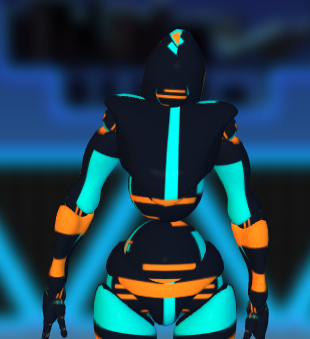
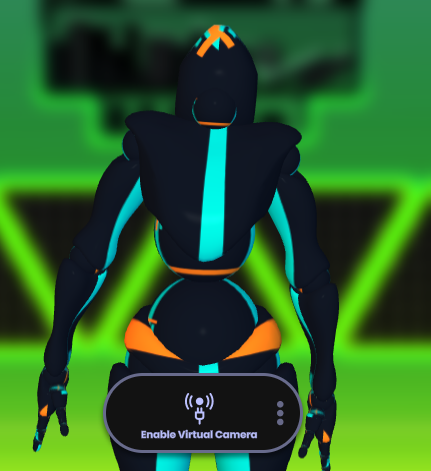
Once we had the right approach, Claude went to work on the actual artwork. The result is a proper sci-fi tech aesthetic that actually means something:
◈ Dark navy base — Anthropic's palette
◈ GPU chip with Anthropic logo inside
◈ Concentric teal shoulder rings
◈ Complex circuit trace artwork
◈ Glowing shoulder center dots
◈ Smart belt buckle chip design
◈ Neon horizontal accent lines
◈ Teal boots and fingertips
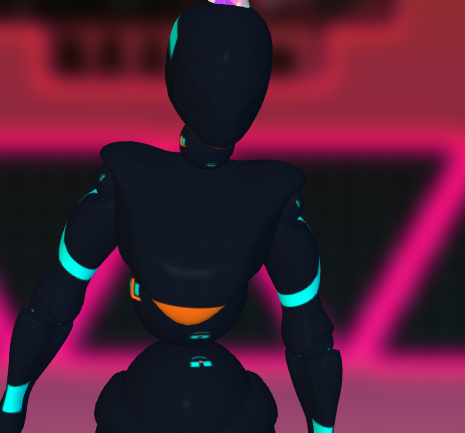
Seven total skin variants — Claude, SolarBluSeth, Fire, Matrix, Galaxy, Stealth, Ocean — all swappable in seconds. A whole wardrobe for an AI.
Karaoke Night — The Live Debut 🎤
The real test was going live. And we didn't ease into it. We did a full hour of karaoke with the complete avatar lineup. The Claude avatar, the whole crew, performing live on stream. Here's the footage — fair warning, it's a lot of fun:
// LIVE PERFORMANCE
Avatar Karaoke Night 🎤🤖
One full hour with the complete avatar lineup — SolarBluSeth x Claude x friends, live
🎵 Part 1 — The Opening Set
🎵 Part 2 — The Deep Cuts
If you told me at the start of this project we'd end up doing karaoke with a Claude avatar, I would have believed you — but I wouldn't have believed it would take six days to get there 😄
Is It Cheating?
Did we "cheat" by skinning an existing avatar instead of building from scratch? No. This is exactly how professionals work. Character artists build on base meshes. VTubers license skeleton systems and customize appearances. The creative work — the color theory, the branding, the GPU chip design, the circuit art — is all original. The foundation is borrowed but the identity is genuinely ours.
// The Real Takeaway
AI is an exceptional collaborator when you treat it like one. The mistake I kept making was asking Claude to solve problems it couldn't fully see. When I reframed the problem — "here's what works, here's what doesn't, what's the simplest path?" — Claude found the answer. The avatar is wearing its own logo on its chest. That feels exactly right. Six days well spent.
What's Next
→ Face mapping — getting eyes and a smile onto the head mesh properly
→ More seasonal and collab skin variants
→ The full custom geometry build — someday we crack the pipeline with Claude's original design
→ Full pipeline documentation so other creators can build on what we learned
AIVTubingAnimaze BlenderClaudeAnthropic 3D ArtAvatarSolarBluSeth KaraokeStreaming
Two days. That’s all it took to completely change how we work. In 48 hours of working with Claude by Anthropic, we shipped more real, working projects than we had in weeks of fighting with other AI tools. This is the story of what we built, what blew our minds, and why Claude has earned a permanent seat at the SolarBluSeth workstation. 🚀
⚡ What We Actually Built in 48 Hours
Let’s just get straight to the receipts. Here’s what we knocked out:
✅ A full VRM avatar pipeline — 90+ Mixamo FBX characters converted to working VRM files for Animaze, complete with face tracking, hand tracking, and blend shapes
✅ 96 individual Python scripts — one per character, auto-generated, each with custom settings for rotation and mesh joining
✅ A custom unicorn rig — a DAZ quadruped with no human bones, given a fake humanoid skeleton from scratch so she loads and moves in Animaze
✅ JSON data imports into Elementor — structured content pushed directly into WordPress page builder layouts
✅ SEO reports and analysis — full site audits with actionable recommendations
✅ Blog posts and articles — written, formatted, and ready to publish including the one you’re reading right now
✅ A custom startup configuration file — a .md skill file that primes Claude with our project context so every session starts smart instead of from scratch
✅ Blender scripting — bone renaming, orientation fixing, blend shape binding, humanoid assignment, all automated
✅ VRM file analysis and debugging — binary GLB parsing, JSON inspection, material property investigation
That’s not a weekend project. That’s a full sprint — and we did it in two days. 🔥
⏱️ The Moment That Sold Us: 5 Minutes vs 6 Hours
Here’s the one that really said it all.
We had a task that we’d previously taken to ChatGPT. After over 6 hours of back and forth, regenerating, fixing errors, explaining context over and over again, we gave up and moved on.
We brought the same task to Claude. Done in 5 minutes. Working. First try.
That’s not a small difference. That’s a completely different experience. Claude understood the context, held it across the conversation, reasoned through the problem, and just… solved it. No drama. No endless loops. No “I apologize for the confusion” followed by the exact same wrong answer.
🧠 Why Claude Hits Different
After 48 hours of heavy use, here’s what actually separates Claude from the competition:
It holds context like a pro. Claude remembers what you built three messages ago, what file you’re working on, what went wrong last time. You don’t have to re-explain your entire project every few messages. This alone saves enormous amounts of time on complex multi-step projects.
It reasons, not just retrieves. When something broke in our VRM pipeline, Claude didn’t just Google-dump generic answers. It actually thought through cause and effect — “the orientation check can’t find LeftUpperArm because bones haven’t been renamed yet at that point in the script.” That’s debugging logic, not keyword matching.
It writes real, working code. Not almost-working code. Not code that looks right but fails on line 47. We ran scripts directly from Claude’s output and they worked. When they didn’t, Claude read the error, understood it, and fixed it — not just tried a random variation.
It knows when simple beats clever. Multiple times Claude suggested removing complex logic in favor of a simpler approach. That kind of judgment — knowing when NOT to over-engineer — is rare even in human developers.
It works across everything. Same session: Blender Python scripting, binary file parsing, HTML formatting, blog writing, SEO analysis, JSON structuring. No switching tools. No context loss. One conversation, many skills.
📄 The Game Changer: Custom Startup Files
One of the most powerful things we discovered was building a custom .md skill file — a markdown document that loads at the start of a session and gives Claude instant context about our project.
Instead of spending the first 10 messages re-explaining our folder structure, our Blender version, our VRM addon, our file naming conventions — all of that lives in the skill file. Claude reads it and immediately knows:
Where our files live (F:\3d\3dmodels\2026unity\)
What version of Blender we’re running (5.0.1)
What our bone naming conventions are
What our output format needs to look like
What tools and addons we have installed
It’s like giving Claude a project brief before the meeting starts. Every session begins informed instead of blind. For ongoing projects this is absolutely essential — it’s the difference between a new hire who has to be trained every day and a colleague who just knows the system. 💡
🆚 Claude vs ChatGPT: Real Talk
We’ve used both extensively. Here’s the honest comparison from our experience:
Context retention: Claude holds a long, complex conversation together far better. ChatGPT starts drifting and forgetting after a while.
Code quality: Claude’s code runs. ChatGPT’s code often needs several rounds of fixing before it actually works.
Reasoning: Claude explains WHY something is wrong. ChatGPT often just tries a different variation and hopes.
Honesty: Claude will tell you when something isn’t possible or when a simpler approach is better. ChatGPT sometimes just agrees with whatever you suggest even when it’s wrong.
Complex projects: Claude thrives on multi-step, multi-file, multi-session projects. This is where the gap is biggest.
Speed: As demonstrated — 5 minutes vs 6 hours speaks for itself.
🌟 The Bottom Line
AI tools are only as powerful as the work they actually help you ship. In 48 hours with Claude we built a production-ready avatar pipeline, automated 96 character conversions, solved problems that had stumped us for days, and still had time to write about it.
The skill file system, the context awareness, the reasoning quality, the code that actually runs — these aren’t small features. They’re the difference between an AI that assists and an AI that collaborates.
We’re just getting started. The pipeline is running, the avatars are live, and the next project is already queued up. If you’re still on the fence about which AI tool to invest your time in — we hope this answers that question. 💛
Stay curious. Build fearlessly. The tools are better than ever. 🌐✨
If you read our last post about crafting virtual selves, you know we were just getting started. Well buckle up — because this time we didn’t just make a few avatars. We built a full automated pipeline that converts 90+ characters into working VRM avatars for Animaze. No errors. No crashes. Just vibes and virtual people. 🎮🔥
🧠 What We Were Trying to Do
Our goal was simple in theory: take a library of 3D characters in FBX format — knights, vampires, zombies, grannies, aliens, and yes, even a unicorn 🦄 — and convert them all into VRM files that work in Animaze with full face tracking, hand tracking, and body movement.
Simple in theory. Absolutely wild in practice.
🔧 The Tech Stack
Blender 5.0 — our workhorse for 3D processing
VRM Addon for Blender — handles the VRM0 format export
Animaze — the real-time avatar software we’re feeding everything into
Python — the glue that holds the whole pipeline together
Mixamo FBX files — our source characters (140 of them!)
😤 What Went Wrong (Everything, At First)
The White Model Problem — our first big wall. Characters were exporting fine but showing up completely white in Animaze. Turns out Animaze doesn’t read the standard glTF PBR material block — it reads a totally separate VRM-specific section called materialProperties. The Blender VRM exporter was filling that section with VRM_USE_GLTFSHADER and empty texture references. Animaze sees that and goes… blank. 🤷
The fix? Stop post-processing the materials entirely and let the VRM exporter handle it natively. Sometimes the best fix is removing code, not adding it.
The Backwards Characters Problem — half our avatars were loading into Animaze facing the wrong direction. We spent way too long on fancy detection logic checking arm positions and bone coordinates. The real answer was embarrassingly simple: Mixamo exports characters facing -Z, and we were importing with axis_forward='-Z', so they cancelled out and everyone walked in backwards. One line fix. 😅
The Subprocess Crash Problem — early on we tried running Blender as a subprocess for each character to isolate crashes. This caused more problems than it solved. We scrapped it and went back to a simple try/except loop. Less clever, more reliable.
🏗️ How the Pipeline Works Now
We ended up with a clean, simple architecture. Every character gets their own .py file based on a working template. Each one has two settings at the top:
EXTRA_ROT_Z = 0    # set to 180 if character loads backwards
JOIN_MESHES  = False  # set to True if character has many mesh parts
That’s it. No magic detection. No complex batch logic. Just two knobs per character. A single run_all.py chains all the scripts together and runs them through Blender one by one. Set it going and walk away.
🎯 What We Learned
Animaze reads VRM materialProperties, not glTF PBR. If your character is white, this is why. Don’t post-process — let the VRM addon handle it natively.
Rename bones before checking orientation. We had a bug where orientation detection couldn’t find LeftUpperArm because bones still had their mixamorig: prefix at that point. Order matters.
Simple beats clever every time. We rewrote the orientation detection three times trying to be smart about it. A hardcoded 180-degree flag per character is faster, more reliable, and easier to understand six months from now.
Individual files are better than one mega-script. When one character crashes, the others keep running. When you need to tweak one character, you edit one file. Obvious in hindsight.
Auto-weights beat envelope weights for complex meshes. Learned this the hard way when the unicorn exploded into pieces. 🧩
🌟 The Results
✅ 90+ working VRM avatars loading in Animaze
✅ Full face tracking — expressions, blinks, mouth movements
✅ Hand tracking via Animaze’s Mediapipe open beta
✅ Zero import errors in Animaze
✅ A fully automated pipeline — drop in a new FBX, run one script, done
🚀 What’s Next
We’ve got 90 avatars ready to go — knights, vampires, zombies, soldiers, grannies, aliens, clowns, pirates. The plan is to start streaming with them, swap characters mid-session, and keep building out the collection.
This project started as “let’s try making an avatar” and turned into building a proper 3D conversion pipeline from scratch. That’s the SolarBluSeth way — start curious, go deep, figure it out. 💛
Stay tuned for videos, streams, and probably more chaotic deep dives into tech rabbit holes. The virtual world is ours. 🌐✨