
Advanced Themer 13 Now Features Secure Plugin Updates

Advanced Themer 13 has been updated with a professional-grade plugin update system that makes staying current easier and safer than ever. Here's what's new.
What Changed
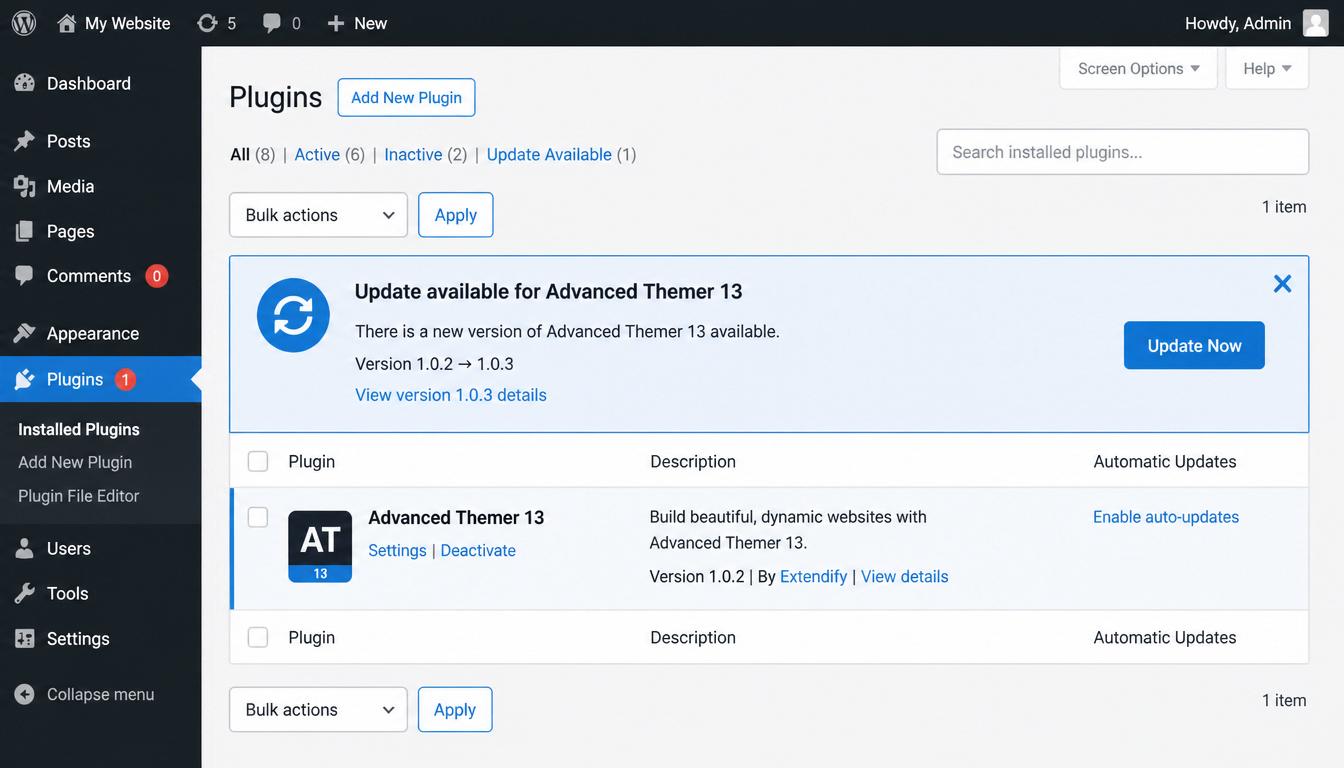
🔔 Built-In Update Notifications
Your WordPress admin now displays available updates for Advanced Themer 13 automatically. No more checking manually or wondering if you're running the latest version.
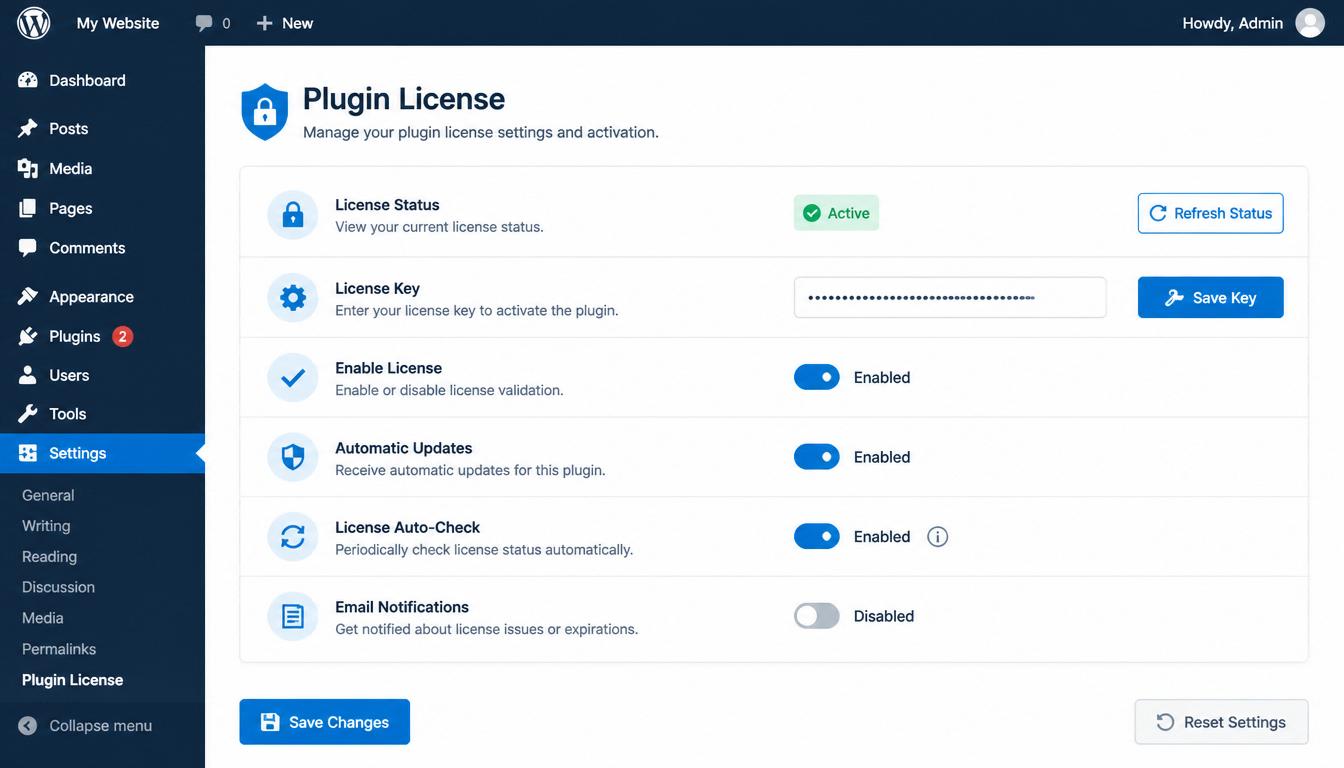
🔐 License-Based Security
Updates are protected by a unique license key system. This means only authorized installations can download new versions—your plugin stays secure and updates flow only where they should.
⚡ One-Click Updating
When an update is available, install it the same way you'd update any WordPress plugin. Just click "Update" from the Plugins screen. The new version downloads and installs securely.
⚙️ Admin Control
Site administrators can enable or disable automatic update notifications from the Advanced Themer 13 settings page. It's your choice whether to stay on the bleeding edge or take time to test updates before installing.
Why It Matters
Stay Secure. Plugin updates often include security patches. With automatic notifications, you'll know immediately when critical fixes are available.
Stay Compatible. WordPress evolves. Advanced Themer 13 updates ensure compatibility with the latest WordPress versions, PHP releases, and theme changes.
No Surprises. You control when updates happen. The plugin alerts you and waits for your approval—you're never forced to update.
Professional Workflow. Whether you're managing one site or dozens, the new system scales with you. Updates are consistent, reliable, and verifiable.
How It Works
- Check Settings — Visit Advanced Themer 13 → Admin Settings to enable plugin updates (enabled by default).
- Get Notified — When a new version is available, you'll see a notification on the Plugins page.
- Update When Ready — Click the update button whenever you're ready to install the latest version.
- Done — The new version activates automatically.
For Agencies & White Label Users
If you manage multiple client sites, the update system respects your workflow:
Centralized Control — Enable or disable updates per site from the admin panel.
Verified Updates — Every update is verified before installation.
Staged Rollout — Test on one site before rolling out to others.
Looking Ahead
This update marks a shift toward professional-grade plugin management for Advanced Themer 13. Expect more features, faster bug fixes, and smoother updates as we continue to improve the platform.
Ready to upgrade? Advanced Themer 13 with the new update system is available now. If you're already running AT13, the update system is built in—just enable it and start receiving notifications.